
Introduction
555F is a versatile Android tool designed to streamline file management, secure sharing, and routine automation on mobile devices. It combines fast search, cloud integration, and customizable workflows to help users organize documents, media, and apps with minimal friction while keeping privacy and performance in focus.
Core functionality that matters
At its heart, 555F is built around three practical pillars: efficient file handling, quick-access utilities, and secure transfer methods. The app scans local storage and connected cloud accounts to present a unified view of files and folders. Lightweight indexing enables near-instant search results, while bulk operations like rename, compress, and move save time when managing large collections.
Smart tools and productivity features
555F includes a toolkit aimed at everyday productivity. Users will find batch renaming with pattern support, multi-file compression and extraction, and an integrated document viewer for common formats. A powerful search supports filters by file type, size, date, and tags. For power users, a built-in file preview for images, audio, and text speeds up triage without leaving the app.
Workflow automation and shortcuts
The app stands out with a simple automation editor that connects common tasks into one-tap routines. Create workflows to back up photos to a cloud folder, convert images to PDF, or move receipts into categorized directories. Shortcuts can be placed on the home screen or triggered by schedule, reducing repetitive tasks and making maintenance effortless across devices.
Security and sharing controls
Security is treated as a priority in 555F. Encrypted transfers protect files when sharing over public networks, while optional password protection or biometric lock prevents unauthorized access to sensitive folders. Sharing links can be set to expire or limited to specific recipients, and transfer logs keep a clear record of outgoing files for audit and peace of mind.
Integration with cloud and apps
Compatibility is broad: 555F supports major cloud providers, allowing seamless drag-and-drop movement between local storage and online accounts. Integration hooks are available for communication apps and productivity suites so exported files open directly in third-party apps. Sync settings can be tuned to conserve data, using Wi-Fi-only or scheduled sync windows to fit user preferences.
Interface and customization
The interface favors clarity and speed. A customizable home screen offers quick tiles for favorite folders, recent files, and active workflows. Theme options let users switch between light, dark, and high-contrast modes. For users who prefer tailored layouts, adjustable list density and sorting presets make it easy to present files the way you work best.
Performance and device compatibility
555F is optimized to remain responsive on both modern flagships and mid-range devices. Background indexing uses low-priority threads to minimize battery impact, while selective indexing focuses on user-designated folders to reduce overhead. Compatibility extends across a wide range of Android versions, and developers provide regular updates to improve stability and add support for new file formats.
Getting started quickly
New users can begin by granting access to folders they want managed and connecting at least one cloud account. A guided setup walks through creating the first workflow and setting up basic security preferences. Helpful in-app tips and a searchable help center accelerate onboarding so users can move from setup to productivity in minutes.
Practical tips for everyday use
- Organize by project: Create top-level folders for ongoing projects and use tags to cross-reference files.
- Automate backups: Schedule nightly syncs of important documents to cloud storage to ensure redundancy.
- Save bandwidth: Enable Wi-Fi-only sync for large media transfers to avoid mobile-data overages.
- Use temporary links: Share files with expiry links for short-term collaborations and enhanced privacy.
555F aims to reduce friction in daily file tasks, combining speed, security, and automation into a single mobile experience. With thoughtful integrations and flexible controls, it can become the central hub for managing digital content on Android devices.
- No virus
- No advertising
- User protection
Information
- File size: 3.18 M
- Language: English
- Latest Version: 1.0
- Requirements: Android
- Votes: 499
- Package ID: com.f555f.game
- Developer: 555F
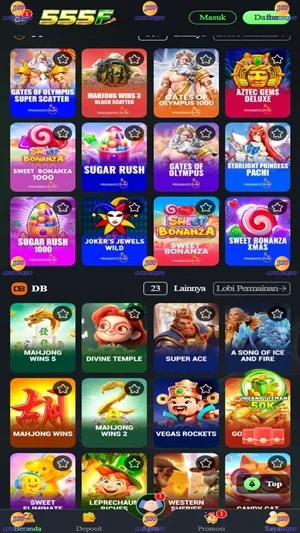
Screenshots


















Explore More
Gather around for game night anytime, anywhere with our new mobile board game. Play digital versions of classics like chess, checkers, backgammon and more against friends or AI opponents. With smooth online multiplayer, you can challenge players worldwide or create private games. Customizable boards, pieces, and house rules allow you to tailor the experience. Compete in daily tournaments or just play for fun.

Evil Defenders

HP 777 v6.7.8

Higgs Domino Island v2.61

SVip9 v9.9

RP55 v1.0

RP8 v15.2

SR777 v10.9.4

789RP v1.0.2