
Introduction
Hash Play is a lightweight media and streaming assistant that organizes audio and video files, streams playlists from online sources, and offers quick playback controls with minimal setup. It balances a clean interface with powerful file scanning, tagging, and casting features for casual listeners and power users alike.
What this app does
Designed for Android devices, Hash Play focuses on making your media collection instantly accessible. It scans local storage and network shares, builds playlists, and provides smart suggestions based on listening habits. The app supports common formats, handles large libraries without lag, and integrates with external devices for seamless playback across rooms.
Core capabilities
- Library management — automatic scanning, duplicate detection, and folder-based sorting.
- Playback tools — gapless playback, crossfade, sleep timer, and an on-screen equalizer.
- Streaming integration — link to online streams, podcasts, and cloud files.
- Casting & sharing — Chromecast, DLNA, and Bluetooth support for multi-room setups.
How Hash Play works day to day
After a short initial scan, Hash Play presents your media in familiar categories: artists, albums, folders, and recently added. Playback controls are accessible from notifications and lock screen widgets, while gesture controls simplify skipping and seeking. Background playback is optimized to conserve battery while maintaining stable streaming when you switch apps.
Playback systems explained
The app uses a configurable audio engine that supports hardware decoding for reduced CPU use. You can enable crossfade between tracks, set a replay gain preference to balance volume across files, and toggle an advanced equalizer for on-the-fly tonal adjustments. For videos, the player keeps a persistent playlist so you can queue clips without interrupting current playback.
User interface and performance
Hash Play presents a modern, minimal UI that prioritizes content over chrome. Navigation is quick: swipe gestures reveal secondary menus, long-press brings up contextual file actions, and search feels responsive even in very large libraries. Performance tweaks include lazy thumbnail loading and incremental scanning so initial load times stay short.
Customization and personalization
- Themes — choose light, dark, or automatic night modes.
- Widgets — place compact and full-size home screen controls.
- Metadata tools — edit tags, fetch cover art, and correct mislabeled tracks.
Tips for first-time users
To get the most from Hash Play, start by pointing the scanner at the folders you use most. Enable automatic cover art download and let the app run a full metadata pass. If you stream from a NAS or cloud account, add credentials in settings to avoid repeated logins. Create a few smart playlists to familiarize yourself with the filtering options and scheduling features.
Advanced suggestions
- Use crossfade and replay gain together for consistent listening in mixed-genre playlists.
- Enable hardware decoding when battery use is not a concern for smoother playback on older devices.
- Try the widget controls for quick access when you’re driving or exercising.
Why people turn to Hash Play
Users appreciate the balance between simplicity and capability. Hash Play handles everyday playback tasks cleanly while offering deeper settings for enthusiasts who want precise control over sound and organization. The app’s lightweight footprint and stable streaming make it a practical choice for phones, tablets, and Android Auto setups.
Getting started
Install Hash Play from your preferred app store, grant storage and network permissions when prompted, and allow an initial library scan. Configure playback preferences from the audio settings panel, link any external services you use, and add a widget or two for instant control. Regular updates expand codec support and refine the interface based on user feedback.
Whether you need a dependable media manager for an extensive local library or a streamlined player for streaming and casting, Hash Play offers a focused toolset with a friendly interface and performance-minded design.
- No virus
- No advertising
- User protection
Information
- File size: 1.80 M
- Language: English
- Latest Version: 1.0.1
- Requirements: Android
- Votes: 201
- Package ID: h8.crazyvegas.online
- Developer: Hash Play
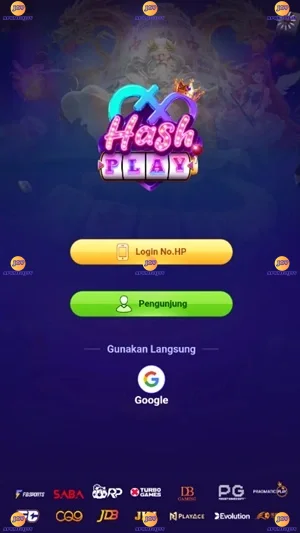
Screenshots


















Explore More
Looking for some quick gaming fun? Our new super-casual game is perfect for entertaining bursts in your busy day. With simple, intuitive gameplay crossed with challenges that engage your brain, you'll keep coming back again and again. No complex controls or tutorials - just open and play anywhere, anytime. Vibrant art style and upbeat music create a lighthearted experience.

100 Ways To Die

Alabell

Tekken Tag Tournament 2

2jbet Game

God of Cricket

My Voice Zoo Game

Stick Warriors Shadow Fight Mod

Garena Blockman GO