Introduction
Word Stacks turns quick word recognition into a relaxing puzzle experience, pairing stacked letter tiles with intuitive swipes. This minimalist mobile title challenges vocabulary, pattern recognition, and speed through progressive levels that feel approachable yet satisfying for players of all ages.
Overview and first impressions
At a glance, Word Stacks blends clean visuals with low-friction mechanics. The game asks you to find words hidden inside a vertical stack of letters and tap or swipe them away to clear the board. Sessions are short enough for commutes but deep enough to reward strategic thinking, making it a dependable pick for daily play.
Core gameplay mechanics
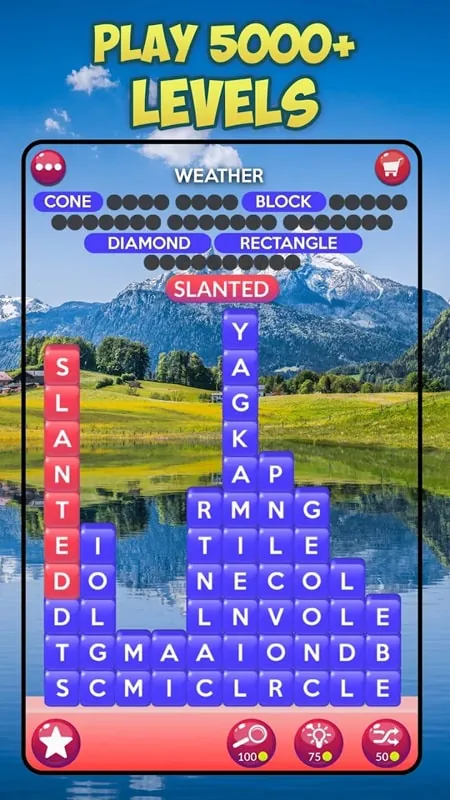
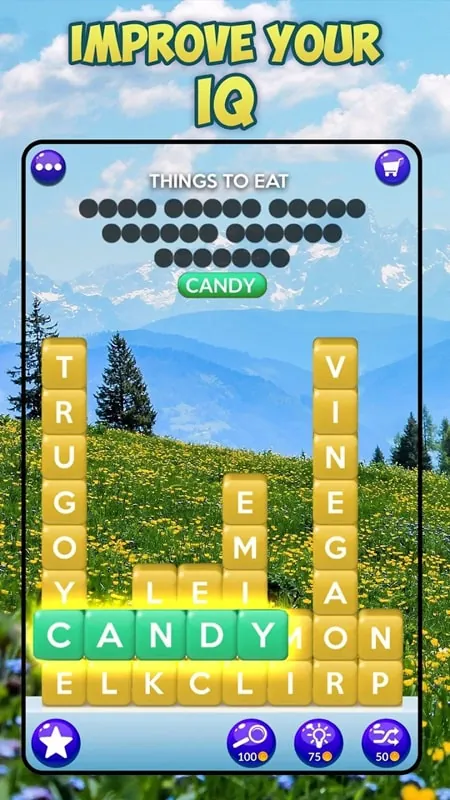
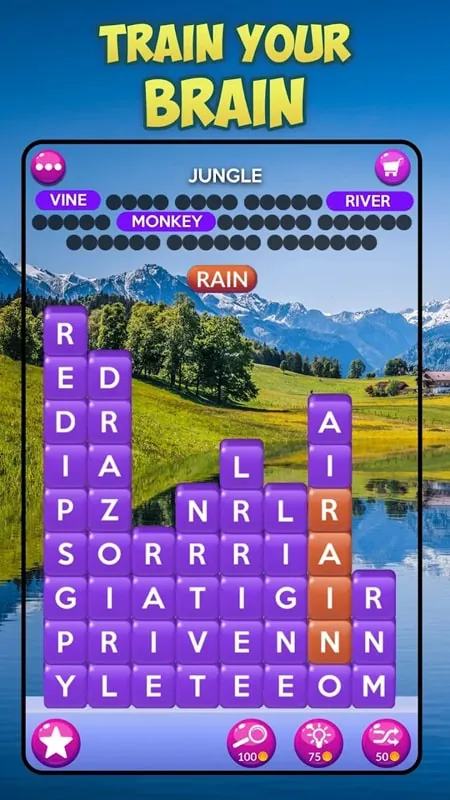
The heart of Word Stacks lies in its simple loop: identify contiguous letters that form valid words, select them, and collapse the stack. Levels vary by word length, letter distribution, and special tiles that require targeted actions. Difficulty ramps by introducing longer words and denser stacks, so players must balance quick recognition with careful planning.
Key highlights
- Smooth controls: tapping or swiping to select words keeps interaction effortless.
- Progressive difficulty: stages are designed to feel rewarding rather than punitive.
- Daily challenges: limited-time puzzles provide fresh objectives and replay value.
- Minimal UI: unobtrusive menus and clear typography make focus on the puzzle easy.
How levels and progression work
Each level presents a different layout and set of objectives, such as clearing a target number of tiles or revealing hidden words. Completion awards in-game currency or unlocks cosmetic themes and new packs. The pacing is forgiving: failing a level rarely feels punishing because retries are quick and often instructive.
Tools and in-game systems
Beyond the base puzzle, the game includes several support systems. Hints reveal a single letter or suggest a starting tile, while shuffle options re-order the stack to reveal new combinations. Some modes limit hints to increase challenge, and special events temporarily change rules to keep the experience varied.
Interface and performance notes
Word Stacks favors a minimalist aesthetic: flat colors, large readable letters, and subtle animations. This design keeps the spotlight on word discovery without distracting effects. The app performs smoothly on a range of devices and tends to use modest battery and memory resources, which is helpful for long play sessions.
Player experience and learning curve
New players will find the first dozen levels intuitive. The game teaches mechanics incrementally, using early puzzles as a tutorial without heavy-handed instructions. As vocabulary demands increase, players develop pattern recognition strategies like scanning for common prefixes, suffixes, and letter clusters.
Tips for improving your game
- Scan the stack horizontally and vertically to spot short words first.
- Target high-frequency letters (vowels and common consonants) to open up more combinations.
- Use hints sparingly; they’re most valuable when stuck near the end of a level.
- Replay older levels to practice speed without pressure.
Why it stands out
What makes Word Stacks appealing is the balance between accessibility and depth. It doesn’t require complex rules to enjoy, yet mastering higher levels rewards vocabulary building and fast pattern recognition. The social component—leaderboards and challenge sharing—adds light competition without detracting from the solo puzzle flow.
Getting started
Download and initial setup are straightforward: small file size, quick installation, and an immediate first session. The initial pack is free and serves as a strong introduction to core mechanics; additional content is available through optional packs and seasonal events for players who want extended challenges.
For anyone who enjoys word games with a calm visual style and steadily increasing complexity, Word Stacks is a strong recommendation. Its short-session design and thoughtful progression make it a useful daily brain workout, whether you play for relaxation or to sharpen vocabulary skills.
- No virus
- No advertising
- User protection
Information
- File size: 134.10 M
- Language: English
- Latest Version: 1.20.0
- Requirements: Android
- Votes: 94
- Package ID: com.peoplefun.wordstacks
- Developer: PeopleFun
Screenshots
















Explore More
Are you searching for an enjoyable method to strengthen your intellect? Our hottest logical puzzle is tailor-made to offer a stress-free pastime experience. With beautiful graphics and chill background music, you can immerse yourself in an engaging world of logic and critical thinking. Solve increasingly tricky levels at your own pace, with no time pressure or lives system.

Rush Hour 3D MOD

AnimA ARPG

My Secret Summer Vacation 2 New

Hillside Drive

Match Factory

Mine Quest 2: RPG Mining Game

Merge Inn

Sonic Cat - Slash the Beats