Introduction
Pole Plus is a feature-rich Android application built to control and manage pole-mounted camera systems, offering live preview, automated capture modes, and cloud synchronization for field inspections and panoramic shooting. It streamlines setup, stabilizes footage, and simplifies sharing for professionals who rely on elevated imaging tools.
Core features
Pole Plus brings a toolbox of capabilities tailored to make aerial or elevated photography practical and efficient. Key tools include remote camera triggering, adjustable exposure and focus controls, timed burst and interval shooting, and real-time stabilization feedback. The app supports high-resolution stills and video recording while providing a clean, responsive preview on your device.
User interface and workflow
The interface prioritizes clarity: a large live view occupies the main screen while essential controls sit within easy reach. Users can switch between single-shot, burst, and panorama modes with one tap, and a guided setup assists with pole length calibration and balance adjustments. Workflow-oriented features like project folders and tagging help organize sessions by location, date, or job type.
Capture modes and automation
Pole Plus includes automated sequences designed for repeatable results. Interval capture schedules time-lapse sequences, while sweep panorama uses overlapping frames to generate wide images. For inspection tasks, the app can trigger sequential shots at predefined heights or angles, reducing manual effort and ensuring consistent coverage across inspections or surveys.
Stabilization and image quality
To improve output from a mobile, pole-mounted rig, Pole Plus offers digital stabilization cues and on-screen guides that suggest optimal shutter speeds and ISO settings based on motion and lighting. Built-in exposure bracketing and focus stacking modes help produce sharper, better-exposed results under challenging conditions such as low light or windy environments.
Connectivity and compatibility
Pole Plus supports Bluetooth and Wi-Fi connections to compatible camera heads and gimbals, plus it works with many Android devices. Integration with GPS provides automatic geotagging of captures, while Bluetooth sensors can feed tilt and height data back into the app for accurate annotations. The app also exports in common image and video formats so files are ready for editing or reporting tools.
Project management and sharing
The app emphasizes efficient project handling. Create named projects, attach notes or defect markers to images, and build export-ready reports. Cloud sync enables team access to captures across devices and simplifies collaboration by letting supervisors review footage remotely. Export options include ZIP packages, PDF reports, and direct uploads to popular cloud storage services.
Customization and advanced settings
Pole Plus is configurable to suit different use cases. Users can define custom capture profiles, set preferred file naming conventions, and create automated sequences that match inspection checklists. Advanced users will find manual controls for shutter, aperture (where supported), white balance, and bitrate for video, ensuring the app adapts to both simple and demanding shoots.
Performance and battery management
Designed for field use, the app minimizes background processing to conserve battery life while maintaining a smooth preview and reliable triggers. Adjustable frame rates and resolution settings allow operators to balance quality with power consumption. The app also offers a low-power mode focused on capturing essential stills and metadata when battery reserves are limited.
Security and data handling
Data security is built into Pole Plus with options for encrypted project backups and control over cloud sync settings. Users can restrict sharing, require authentication for team members, and choose which captures remain on the device. Local storage and selective upload reduce unnecessary data transfer, which is useful when working with limited connectivity.
Getting started
Setting up Pole Plus is straightforward: install the app, pair it with your compatible camera head or gimbal, calibrate pole length and tilt, and create your first project. An onboarding guide walks through every step and sample templates help you configure capture sequences tailored to tasks such as roofing surveys, telecom inspections, or landscape panoramas.
Why professionals choose Pole Plus
Professionals favor Pole Plus for its focused feature set that reduces setup time and delivers consistent, high-quality results from pole-mounted cameras. The combination of automated sequences, reliable connectivity, and project-driven organization makes the app a practical choice for teams that need dependable elevated imaging without complex hardware changes.
- No virus
- No advertising
- User protection
Information
- File size: 3.10 M
- Language: English
- Latest Version: 1.3
- Requirements: Android
- Votes: 327
- Package ID: com.free_nk.poletwo
- Developer: STUDIO Z
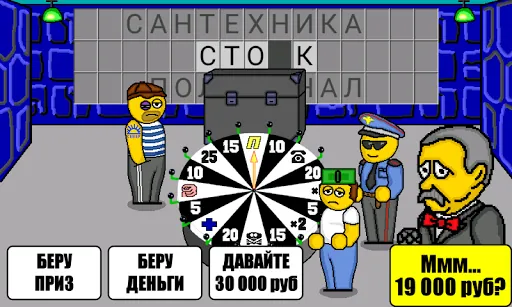
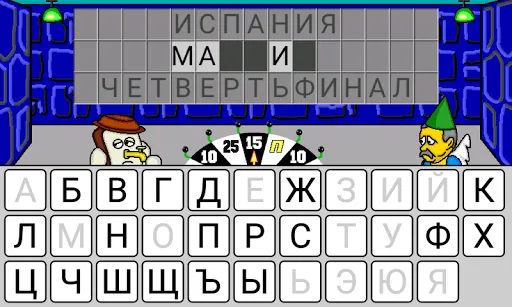
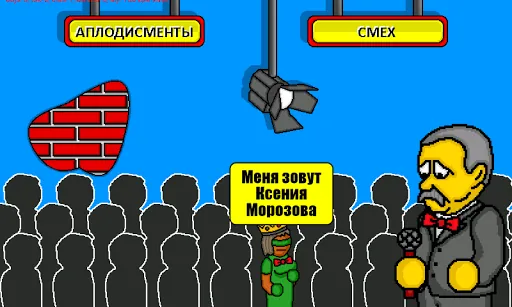
Screenshots
















Explore More
Conquer games faster and unlock their full potential with our comprehensive guides and walkthroughs. Created by expert gamers, they contain tips, strategies and secrets for mastering both new releases and all-time classics across platforms. Packed with detailed maps, collectible locations, boss tactics, hidden areas and more, you'll have everything needed to finish games 100%.

Real Piano Master

AnimA ARPG

Jaya Slot v1.1.1

SL999 v12.3

JKTWin v1.0.5

The Death Of Harsh Noise

LustJackpot

MalO Interactive! (Demo)