Introduction
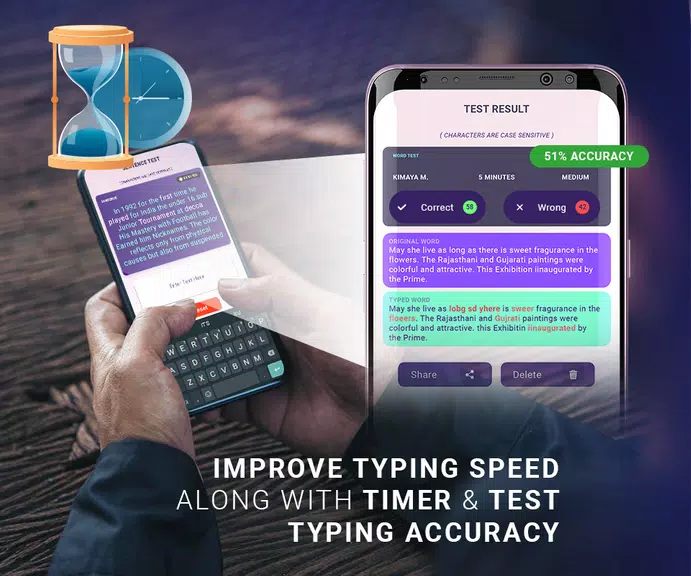
Typing Tester : Typing Speed is an Android app designed to measure and improve typing speed and accuracy through short exercises, timed tests, and contextual text practice. The interface gives immediate accuracy reports, WPM calculations, and progress charts so users can set goals and refine typing technique with focused daily sessions.
What the app offers
Typing Tester : Typing Speed provides a practical toolkit for anyone who types on mobile devices. It combines concise practice drills with detailed feedback so you can identify weak keys, common mistakes, and pacing issues. Results are displayed clearly, making it simple to compare sessions and notice steady improvement.
Key features and tools
- Timed tests: Choose short bursts (15–60 seconds) or longer assessments to simulate real-world typing demands.
- Accuracy and WPM analytics: Instant calculations for words per minute, character accuracy, and error breakdowns.
- Custom text input: Paste or type your own passages to practice domain-specific vocabulary, email templates, or code snippets.
- Session history: Track past attempts, graph trends, and set personal bests to beat.
- Lightweight and offline: Designed to run smoothly on a wide range of Android devices without constant network access.
Practice modes and content variety
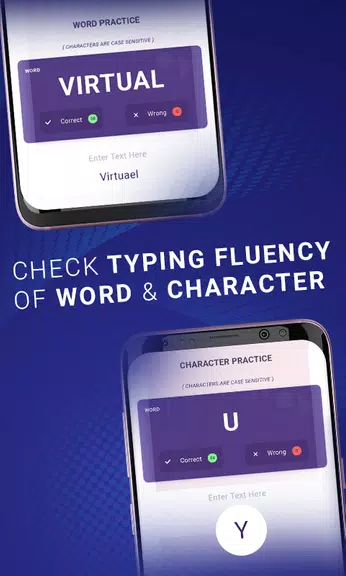
The app includes multiple practice formats for balanced skill development. Use randomized word lists to build raw speed, timed paragraphs to train reading-and-typing rhythm, or dedicated symbol and number drills to reduce hesitation on less-frequent characters. Each mode highlights errors so corrections become part of the learning loop.
Interface and usability
Design choices favor readability and quick access: large fonts during tests, simple start/stop controls, and a distraction-free results screen. Settings let you adjust font size, choose dark or light themes, and enable haptic feedback or sound cues. These options help tailor each session to individual comfort and device type.
How progress tracking works
After every attempt the app saves a concise report showing WPM, accuracy percentage, number of errors, and a timestamp. Over time these metrics populate a session history that reveals trends—such as steady increases in speed or recurring mistakes on particular letters. Use the built-in goals feature to aim for incremental improvements and receive alerts when milestones are reached.
Customization and advanced settings
- Adjust test length: Set precise durations to match practice goals or simulate typing conditions.
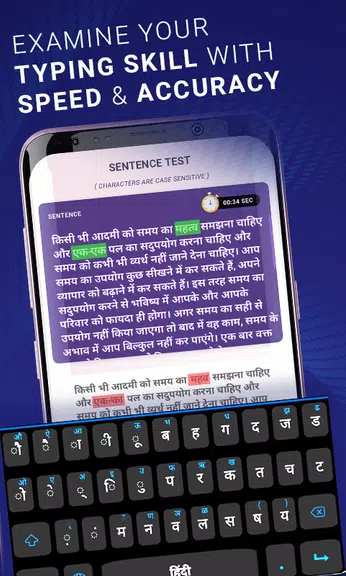
- Choose keyboard layouts: Compatible with standard Android input methods, so you can practice with QWERTY, AZERTY, or regional layouts.
- Error highlighting: Toggle between immediate correction or deferred review to practice different learning strategies.
Performance and compatibility
Typing Tester : Typing Speed is optimized for minimal resource use and fast loading. It runs reliably on entry-level phones and tablets as well as newer models. The offline capability ensures you can practice anywhere, while periodic updates add text libraries and small performance improvements without bloating the app.
Getting started quickly
Begin by selecting a practice mode, set a comfortable test length, and tap Start. After a session, review the summary screen to see WPM and accuracy, then repeat a drill or switch to focused practice on problematic characters. For steady progress, schedule short daily sessions and aim to shave fractions of a second off each keystroke.
Why choose this app
Typing Tester : Typing Speed is geared toward efficient, measurable improvement. Its combination of diverse practice modes, clear analytics, and lightweight performance makes it a solid companion for students, professionals, and anyone who wants to type more confidently on mobile. The app encourages incremental gains and makes the path to faster, more accurate typing easy to follow.
- No virus
- No advertising
- User protection
Information
- File size: 11.60 M
- Language: English
- Latest Version: 1.19
- Requirements: Android
- Votes: 357
- Package ID: com.ppn.typingchallenge
- Developer: PPN Developers
Screenshots
















Explore More
Gather around for game night anytime, anywhere with our new mobile board game. Play digital versions of classics like chess, checkers, backgammon and more against friends or AI opponents. With smooth online multiplayer, you can challenge players worldwide or create private games. Customizable boards, pieces, and house rules allow you to tailor the experience. Compete in daily tournaments or just play for fun.

MC777 v1.1.3

Idle Lumber Empire: Tycoon Inc

Bomba Patch

OKIDR v2.0

Evil Defenders

Higgs777 v1.1.3

RSNOK v9.8

HP 777 v6.7.8