Introduction
Pixela is a lightweight pixel art studio for Android that simplifies creating sprites, icons, and small illustrations. It combines an intuitive grid-based canvas, layered editing, and export options suitable for hobbyists and game developers. Quick tools and responsive controls make Pixela an efficient choice for on-the-go pixel design.
What Pixela Brings to Mobile Pixel Art
Pixela targets creators who want precise control without a steep learning curve. The app balances essential features—pencil, fill, color palettes, and layers—with mobile-friendly gestures. It’s designed to let you sketch concepts, refine sprites, and prepare assets for games or social posts directly from your phone or tablet.
Core Tools and Workflow
At the heart of Pixela is a compact toolset that prioritizes pixel-level accuracy. The pencil and eraser work at single-pixel resolution, while a shape tool and line drawer speed up common tasks. An intelligent fill tool respects transparency and selection boundaries so you can recolor areas without disturbing neighboring pixels. Layer support—including opacity and simple blending—lets you separate outlines, shading, and highlights for non-destructive edits.
Interface and Performance
Pixela’s interface keeps the canvas prominent and minimizes on-screen clutter. Tool bars collapse when not in use, and familiar pinch-to-zoom plus two-finger pan make navigation straightforward. Performance stays smooth even with multiple layers thanks to optimized rendering for mobile GPUs; animations and real-time previews respond without noticeable lag on mid-range devices.
Exporting and File Handling
Export options are practical and flexible. Pixela can save PNGs with transparent backgrounds, export sprite sheets, and preserve layer data in its native file format for later edits. You’ll also find simple presets for common game sizes, making it easy to produce assets at standard resolutions and scale them for different screen densities.
Customization and Palette Management
Custom palettes are a standout feature. Pixela lets you lock palettes to prevent accidental swaps and create swatches for recurring projects. A color picker samples from the canvas or an imported image, while a grayscale preview helps evaluate value contrast. These options give you control over color harmony and readability at small sizes.
Useful Extras for Pixel Artists
- Onion skinning for frame-by-frame animation reference.
- Grid and guide overlays to align tiles and maintain consistency.
- Mirror drawing to speed up symmetrical designs.
- Custom brushes that simulate dithering or textured strokes.
These extras make Pixela more than a basic editor—especially for users who create tilesets, character sprites, or simple animations.
User Experience and Learning Curve
New users will find Pixela approachable. A short guided tour introduces the main tools, while contextual hints explain lesser-known features. The interface avoids jargon and uses clear icons, so you can progress from sketching to final export without consulting a manual. For those migrating from desktop tools, Pixela includes keyboard shortcut support when used with a physical keyboard.
Tips for Getting the Most Out of Pixela
Start projects at the intended final size to avoid resampling artifacts. Use limited palettes early to strengthen silhouettes and readability. Take advantage of layers to separate colour blocking from detail work, and use the onion-skin mode to plan smooth animations. Regularly export backups to avoid losing progress if you switch devices.
Why Creators Choose Pixela
Creators value Pixela for its focused feature set and mobile-optimized workflow. It isn’t bloated with unnecessary functions, so common tasks remain fast. The app’s balance of precision tools and accessibility lets both beginners and experienced pixel artists iterate quickly, whether they’re sketching ideas or producing final assets for indie games.
Starting with Pixela
Installation is straightforward through the Android store: grant storage permissions for imports and exports, open a new canvas, and choose a preset resolution or custom size. Spend a few minutes exploring layers and palette tools—this small investment in familiarization pays off as you build assets more efficiently.
Overall, Pixela delivers a compact but capable environment for pixel artwork on the go. Its focus on clarity, responsive tools, and workflow-friendly features make it a solid pick for anyone producing pixel graphics on a mobile device.
- No virus
- No advertising
- User protection
Information
- File size: 52.50 M
- Language: English
- Latest Version: 1.43
- Requirements: Android
- Votes: 449
- Package ID: com.xds.pocketpixel
- Developer: Gold Ninja Games
Screenshots


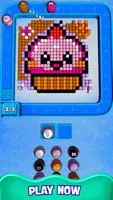

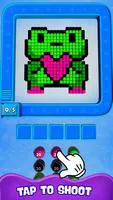
















Explore More
Gather around for game night anytime, anywhere with our new mobile board game. Play digital versions of classics like chess, checkers, backgammon and more against friends or AI opponents. With smooth online multiplayer, you can challenge players worldwide or create private games. Customizable boards, pieces, and house rules allow you to tailor the experience. Compete in daily tournaments or just play for fun.

Svip5 Slot v2.1.6

FC888 v2.1.6

IDN789 v9.9
GOGO REJEKI v1.0.4

6svip v6.0

CUANKUY v12.5

JOYit Mod

MC777 v1.1.3