


Introduction
MyColorful transforms ordinary photos into vibrant, shareable images with a compact set of color grading tools and themed filters. It blends intuitive controls with presets for quick edits, plus precise sliders for advanced adjustments. Beginners and casual creators will find a fast, friendly workflow for everyday edits.
Quick overview
Designed for smartphones, MyColorful focuses on speed and visual impact. The interface surfaces the most useful controls first: contrast, saturation, temperature and a selection of curated color looks. Edits are non-destructive, so you can experiment without losing originals, and export options support high-resolution output for social feeds or printing.
Core capabilities
- Color grading: Multiple presets plus manual RGB and HSL adjustments let you shape mood precisely.
- Filter system: Layerable filters that can be stacked and blended with opacity control.
- Selective tools: Brush and radial adjustments for localized color corrections.
- Batch processing: Apply a single look across many images to maintain a consistent style.
- Export formats: Save as JPEG or PNG and choose resolution and quality settings.
How the editor works
The workflow is straightforward: import an image, choose a preset or start from neutral, then refine using sliders. A split-view preview helps compare before and after states. MyColorful provides a live histogram and simple undo history so you can refine shadows, midtones and highlights without guessing. Edits are applied in layers, enabling you to adjust or remove specific changes later on.
Tools and advanced controls
Beyond basic sliders, the app includes an RGB curves editor for contrast control, HSL channels for targeted hue shifts, and a vibrance control that preserves skin tones while boosting muted colors. The selective brush includes size and feather controls for precise edge handling. For creators who like to tinker, a tone-mapping option helps recover detail in high-contrast scenes.
Design and performance
MyColorful balances visual polish with responsiveness. The clean interface avoids clutter: key buttons are grouped at the bottom for one-handed use. Image processing is optimized to run smoothly on mid-range devices; heavy operations display progress and can be canceled. Memory management prevents unexpected crashes during large exports.
User experience highlights
- Interactive tutorials that introduce each major tool without interrupting the workflow.
- Preset marketplace where community-made looks can be previewed and installed.
- Smart suggestions that propose adjustments after analyzing image tonal range.
The app keeps the most-used features within easy reach while hiding advanced controls behind expandable panels, which reduces friction for newcomers while still supporting power users.
Practical tips for better edits
Start with a neutral preset and adjust exposure first to avoid pushing sliders too hard. Use the selective brush to protect faces when boosting saturation. For consistent results across a set, create a custom preset that records your curve and HSL settings. When exporting for social apps, slightly under-sharpen to avoid double-processing by platform compression.
Why photographers and content creators pick it
Many users appreciate MyColorful for its combination of speed and precision. It speeds up routine edits while allowing fine-grained control when needed. The preset system is useful for brand consistency and the selective tools are effective for portrait and product work. Community presets also allow creators to explore fresh aesthetics quickly.
Getting started and installation notes
Installation from the app store is quick; the initial setup walks you through importing images and using presets. Permissions are limited to storage and optional camera access. The app supports cloud sync for look presets and settings, so you can keep your workflow consistent across devices. Regular updates add filters and performance improvements without changing the core interface.
Whether you need a fast polish for social posts or a deeper color-grade for portfolio images, MyColorful provides a focused set of editing tools that scale with your expertise. Its balance of accessibility and technical control makes it a practical choice for mobile image editing.
- No virus
- No advertising
- User protection
Information
- File size: 64.00 M
- Language: English
- Latest Version: 4.0
- Requirements: Android
- Votes: 169
- Package ID: com.europosit.coloring
- Developer: Severex
Screenshots
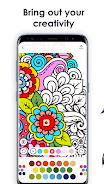
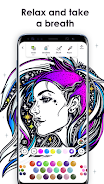
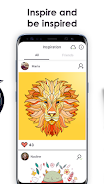

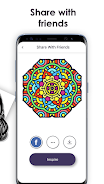
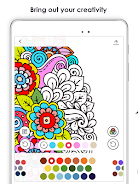
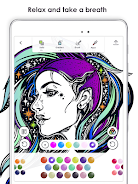
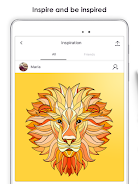
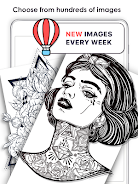
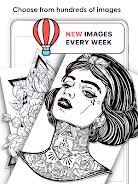
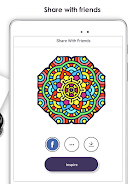
















Explore More
Looking for some quick gaming fun? Our new super-casual game is perfect for entertaining bursts in your busy day. With simple, intuitive gameplay crossed with challenges that engage your brain, you'll keep coming back again and again. No complex controls or tutorials - just open and play anywhere, anytime. Vibrant art style and upbeat music create a lighthearted experience.
TEKKEN

Say the Word on Beat

City Train Driver Simulator 2019

Mimic Party

How to Fish

INA777 v9.8

Knödel TD

Zyon RhythmGame





