

Craft Town: Build Craft 3D
Category: Simulation Date:2026-11-10
Rating: 4.4
Introduction
Sandbox crafting and block-building games get a compact, mobile-focused entry with Craft Town: Build Craft 3D. This title puts a voxel world and a set of practical building tools on your phone so you can sketch, mine and expand without a steep learning curve. Whether you enjoy quiet construction or cooperative exploration, Craft Town: Build Craft 3D offers a flexible playground: create a tiny cabin, carve tunnels to rare minerals, or collaborate with friends on a skyline of towers. The game balances freedom and structure so both newcomers and creative builders have clear goals and room to experiment.
Wonderful Features of Craft Town: Build Craft 3D
Open sandbox: A free-form mode gives you unlimited blocks and materials for pure design work, ideal for testing layouts and styles.
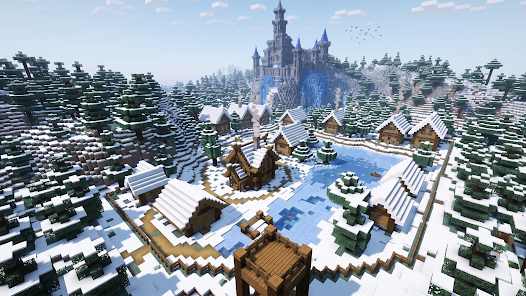
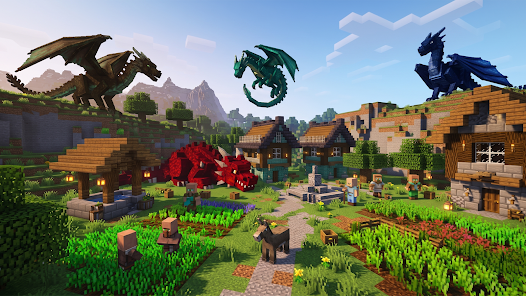
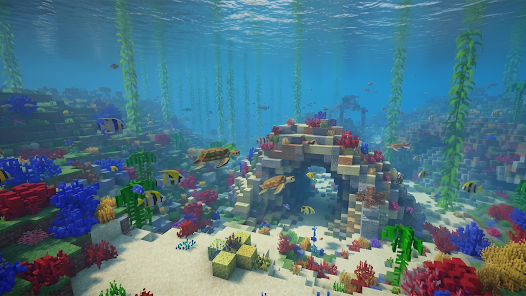
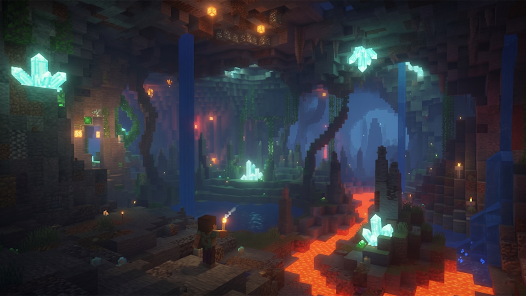
3D voxel visuals: Clean block textures and dynamic lighting keep structures readable while making landscapes feel alive.
Toolset for precision: Intuitive placement controls, rotate-and-mirror options, and simple block palettes let you execute detailed builds faster.
Multiplayer support: Invite friends to join a shared world to co-build or explore together.
Gameplay of Craft Town: Build Craft 3D
Build loop: Collect or select blocks, place them to shape walls and roofs, then adjust decorations and colors for finishing touches.
Resource gathering: Mine different biomes for materials that unlock creative options and craftable items.
Survival variant: Optional survival challenges add basic threats at night and force you to plan resource use and shelter.
Exploration and discovery: Roam forests, caverns and peaks to find rare nodes or scenic locations for ambitious projects.
Types of Craft Town: Build Craft 3D
Creative mode: Unlimited supplies let you focus on architecture and city planning without pressure.
Survival mode: Gather, craft and defend in a mode that adds a survival rhythm to building sessions.
Co-op worlds: Persistent shared servers where multiple players can contribute to large-scale projects.
Useful Tips of Craft Town: Build Craft 3D
Plan before you place: Sketch a footprint or use placeholder blocks so you can scale buildings without rework.
Use biomes wisely: Certain areas yield specific materials; set up small outposts near resource-rich zones for efficiency.
Mix heights and paths: Break flat cityscapes with varying rooflines, stairways and plazas to give neighborhoods personality.
FAQs of Craft Town: Build Craft 3D
Do I need an account to play multiplayer?
Multiplayer may require a simple host or invite flow; you can usually start solo and join friends when ready.
Can I export or share my builds?
The game supports in-game screenshots and often lets players save worlds for sharing, though exact export options vary by version.
Is there a tutorial for beginners?
Basic guidance is included to introduce building controls and crafting steps so new players can get started quickly.
Final Verdict
Craft Town: Build Craft 3D is a straightforward, creative sandbox that suits builders who enjoy shaping worlds block by block. It blends a relaxed creative mode with optional survival elements and multiplayer collaboration, making it a good pick whether you want to design solo or coordinate with friends. If you value a clear toolset and plenty of building freedom, this game is worth a try for your Android library.
- No virus
- No advertising
- User protection
Information
- File size: 114.00 M
- Language: English
- Latest Version: 3
- Requirements: Android
- Votes: 310
- Package ID: com.shs.craftsman.wither.strom.game
- Developer: Sage Helix Studios
Screenshots