


Introduction
Dewalangit77 v4.1.31 is a compact Android utility designed to centralize streaming, notifications, and lightweight media tools into a single interface, delivering quick access and simple controls for everyday mobile tasks. It targets users who want fast media handling, streamlined alerts, and customizable panels.
What Dewalangit77 v4.1.31 Offers
At its core, Dewalangit77 v4.1.31 combines several small but useful utilities into one app shell. Instead of switching between multiple programs, you get media playback shortcuts, notification filters, a stable streaming view, and a small toolbox for quick device actions. The app focuses on utility and speed rather than heavy editing or advanced production features.
Key Features Overview
- Unified dashboard — A single home screen that aggregates media controls, live streams, and recent alerts for immediate access.
- Lightweight media handling — Play and pause common formats without launching large players; supports quick buffering and low-memory playback.
- Custom notification filters — Prioritize alerts and silence selected apps during specific hours or activities.
- Compact toolbox — Quick toggles for brightness, data, and common utilities like screen capture.
- Adaptive panels — Resize or hide interface modules to suit portrait or landscape modes.
Interface and Navigation
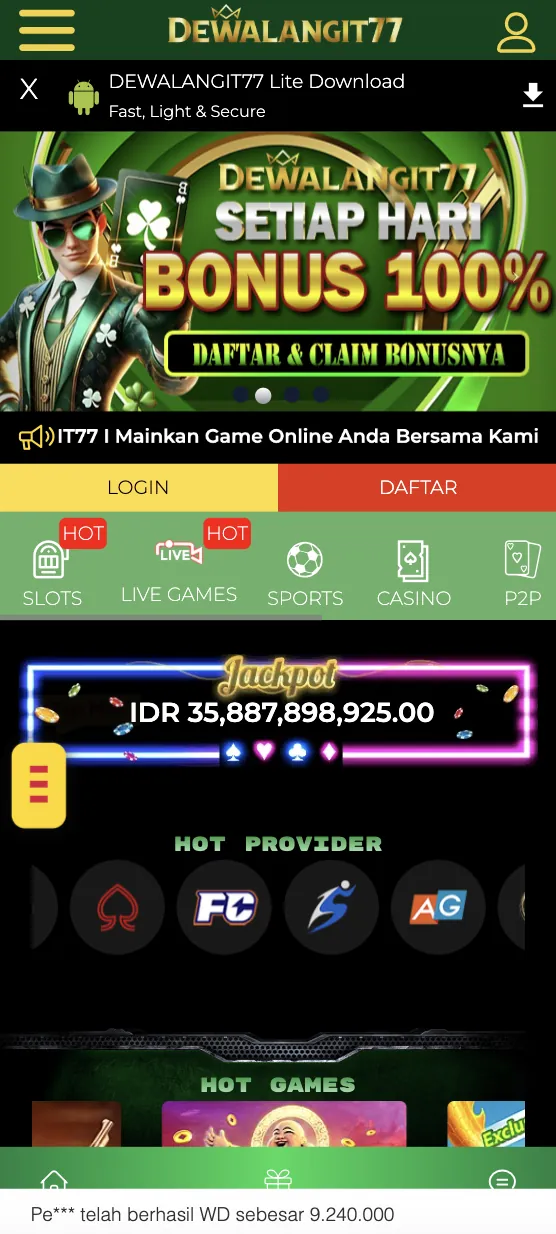
The interface emphasizes clear, touch-friendly elements. Buttons are spaced to reduce accidental taps and panels slide in from screen edges for rapid reach. Dewalangit77 v4.1.31 keeps the main controls within thumb reach and uses icons with short labels to improve discoverability. A simple settings menu lets users enable or disable modules without digging through nested screens.
Workflow and Practical Use
Use the app as a quick-access hub: launch a stream, mute notifications, and start a short recording with two or three taps. For commuters or people who juggle media while working, the app reduces friction by preserving playback state across sessions. It also caches small amounts of data to smooth short interruptions in network connectivity.
Customization and Personalization
Customization is intentionally modest to maintain speed. Users can rearrange panels, choose a compact or expanded layout, and set rules for notification priorities. Color accents and minimal theme choices allow some personalization without adding processing overhead. These options make it simple to tailor the experience to daily routines.
Performance and Compatibility
Optimized for mid-range devices, Dewalangit77 v4.1.31 trades heavy visual effects for consistent responsiveness. Memory usage stays low even when multiple modules are active. The app supports a wide range of Android versions and scales controls based on screen resolution to avoid awkward layouts on tablets or older phones. Background tasks are minimized to preserve battery life.
Getting Started Quickly
Installation is straightforward: grant the minimal permissions requested, open the app, and complete the short onboarding to select preferred modules. Dewalangit77 v4.1.31 prompts for notification access and media permission so it can integrate with system controls. After initial setup, most users will find the dashboard intuitive and ready for daily use within minutes.
Practical Tips and Best Practices
- Disable unused modules to reduce clutter and battery consumption.
- Set notification filters for work hours to avoid unnecessary interruptions.
- Use the compact layout while driving or during meetings for one-handed access.
- Clear cache occasionally if you notice slowdowns after extended use.
Security and Privacy Considerations
The app requests only the permissions required for its features and stores minimal local data. Users concerned about privacy should review permission prompts and adjust settings to restrict background access. Regular updates help patch vulnerabilities and improve compatibility, so enabling automatic updates is recommended.
Dewalangit77 v4.1.31 is a practical, no-frills utility for users who want consolidated controls and efficient media handling on Android devices. Its focus on speed, modest customization, and low resource usage makes it a reliable tool for everyday mobile workflows.
- No virus
- No advertising
- User protection
Information
- File size: 45.55 M
- Language: English
- Latest Version: 4.1.12
- Requirements: Android
- Votes: 248
- Package ID: com.dewalangit77
- Developer: Dewalangit77
Screenshots
















Explore More
Gather around for game night anytime, anywhere with our new mobile board game. Play digital versions of classics like chess, checkers, backgammon and more against friends or AI opponents. With smooth online multiplayer, you can challenge players worldwide or create private games. Customizable boards, pieces, and house rules allow you to tailor the experience. Compete in daily tournaments or just play for fun.
MEGAWIN188 v3.24.9

Kuro Card Battler

79Bet v6.6.12

Kinky Deck

Beckercraft ERROR 422 (acesso antecipado)

AGI Protocol / Protocole AGI (demo)

Andromeda MMORPG

The Wicked FoxHole Tavern