
Introduction
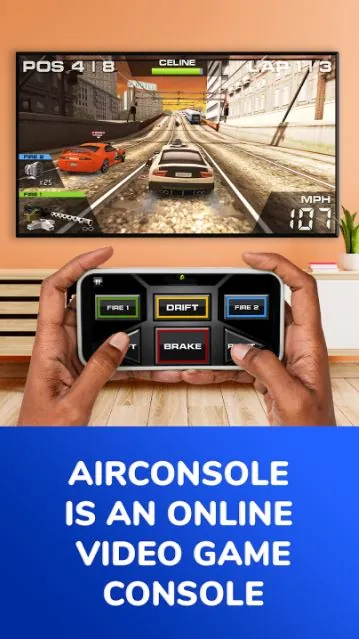
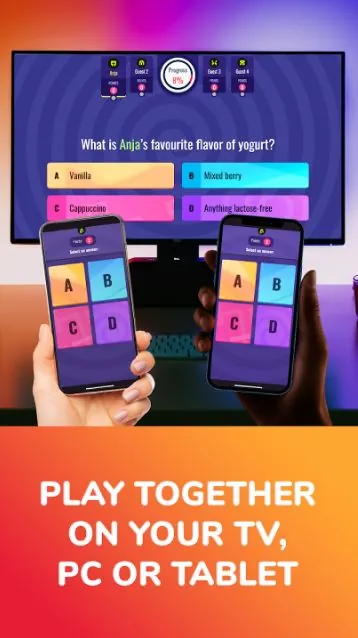
AirConsole turns a shared screen into a local multiplayer hub where smartphones become the controllers, making it simple to launch group games for parties, family nights, classroom breaks or quick office downtime. AirConsole runs the session from a computer, smart TV or tablet while guests join instantly from their phones, so there’s no need for extra gamepads or cables; setup is fast and intuitive and the app includes a Starter Pack of rotating free weekly games, plus an optional Hero subscription for ad-free play, expanded content and early access to new titles.
Key features
AirConsole’s core appeal is its low-friction, multi-screen setup: a single large display shows the game while everyone uses a phone as a controller. The Starter Pack gives access to a selection of casual and party-style titles that refresh regularly and are suitable for quick rounds. Upgrading to Hero removes ads, unlocks additional game content and often grants early access to selected releases. The app is designed to work on computers, smart TVs and tablets as hosts, so you can pick the display that fits your gathering.
Gameplay and controls
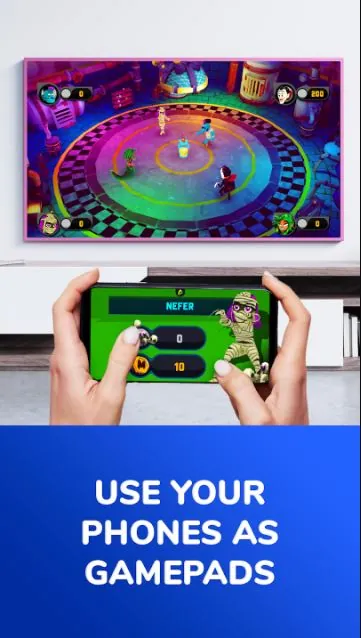
Gameplay on AirConsole is deliberately accessible: individual titles tend to favor short rounds, simple objectives and mechanics that work well on a phone screen. Controls vary by game and by device, and commonly include virtual buttons, on-screen joysticks, tap gestures and tilt or motion input when a phone’s sensors are used. Because the input methods are handled by each phone, players typically only need to tap or tilt to take part, which keeps the learning curve low and lets mixed-age groups join quickly. Many games are designed for simultaneous local play in rounds or matches that last a few minutes, encouraging social and competitive interaction without long session commitments.
Progression and replayability
Progression differs by title but a number of AirConsole games include simple advancement systems such as level-based stages, unlockable rounds, in-game currency or cosmetic rewards that encourage repeat play. Short session lengths and rotating game selections in the Starter Pack contribute to replay value: you can jump between party games, puzzles and skill challenges across multiple sessions. For players who prefer uninterrupted play, the Hero subscription reduces interruptions and opens up access to more content, which can extend play patterns and discovery of favorite games.
Visual style and level structure
The visual presentation across the AirConsole library is diverse, ranging from colorful, cartoony party titles to minimalist puzzle designs and retro-inspired arcade games. Most games favor clear, legible visuals that read well on a large shared screen, while levels are commonly organized into short stages, timed rounds or score-based challenges that are easy to repeat. This combination keeps the focus on social play and quick matches rather than lengthy, single-player campaigns.
Customization, challenge systems and user experience
Customization options depend on individual games but often include simple cosmetic choices, character selection and adjustable match settings like round length or difficulty. Challenge systems are usually local and session-oriented: timed challenges, knockout rounds and best-of series are common ways for groups to compete. The overall user experience emphasizes fast joining, clear on-screen instructions and low technical barriers so hosts and guests can get playing with minimal setup time.
Accessibility and offline considerations
AirConsole is built with accessibility and ease-of-use in mind: many games use large buttons, single-tap mechanics and optional motion controls to accommodate different players. Because hosting is done from a nearby computer, smart TV or tablet, AirConsole is well suited to environments where devices share a local network; in many casual setups the session can be run without complex configuration. Device availability and some game features may vary by hardware, so it’s a good idea to test your chosen host–display pairing before an important event.
Advantages and limitations
AirConsole makes local multiplayer convenient by removing the need for dedicated controllers and by offering quick, social game sessions that are easy to start. The Starter Pack is a good way to try a rotating selection of titles for free, while the Hero subscription expands the library and removes ads for a smoother experience. Limitations include the Starter Pack’s two-player cap on certain free titles and the presence of advertisements in the free tier; full, uninterrupted access requires a Hero upgrade. Additionally, specific games and features can vary by device, so compatibility should be checked if you depend on a particular title for an event.
- No virus
- No advertising
- User protection
Information
- File size: 8.70 M
- Language: English
- Latest Version: 2.8.16
- Requirements: Android
- Votes: 233
- Package ID: com.airconsole.controller
- Developer: N-Dream
Screenshots
















Explore More
Unleash your inner artist with our immersive art apps. Learn techniques and mediums through step-by-step video lessons. Get inspired browsing galleries of classics and contemporary pieces. Experiment with brushes, filters, and effects using our digital studio. Capture reference photos to use within your work. Share creations and get feedback from a supportive community.
View more