Introduction
GBA.emu is a highly rated Game Boy Advance (GBA) emulator for Android that allows users to play their favorite GBA games on their mobile devices. Offering an authentic and seamless gaming experience, GBA.emu supports a wide variety of GBA titles, from classic RPGs and platformers to sports games and more. With its high compatibility, customizable controls, and support for cheat codes, GBA.emu brings your nostalgic Game Boy Advance games to life. Whether you're revisiting old favorites or discovering GBA games for the first time, this emulator offers a smooth and flexible way to enjoy handheld gaming anywhere.
Features of GBA.emu:
1. High Compatibility: GBA.emu supports a wide range of Game Boy Advance games, ensuring most of your favorite titles run smoothly. The emulator is designed to handle both official and fan-made ROMs with high compatibility and performance.
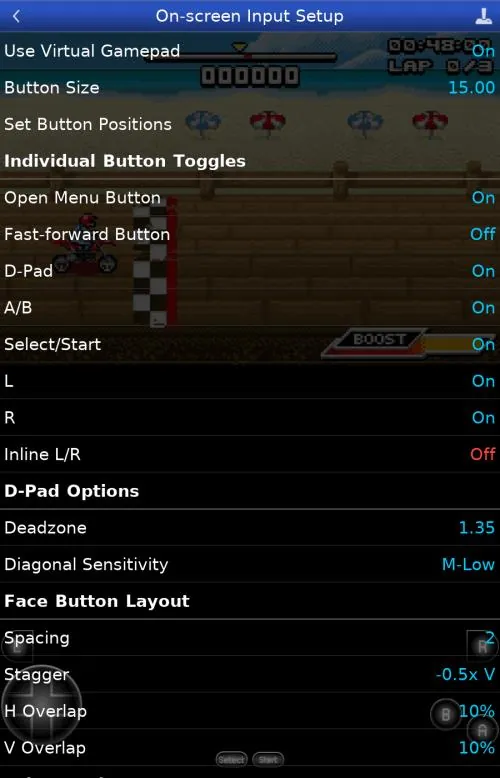
2. Customizable Controls: The app allows users to fully customize on-screen controls to suit their playstyle. You can adjust the size and layout of the buttons, and the app also supports external controllers for a more traditional gaming experience.
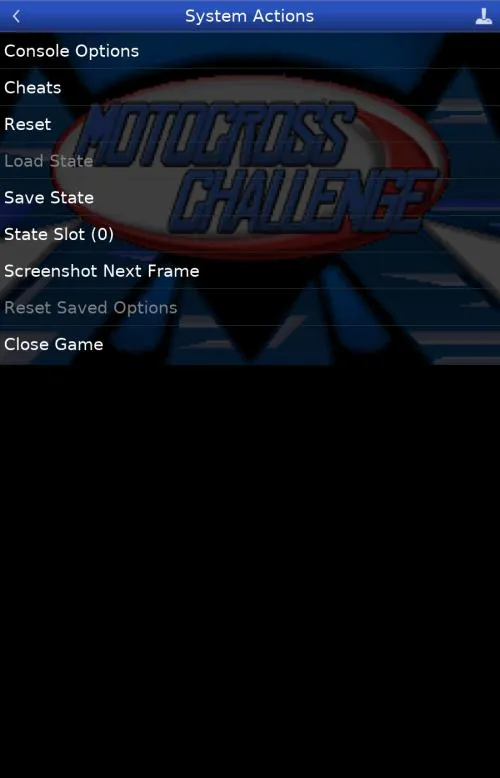
3. Save and Load States: GBA.emu enables you to save and load your game progress at any point using save states. This feature is perfect for saving your spot in tricky sections or trying out different strategies without the risk of losing progress.
4. Cheat Code Support: You can use cheat codes to unlock additional content or make the game easier, such as infinite lives or unlocking special abilities. GBA.emu supports various cheat code formats, making it easier to find and apply cheats for your games.
5. Fast Forwarding: For those looking to speed up gameplay or skip through certain sections, GBA.emu includes a fast-forward feature. This can be especially useful for grinding in RPGs or speeding up cutscenes.
6. High-Quality Audio and Graphics: The emulator provides crisp audio and smooth graphics, ensuring an immersive gaming experience. You can adjust settings to improve visual quality or tweak the performance for lower-end devices.
Playing Tips of GBA.emu:
1. Customize Controls for Comfort: Take some time to adjust the on-screen buttons to fit your comfort level. You can move and resize the buttons to match your playing style or connect a Bluetooth controller for a more authentic experience.
2. Use Save States for Easy Progress: Save your game at key points with the "Save State" feature. This is especially useful in games with difficult sections or when you want to experiment with different approaches without starting from the beginning.
3. Try Cheat Codes for Fun: If you want to unlock hidden features or make the game more fun, explore cheat codes. These can help you get extra items, unlock levels, or even complete the game faster.
4. Optimize Performance for Older Devices: If you're experiencing lag or performance issues, try lowering the graphics settings or turning off features like high-quality audio. This can improve performance on older or lower-end devices.
5. Utilize Fast Forward for Grinding: In RPGs or other games with repetitive actions, use the fast-forward function to skip through tedious grinding or lengthy cutscenes. This will speed up your playthrough and keep the game more engaging.
6. Back Up Your Game Files: Regularly back up your saved game states and ROMs. This ensures that you don’t lose progress or valuable data if something goes wrong with your device or app.
Conclusion:
GBA.emu is a fantastic emulator for anyone looking to play Game Boy Advance games on Android devices. With its high compatibility, customizable controls, and useful features like save states, cheat code support, and fast forwarding, GBA.emu offers an exceptional gaming experience. Whether you’re revisiting nostalgic classics or discovering new games, this emulator ensures smooth performance and flexibility. Its ability to support external controllers, fine-tune settings for optimal performance, and enjoy enhanced graphics and audio makes it a must-have app for retro gaming enthusiasts. For anyone who loves the Game Boy Advance library, GBA.emu is an excellent choice for mobile gaming on the go.
- No virus
- No advertising
- User protection
Information
- File size: 0.10 M
- Language: English
- Latest Version: 1.5.13
- Requirements: Android
- Votes: 248
- Package ID: com.vapps.GbaEmu.free2
Screenshots
















Explore More
Experience the thrill of competition in our latest addictive sports game. Choose your favorite team and take control of the world's best athletes as they battle head-to-head in intense matches. With ultra-realistic graphics and physics, it feels like you're right there on the field or court. Customize strategies, upgrade your players' skills, and lead your team to glory in multiple gameplay modes. Get in the game now!

My City : High School

Afy Games

My Town: School Mod

Galactic Athletes Blue League

Mi Talking Tom

Self Defense Dojo Secret NTR Lesson

WWE SuperCard

Gendut188