
Introduction
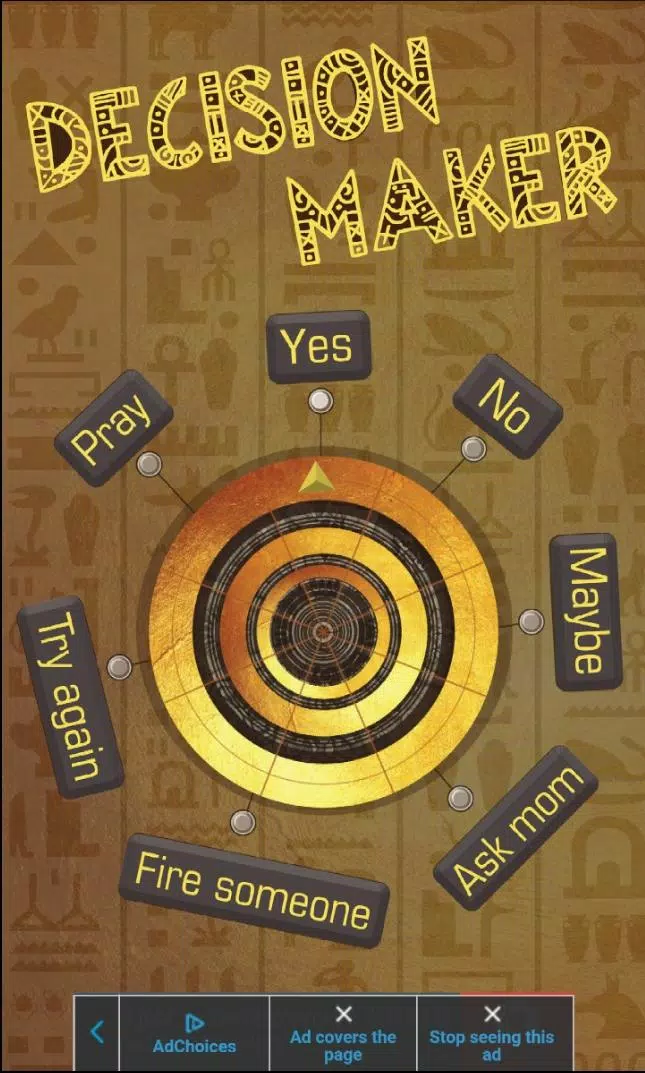
Decision Maker is a compact Android utility that helps users break ties, prioritize tasks, and generate quick choices with customizable criteria and randomness settings. It combines a clean interface, templates for common dilemmas, and exportable results to speed up everyday decisions and group discussions.
Overview of the app
Designed for people who want to reduce hesitation, Decision Maker provides a straightforward workflow to weigh options and arrive at an outcome fast. Whether you're selecting a restaurant, assigning chores, or balancing work priorities, the app turns indecision into a repeatable process with minimal setup.
Core features at a glance
- Custom choice lists: Create and save multiple lists for recurring scenarios like meals, tasks, or team roles.
- Weighted options: Assign different likelihoods to items so more desirable results appear more often.
- Multiple selection modes: Choose single, ranked, or batch selections depending on your needs.
- Templates and presets: Use built-in templates for everyday decisions and modify them to fit new situations.
- Share and export: Save decisions as text or share lists with colleagues and friends.
How it works
Getting a result takes three simple steps. First, add or import the options you want to consider. Second, tweak weights, groupings, or exclusion rules if needed. Third, run the decision engine to get a randomized, rule-aware outcome. The engine can produce a single answer or a ranked list when you need alternatives.
Decision logic and controls
The app mixes deterministic filters with controlled randomness: filters remove choices that don't meet current constraints, weights bias the result toward preferred options, and the randomizer prevents repetitive patterns. You can lock choices to preserve a result or exclude items temporarily during group sessions.
Customization and workflow
Users can tailor Decision Maker to match their daily routines. Create categories, color-code lists, and set default weights for recurring entries. Advanced users will appreciate conditional rules that only allow certain choices when other criteria are met, enabling scenario-driven decision flows for project management or meal planning.
Interface and usability
The interface keeps actions visible and reversible. Large, tappable controls make it easy to add entries or shuffle results, while swipe gestures help reorganize lists quickly. Performance is optimized for low-latency results even with large lists, which keeps the experience smooth on mid-range devices.
Tips for new users
- Start with a short list of 5–10 options to learn how weights influence outcomes.
- Use templates for recurring contexts like weekend plans or sprint task assignment.
- Apply exclusion rules during meetings to focus on feasible choices only.
- Export an outcome when you need a record of the reasoning behind a decision.
Common use cases
People use Decision Maker for small daily choices and structured team workflows. Examples include picking lunch spots, rotating household chores, assigning reviewers for code changes, or deciding which feature to prioritize next. The app is flexible enough for both one-person use and collaborative sessions.
Why users keep it installed
Users appreciate the balance between simplicity and control. The app reduces the friction of making frequent small decisions while offering enough depth for more complex scenarios. Clear feedback, editable history, and the ability to save custom configurations make it a practical tool rather than a novelty.
Getting started
Installation is straightforward from the Android store. After a quick onboarding that demonstrates list creation and weighting, you can import choices or start from a template. Regular updates add small improvements and new templates based on user feedback.
Decision Maker is a useful everyday utility for people who want to speed up choice-making without losing transparency. Its combination of lightweight design, flexible rules, and shareable results makes it a handy companion for personal and team decision workflows.
- No virus
- No advertising
- User protection
Information
- File size: 0.00 M
- Language: English
- Latest Version: 1.0
- Requirements: Android
- Votes: 295
- Package ID: com.dotera.games.decisionmaker
- Developer: BM Gaming
Screenshots

















Explore More
Gather around for game night anytime, anywhere with our new mobile board game. Play digital versions of classics like chess, checkers, backgammon and more against friends or AI opponents. With smooth online multiplayer, you can challenge players worldwide or create private games. Customizable boards, pieces, and house rules allow you to tailor the experience. Compete in daily tournaments or just play for fun.

Beat Roller

Cytus II

UNKILLED - Zombie Multiplayer

Real Piano Master

Absolute Drift

Zombie Frontier 3: Sniper FPS

Speed Moto Dash:Real Simulator

Rush Hour 3D MOD