
Introduction
AnimeOWL is a lightweight Android app designed for discovering, organizing, and watching anime across multiple sources. It brings a clean interface, fast search tools, and flexible playback options for casual viewers and power users alike. Ideal for building watchlists and tracking episodes with minimal setup.
What AnimeOWL Does
AnimeOWL centralizes anime discovery and playback into a single mobile experience. The app aggregates titles, sorts by genre and season, and provides episode lists with metadata. Rather than replacing streaming services, it acts as a smart companion that helps you find where episodes are available, manage viewing progress, and launch content in the player of your choice.
Core Features at a Glance
- Unified search: A fast universal search that combs through series names, synonyms, studios, and tags.
- Watchlist and tracking: Create custom lists, mark episodes watched, and follow seasons with progress indicators.
- Source management: Add, prioritize, or disable content sources to tailor results to your preferences.
- Custom playback: Adjustable player controls, subtitle selection, and stream quality options to match network conditions.
- Notifications: Alerts for new episodes, seasonal premieres, and updates to followed shows.
User Interface and Performance
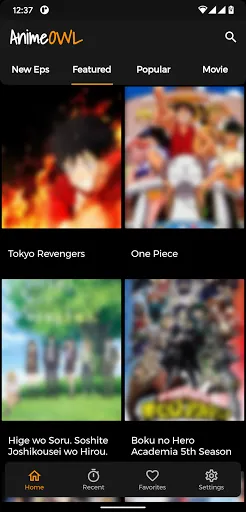
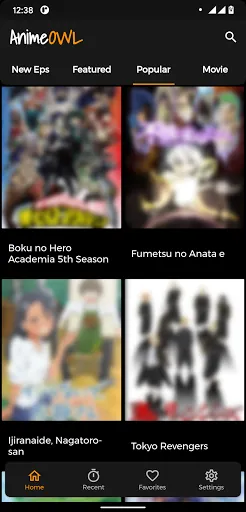
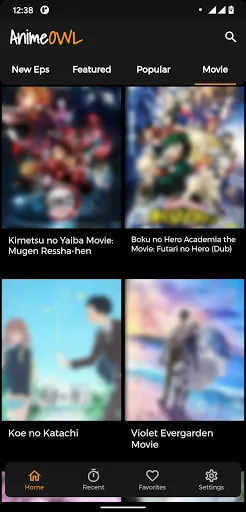
AnimeOWL is built with performance in mind. The layout emphasizes readability and quick access: large cover art, compact episode lists, and swipe gestures for navigation. On mid-range devices the app remains responsive thanks to efficient caching and background fetching of metadata. Animations are subtle and don't interfere with browsing speed.
Design Choices Worth Noting
- Minimal clutter: Menus expose advanced settings without crowding the main screens.
- Dark mode: A system-aware dark theme saves battery on OLED devices and reduces eye strain during night-time sessions.
- Adaptive streaming: The player can switch bitrates to maintain smooth playback on fluctuating connections.
How it Works
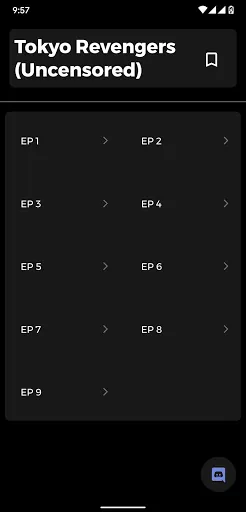
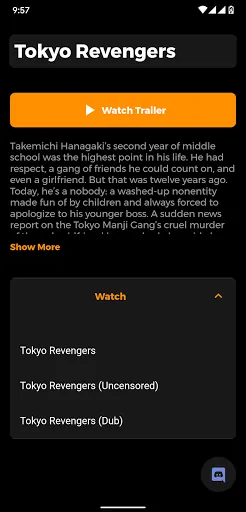
After installation, AnimeOWL walks you through a brief setup to select preferred languages, subtitle options, and regional sources. The app indexes available shows and presents them by season and popularity. Selecting an episode shows source options, available subtitles, and a quick link to open in the integrated player or an external app.
Integration and Automation
For users who manage extensive libraries, AnimeOWL supports automatic episode marking and scheduled checks for new releases. It can export watchlists or synchronize them with third-party tracking services, streamlining the workflow for people who follow multiple series at once.
Customization and Settings
Customization focuses on usability. You can reorder source preferences, set default streaming quality, and choose how episodes are sorted (by release date, episode number, or user rating). Subtitle fonts, sync offsets, and playback speed are adjustable, which helps tailor viewing to different styles and needs.
Advanced Options
- Proxy and network: Optional proxy settings for users on restricted networks.
- Data control: Wi-Fi-only sync and downloads reduce cellular data usage.
- Backup: Export and import settings to transfer preferences between devices.
Who Should Use AnimeOWL
This app is well suited for enthusiasts who watch multiple series, curators who maintain themed watchlists, and users who want a single hub for discovering shows across different sources. Casual viewers will appreciate the streamlined search and easy playback options, while power users get enough control to customize how they track and consume content.
Practical Tips for New Users
- Start by selecting preferred languages and disabling unwanted sources to declutter results.
- Enable automatic episode marking to keep track of progress without manual management.
- Use the backup feature before making sweeping changes to your settings.
Installing and Getting Started
Installation is straightforward: download the APK, grant the necessary permissions for storage and network access, and follow the onboarding prompts. Initial indexing may take a few minutes depending on your selections. Once set up, use the search bar to add a few series and explore the playback options to find settings that match your device and data plan.
Whether you want an organized way to manage dozens of ongoing shows or a lightweight discovery tool, AnimeOWL delivers a focused set of features without unnecessary complexity. Its blend of quick search, customizable playback, and list management makes it a practical choice for mobile anime fans.
- No virus
- No advertising
- User protection
Information
- File size: 20.10 M
- Language: English
- Latest Version: 1.0.4
- Requirements: Android
- Votes: 199
- Package ID: com.game.animeowl
Screenshots
















Explore More
Looking for some quick gaming fun? Our new super-casual game is perfect for entertaining bursts in your busy day. With simple, intuitive gameplay crossed with challenges that engage your brain, you'll keep coming back again and again. No complex controls or tutorials - just open and play anywhere, anytime. Vibrant art style and upbeat music create a lighthearted experience.

RealmCraft with Skins Export to Minecraft

RR777 v10.0

RajaStar v15.2

6svip v6.0

CUANKUY v12.5

JOYit Mod

Shogun's Empire: Hex Commander

st789 v9.0