Introduction
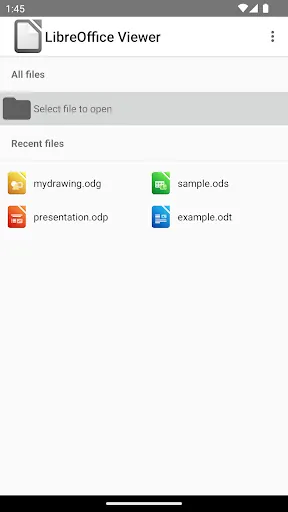
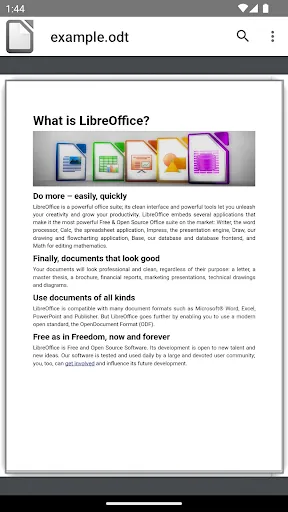
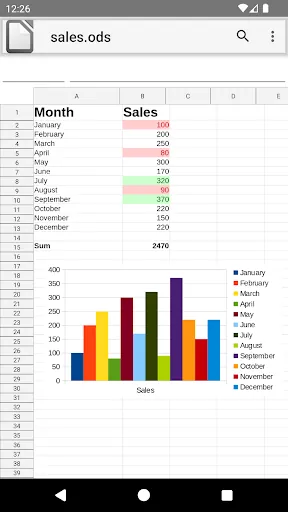
LibreOffice Viewer brings the LibreOffice desktop suite to Android as a compact document viewer, letting you open and read a wide range of file types while keeping documents local and private. The app supports Open Document formats and common Microsoft Office files so you can inspect odt, ods, odp, odg, docx, xlsx, pptx and legacy doc, xls, ppt documents on a phone or tablet without sending files to external services.
Key Features
LibreOffice Viewer opens Open Document formats and Microsoft Office formats, using the same core rendering engine as the desktop suite to preserve layout and formatting where possible. Files are handled locally on your device to protect privacy, and basic experimental editing features are available for testing and can be enabled in the app settings for users who want to try simple edits.
Advantages
The project is open source and free software, maintained by a community of contributors and overseen by a not-for-profit foundation. Broad format compatibility reduces the need for file conversion when you need to view different document types, and the app benefits from desktop-grade rendering technology adapted for mobile.
Limitations
Editing capabilities remain experimental and are not recommended for complex or production work. The Android release is a simplified viewer, so some advanced desktop features and full editing tools are limited or not available.
Development Team
The application is developed by a worldwide open source community with stewardship from a foundation based in Germany; contributors from many countries collaborate to maintain and improve the project.
Market Performance
LibreOffice technology has been widely adopted on desktop platforms and is reported to serve a large, global user base, reflecting long-term trust in the underlying engine used by this viewer.
Version Information
LibreOffice Viewer is released under a permissive open source license and uses the same core technology as the desktop suite. Experimental editing can be enabled in settings for testing, and users are encouraged to submit feedback and bug reports to help improve future releases.
- No virus
- No advertising
- User protection
Information
- File size: 78.68 M
- Language: English
- Latest Version: 7.6.7.2
- Requirements: Android
- Votes: 255
- Package ID: org.documentfoundation.libreoffice
- Developer: The Document Foundation
Screenshots
















Explore More
Equip yourself with our all-in-one toolbox app for everyday tasks and projects. Instantly convert between units, calculate tips, scan documents, manage files, and more with handy productivity tools. Includes a level, compass, QR code reader, ruler, speedometer, decibel meter, and flashlight. Save frequently used tools to your customizable dashboard for one-tap access. Track billable hours, wages, budgets, and invoices. Annotate screenshots, magnify labels, and sign PDFs on the go.

myJersey

Training Feel

7 Bussid Private Bus Mod

1win

Iwan fals Paling Lengkap

CZUR

The Doylo

Radio You FM 106.9