

Introduction
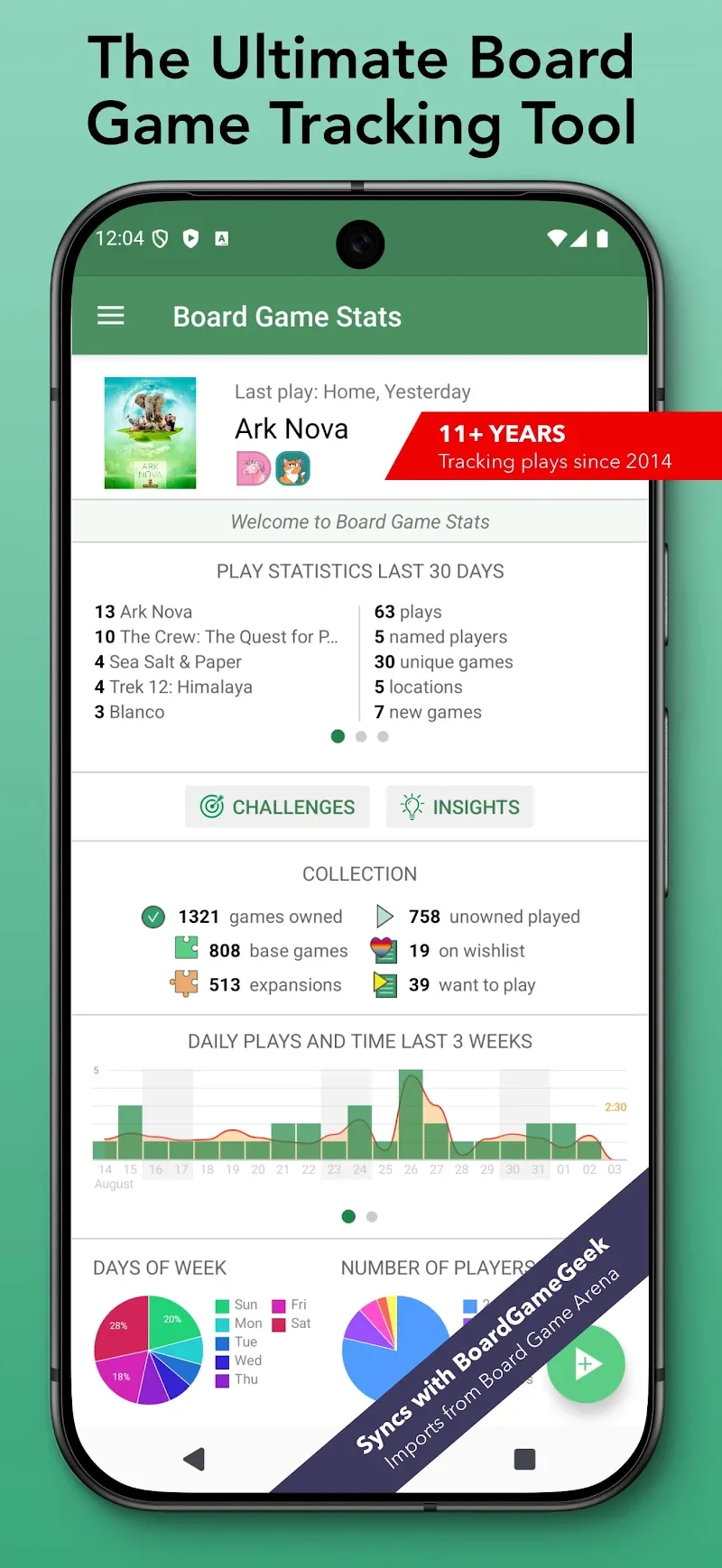
Board Game Stats helps tabletop players record plays, track scores, and analyze session data quickly. Designed for hobbyists and clubs, it captures player results, manages game entries, and visualizes trends to reveal preferred games and performance patterns across sessions.
Overview
If you want a focused, lightweight tool to manage your board gaming history, Board Game Stats is built for that purpose. The app avoids clutter and concentrates on reliable logging, clear summaries, and exportable data. It works well for solo hobbyists tracking personal progress or for groups maintaining club records and leaderboards.
Key capabilities at a glance
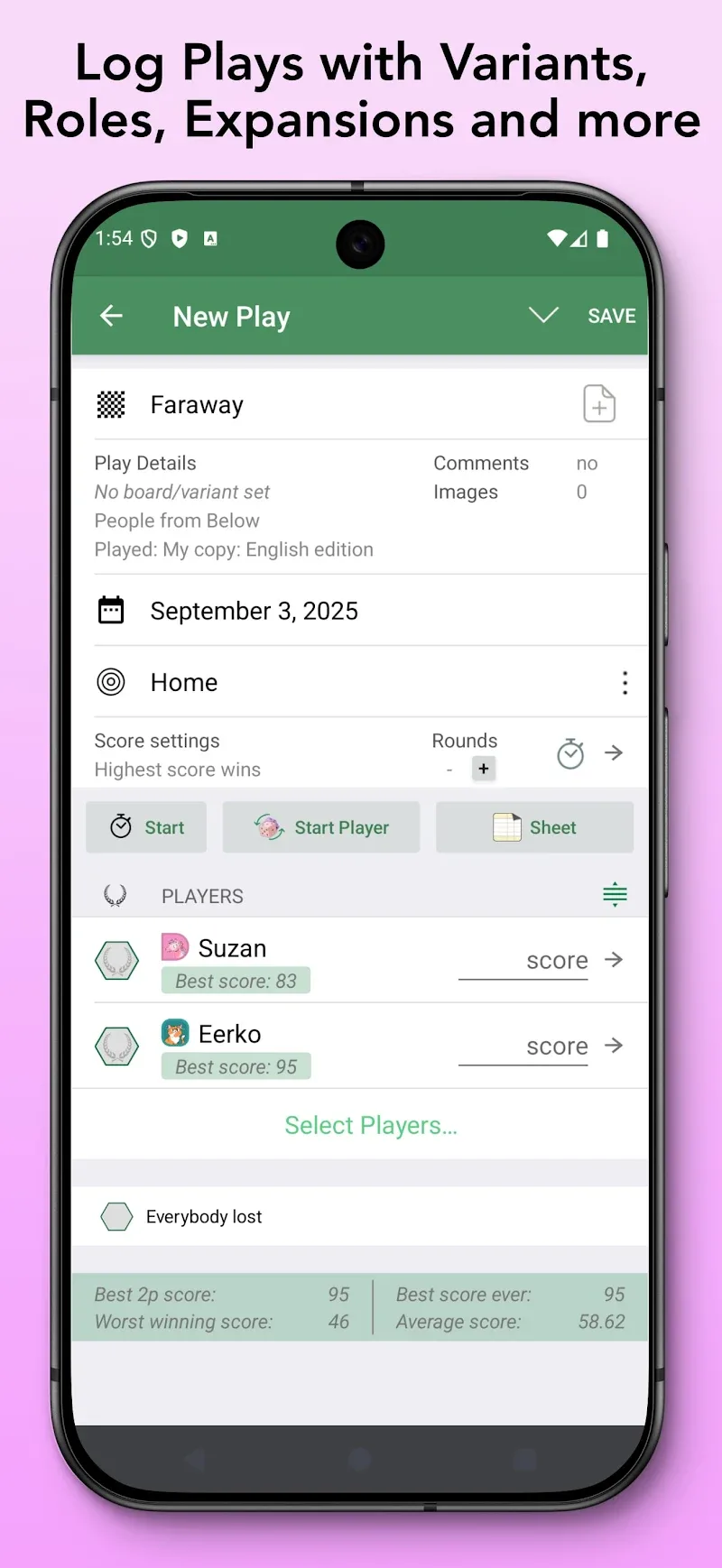
- Session logging: Add players, set game duration, record final rankings, and note winner details in a few taps.
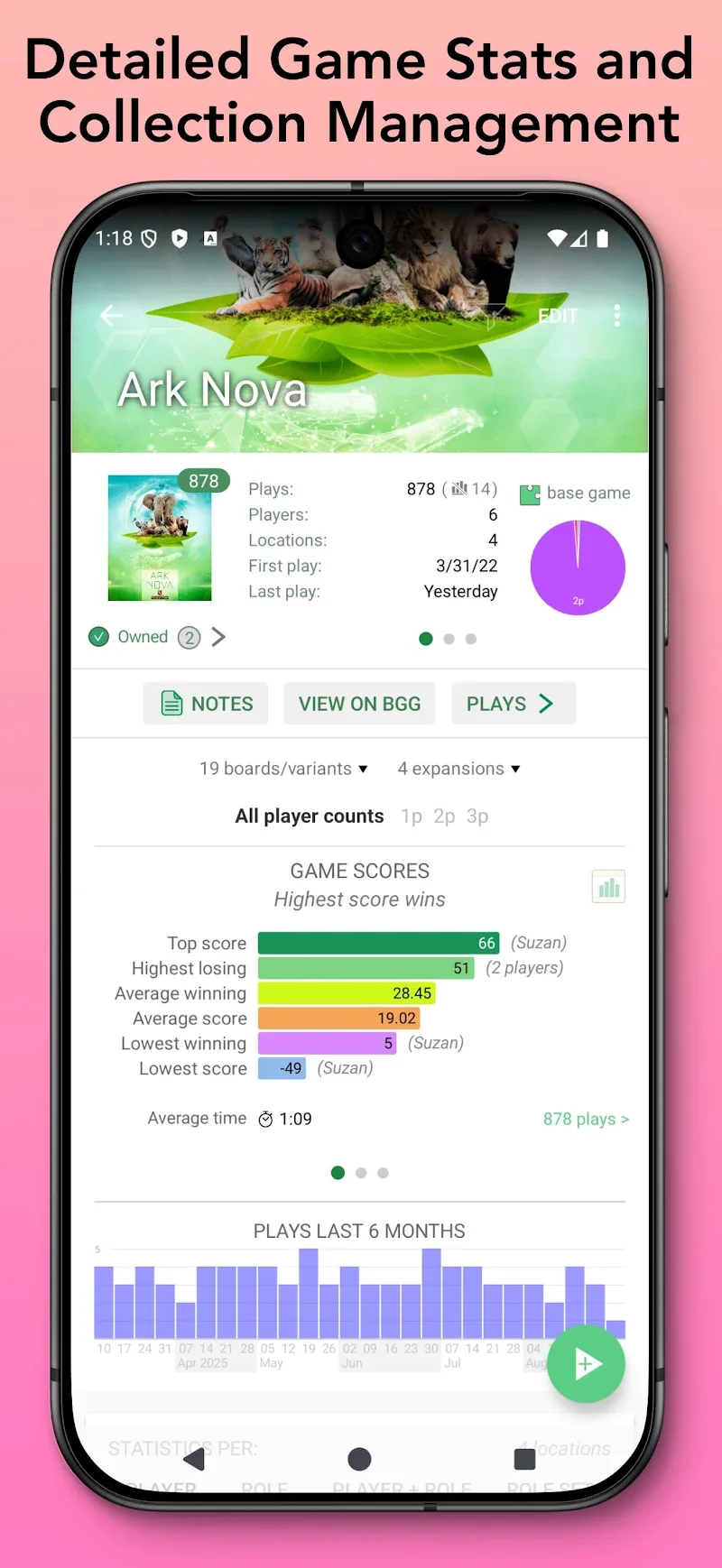
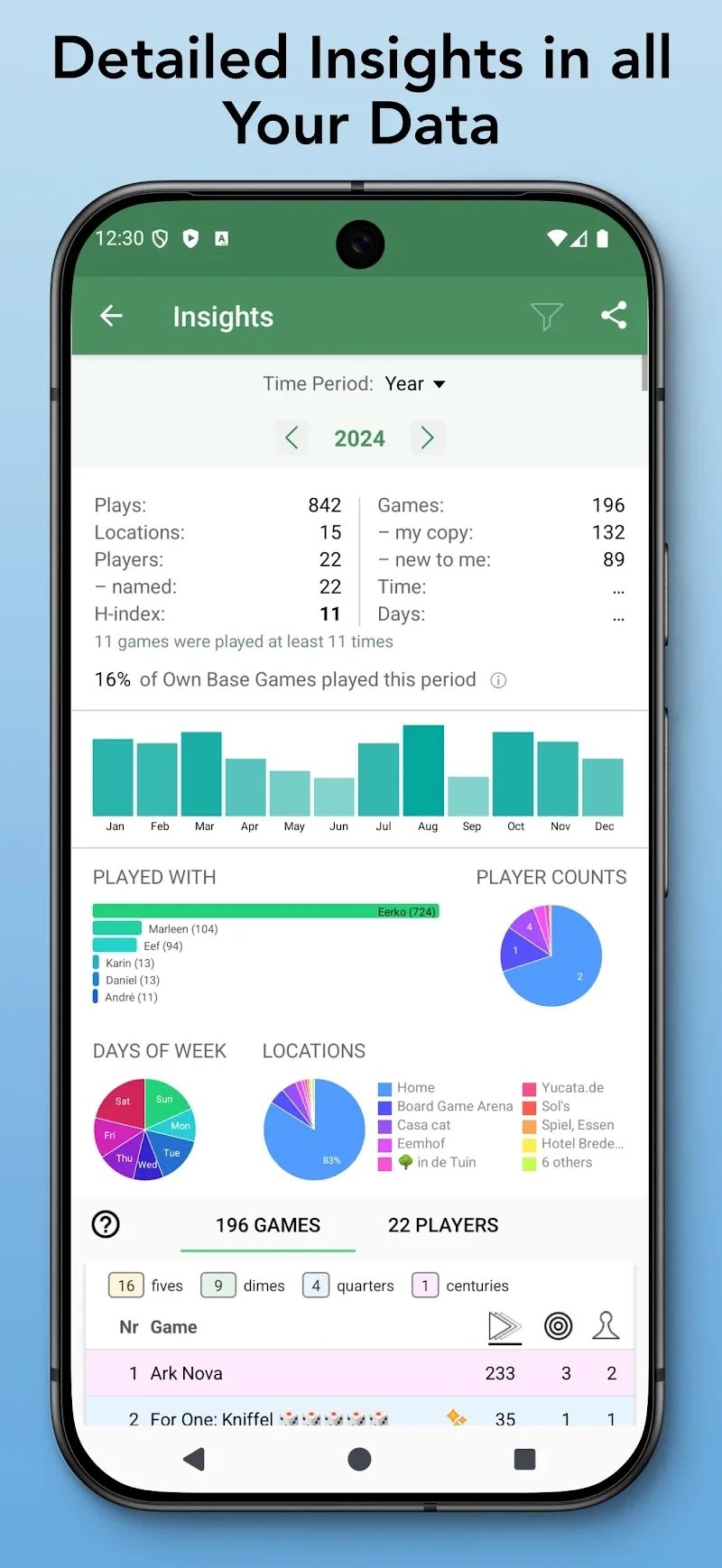
- Stat aggregation: View win rates, play counts, average ranks, and streaks for individual players and specific titles.
- Filters and search: Narrow data by date range, game, or player to spot patterns quickly.
- Data export: Export CSV summaries for spreadsheets or club archives.
How it organizes your play history
The core flow is straightforward: create a game entry, add participants, enter scores or ranks, and optionally include notes or custom tags. Board Game Stats stores entries with timestamps and lets you revisit any session to edit or annotate. A compact timeline view groups plays by date while a table view is ideal for scanning long histories.
Tools and analysis
Beyond basic tallies, the app offers calculated metrics like Elo-style adjustments, normalized scores, and head-to-head comparisons. These tools help you compare performance across different player pools and session sizes. Visual summaries include small graphs and sparklines so trends are visible without leaving the app.
Customization options
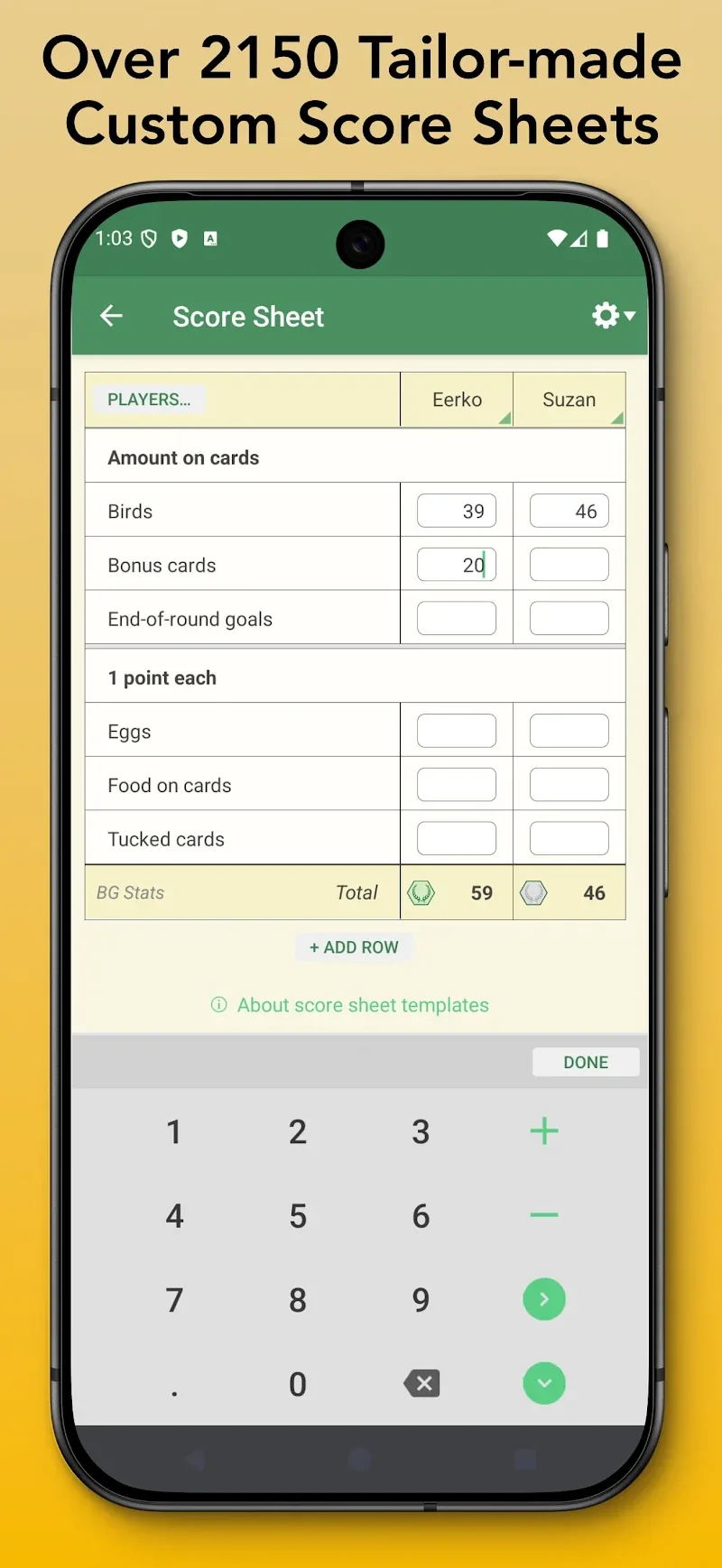
Users can tailor the app to match their play style. Create custom game entries with playtime presets, scoring templates, and player roles. Tags let you mark themed events, expansions used, or special rules. If you run a league or tournament, you can store event metadata and generate standings from logged sessions.
User interface and performance
The interface keeps primary actions within thumb reach and prioritizes readability. List pages load quickly, even with thousands of recorded sessions. Animation is minimal, favoring snappy response times over visual flair. The design supports both light and dark modes and scales cleanly on phones and tablets.
Getting started
Setting up is fast: install the app, add a few favorite games, and enter your first session. Board Game Stats guides you through player setup and provides sensible defaults for scoring. New users can import small CSV files to migrate past records, which makes switching from spreadsheets straightforward.
Tips for beginners
Start by logging recent sessions for a week to see how the summaries evolve. Use tags to separate casual nights from tournament matches so statistics remain meaningful. For clubs, agree on a consistent naming convention for games and player aliases to avoid duplicate entries and split records.
Why players recommend it
People appreciate the app’s balance between utility and simplicity. It doesn’t force complex configurations but still supports deeper analysis when needed. Board Game Stats is particularly useful for collectors who track play counts per title and for competitive groups that want transparent performance records.
Practical considerations
The app stores data locally with optional cloud sync for backup. Privacy settings let you control what gets shared when exporting or syncing. Occasional updates add new feature toggles and compatibility improvements for newer Android versions, keeping it current without heavy bloat.
Final notes on workflow
Adopt a consistent routine: record sessions immediately after play, tag carefully, and review weekly summaries to identify which games deserve more table time. With a few minutes of maintenance after each night, Board Game Stats turns a pile of scattered memories into a searchable, insightful archive that grows in value over time.
- No virus
- No advertising
- User protection
Information
- File size: 30.70 M
- Language: English
- Latest Version: 6.17.2
- Requirements: Android
- Votes: 428
- Package ID: nl.eerko.boardgamestats
- Developer: Apps by Eerko
Screenshots
















Explore More
Equip yourself with our all-in-one toolbox app for everyday tasks and projects. Instantly convert between units, calculate tips, scan documents, manage files, and more with handy productivity tools. Includes a level, compass, QR code reader, ruler, speedometer, decibel meter, and flashlight. Save frequently used tools to your customizable dashboard for one-tap access. Track billable hours, wages, budgets, and invoices. Annotate screenshots, magnify labels, and sign PDFs on the go.

MEXC Global: BTC, ETH, Gamefi

Text Art - Write Text On Photo

MERA PROXY PRO

Domino's Pizza Sri Lanka

Hatekhori Shongkha

Halloween Photo Editor -Makeup

Connecting - Friends Near Me

Cartola