Introduction
Text Art - Write Text On Photo is a compact, easy-to-use editor for placing styled typography onto images, designed for social posts, memes, marketing visuals and personal projects. Text Art - Write Text On Photo opens with a clean workspace that helps you add captions, quotes and branding elements without a steep learning curve. The app prioritizes hands-on control: choose a font, apply an effect, position text precisely and export a finished image in moments.
Core tools and controls
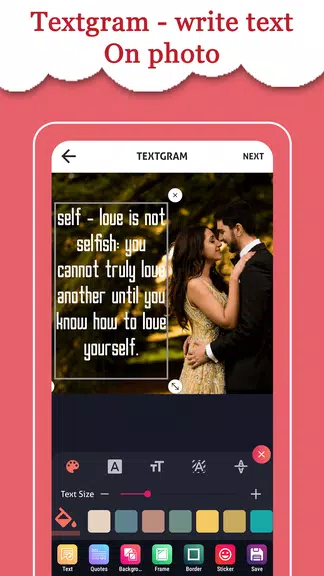
The editor provides a straightforward set of controls that feel natural on touch devices. Tap to edit text, drag to reposition, pinch to scale and rotate with two fingers. Fine adjustments such as letter spacing, line height, text alignment and opacity let you refine typographic details, while color pickers and shadow controls help the text sit correctly on any photo. Built-in alignment guides and snap-to-grid options make it easy to align captions to focal points in the image so results look balanced and intentional.
Editing workflow and progression
Start fast with a template or a blank canvas and progress to more elaborate compositions as your needs grow. The app encourages a simple workflow: pick or import a photo, add text, choose a font and an effect, then apply finishing touches like crop, blur or rounded corners. New users can rely on story-ready templates for quick outputs, while returning users can iterate on layouts and develop signature styles by reusing patterns and techniques learned through practice. Auto-Save protects work in progress, and Undo/Redo support helps you experiment without losing steps.
Customization, templates and visual style
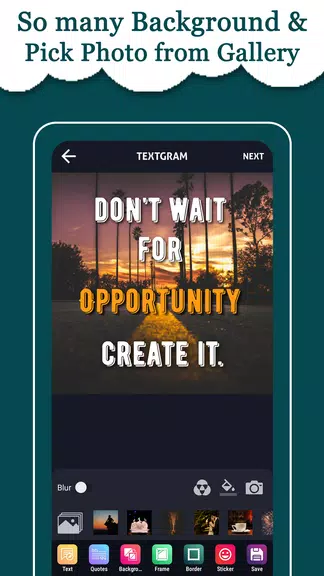
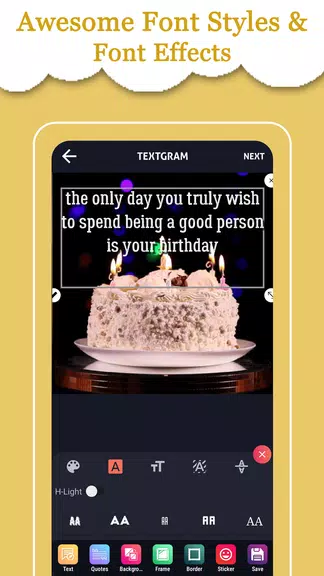
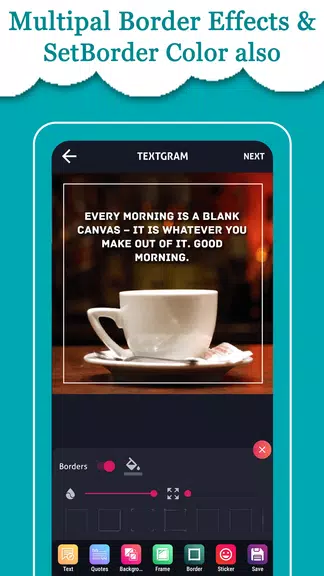
Text Art - Write Text On Photo includes a library of fonts and pre-crafted text styles that span clean sans serifs, expressive scripts and condensed headlines, plus subtle background treatments and texture overlays to improve legibility. Templates and frames are organized by format and purpose — social stories, square posts, collages and marketing banners — so you can pick a starting point that matches the output size you need. Photo filters and basic retouch tools such as crop, resize and vignette let you harmonize the image with your text, keeping the visual style coherent across multiple posts.
Controls for composition and accessibility
Composition controls give you precision without clutter: layering order, simple opacity sliders and alignment tools keep the interface focused. Accessibility is considered in the design with readable font previews, adjustable UI scale for larger touch targets, and text contrast options that help maintain legibility against varied backgrounds. The app’s minimal, high-contrast interface supports comfortable editing under different lighting conditions.
Assets, offline use and user experience
You can import images from your device camera roll and edit them entirely offline, which is useful when you’re creating on the go. A curated image library and additional filter packs may require an internet connection to download, but core text and photo editing features work without a network. The user experience emphasizes speed: quick template selection, one-tap formatting options and a preview mode that shows how the final image will appear when shared.
Export, sharing and reuse
Export options are tailored to common social platforms, offering story-sized and feed-ready formats. Text Art - Write Text On Photo streamlines sharing so you can send finished images to messaging apps or upload to social accounts directly from the app. Projects can be revisited and refined thanks to Auto-Save, enabling easy reuse of a layout or iterative improvement across multiple posts and campaigns.
Limitations and realistic expectations
The app focuses on text layout and practical photo edits rather than advanced photo retouching or pixel-level manipulation. If you need high-end compositing or professional image correction, a dedicated photo editor will be a better fit. Also, Undo/Redo behavior may behave differently in guest editing mode compared with an established project workflow, so consider saving a copy before heavy experimentation.
Why this editor is useful
Designed for creators who need attractive text overlays quickly, Text Art - Write Text On Photo balances simplicity with enough customization to produce polished visuals. Whether you’re captioning a single image, assembling a short collage, or creating a branded social graphic, the app keeps routine tasks fast while leaving room for creative control and refinement.
- No virus
- No advertising
- User protection
Information
- File size: 18.10 M
- Language: English
- Latest Version: Add Text On Photo -
- Requirements: Android
- Votes: 352
- Package ID: com.rqrapp.textgram.writeonphotos
- Developer: RQRapps
Screenshots
















Explore More
Equip yourself with our all-in-one toolbox app for everyday tasks and projects. Instantly convert between units, calculate tips, scan documents, manage files, and more with handy productivity tools. Includes a level, compass, QR code reader, ruler, speedometer, decibel meter, and flashlight. Save frequently used tools to your customizable dashboard for one-tap access. Track billable hours, wages, budgets, and invoices. Annotate screenshots, magnify labels, and sign PDFs on the go.

Board Game Stats

MEXC Global: BTC, ETH, Gamefi

MERA PROXY PRO

Domino's Pizza Sri Lanka

Hatekhori Shongkha

Connecting - Friends Near Me

Cartola

Virink