Introduction
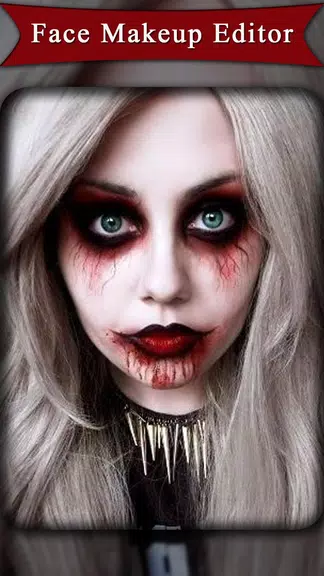
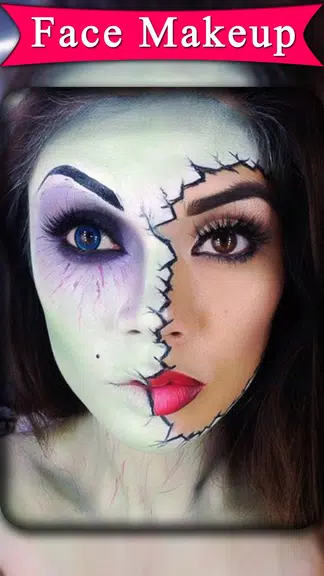
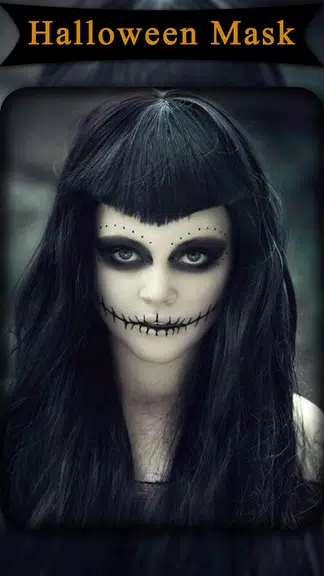
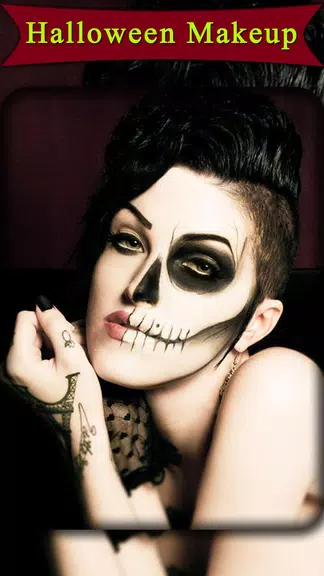
Halloween Photo Editor -Makeup transforms ordinary selfies into spooky, stylish portraits with an intuitive set of makeup and Halloween-themed effects. The app provides easy-to-use tools for face painting, masks, and stickers, making it simple to craft dramatic looks for seasonal photos or creative projects.
Key Features
Halloween Photo Editor -Makeup bundles a wide range of creative tools tailored for festive transformations. Users can choose from themed makeup presets, realistic face paint brushes, animated stickers, and a library of masks and overlays. High-resolution export keeps your edits sharp, while adjustable opacity and blend modes let you fine-tune every detail.
Editing Tools and Effects
The editor includes precision brushes for shading and contouring, specialized tools for vampire, zombie, witch, or clown looks, plus hue and saturation controls to change color tones quickly. Smart face detection aligns effects to facial features automatically, which speeds up the process and reduces manual adjustments. Layer support lets you stack stickers and textures without losing earlier work.
Filters, Stickers, and Masks
Choose from dozens of Halloween-inspired filters that add fog, cinematic lighting, or eerie color grading. The sticker collection features bats, pumpkins, scars, stitches, and glowing eyes that can be resized and rotated with a simple pinch gesture. Mask templates include full-face prosthetics and half-face designs to create complex looks in seconds.
Interface and Workflow
The app interface is laid out with accessibility in mind: a main canvas, a bottom toolbar for tools, and a side panel for layers and presets. Beginners will appreciate one-tap looks, while more experienced users can dive into manual controls for brush size, hardness, and blending. Autosave and history features make it easy to revert changes, and an undo stack supports experimentation without risk.
Performance and Compatibility
Designed to run smoothly on modern Android devices, Halloween Photo Editor -Makeup optimizes memory use to handle high-resolution images without lag. It supports popular image formats and lets you export to social-media-ready sizes. The app also includes battery-friendly processing modes for longer editing sessions on tablets and phones with limited resources.
How to Start an Edit
Begin by importing a selfie or portrait, then select a template or start from scratch. Use face detection to anchor makeup and masks, apply filters to set the mood, and add stickers or text for personalization. Save versions along the way so you can compare different looks, and export the final image in the resolution that fits your sharing needs.
Customization and Advanced Options
Advanced users have access to custom color pickers, multi-layer blending, and variable-strength effects. Fine-tune the texture of face paint with grain and noise controls, or simulate realistic blood, scars, and decay with specialty brushes. The app also supports preset packs and downloadable content for seasonal updates and fresh styles.
Sharing and Output
Export images directly to social platforms or save them to your gallery in PNG or JPEG formats. Built-in sharing options streamline posting to stories and messages without leaving the app. For creators who need transparent backgrounds, the editor can produce PNGs with alpha channels when masks are used selectively.
Tips for Better Results
- Start with good lighting: soft, even light reduces harsh shadows and improves face detection accuracy.
- Use layers: separate elements like makeup, stickers, and textures to adjust them independently.
- Fine-tune opacity: subtle opacity changes often create more realistic effects than full-strength overlays.
- Keep originals: save the unedited image so you can revisit the base if you want different looks later.
Who Will Enjoy This App
Halloween Photo Editor -Makeup is ideal for social creators, cosplayers, event planners, and anyone wanting to explore seasonal looks without physical makeup. It balances beginner-friendly presets with advanced controls for those who want meticulous edits, making it useful for casual fun or professional content creation.
Privacy and Updates
The app receives periodic updates that expand its effect library and improve performance. Permissions are limited to necessary functions like storage and camera access; users should review these prompts during setup. Regular content packs keep looks fresh and aligned with current trends.
With a combination of smart automation and manual control, Halloween Photo Editor -Makeup delivers a flexible toolkit for crafting memorable seasonal images. Whether you want a quick spooky selfie or a detailed character portrait, the app offers options to match your skill level and creative goals.
- No virus
- No advertising
- User protection
Information
- File size: 16.30 M
- Language: English
- Latest Version: 1.15
- Requirements: Android
- Votes: 432
- Package ID: com.tfc.halloween.photo.editor.scarymask.jokermask
- Developer: The Fashion Crazier
Screenshots
















Explore More
Equip yourself with our all-in-one toolbox app for everyday tasks and projects. Instantly convert between units, calculate tips, scan documents, manage files, and more with handy productivity tools. Includes a level, compass, QR code reader, ruler, speedometer, decibel meter, and flashlight. Save frequently used tools to your customizable dashboard for one-tap access. Track billable hours, wages, budgets, and invoices. Annotate screenshots, magnify labels, and sign PDFs on the go.

Board Game Stats

MEXC Global: BTC, ETH, Gamefi

MERA PROXY PRO

Domino's Pizza Sri Lanka

Hatekhori Shongkha

Connecting - Friends Near Me

Cartola

Virink