


Introduction
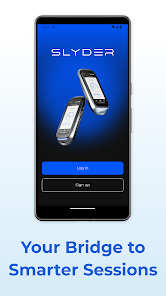
Slyder Bridge is a utility app that connects your Slyder device to cloud services using Bluetooth Low Energy, so you don't need Wi‑Fi to transfer data. It pairs with nearby hardware, automatically syncing measurements and device state to a secure cloud backend where you can review metrics and trends on the Slyder Dashboard. Users who want simple, continuous data collection and centralized monitoring will appreciate how the app reduces setup friction and keeps device data available for reporting and analysis. Installation is straightforward and the app focuses on reliable, background synchronization between device and cloud.
Key Features
⭐ Slyder Bridge connects your Slyder device via Bluetooth (BLE) without requiring Wi‑Fi.
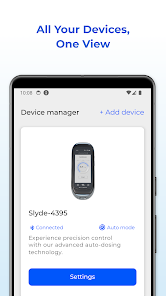
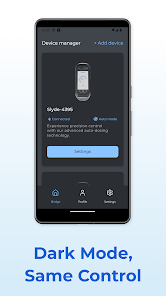
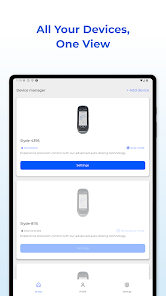
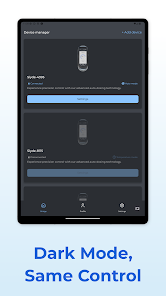
⭐ View and manage active devices, including both BLE and Wi‑Fi endpoints.
⭐ Automatic synchronization pushes collected data to a secure cloud backend for storage.
⭐ Access and monitor metrics, insights, and trends through the Slyder Dashboard platform.
⭐ Acts as the bridge between device and cloud to ensure smooth, secure, continuous synchronization.
Advantages
✅ Eliminates the need for Wi‑Fi during device pairing, simplifying field setup and deployments.
✅ Slyder Bridge reduces setup friction by handling BLE connections and background data transfer automatically.
✅ Centralized cloud sync keeps historical data accessible for analysis and reporting from the dashboard.
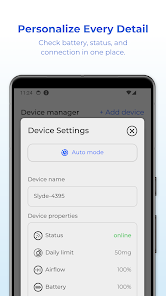
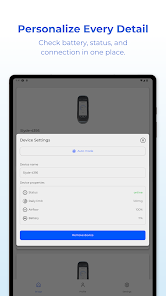
✅ Useful device visibility: see which units are active and monitor their statuses from a single interface.
Disadvantages
❎ Requires a compatible Slyder hardware device to provide any data or functionality.
❎ Bluetooth connectivity imposes range limitations, so devices must remain relatively close to the bridge host.
❎ Cloud synchronization depends on network access at the host or gateway to upload data, so offline periods delay updates.
- No virus
- No advertising
- User protection
Information
- File size: 0.00 M
- Language: English
- Latest Version: 1.0.1
- Requirements: Android
- Votes: 202
- Package ID: com.sixsense.SlydeBridge
- Developer: Sixsense Holding Inc
Screenshots

















Explore More
Hit the open road with confidence using our automotive apps. Access comprehensive makes/models reference guides for expert vehicle knowledge. Get step-by-step repair and maintenance tutorials so you can DIY with ease. Scan diagnostic codes and get repair estimates from local shops. Stay on top of your vehicle's health with digital logs and alerts. Plan road trips leveraging real-time maps, traffic data, and trip computer integration.

Text Art - Write Text On Photo

IZI: play, listen, watch, call

New Friday Night Funkin FNF Tips 2021

ScanPro

Starbucks Turkey

Kyrgyz Russian Translation

Hatekhori Shongkha

Bollinger 1829





