


Introduction
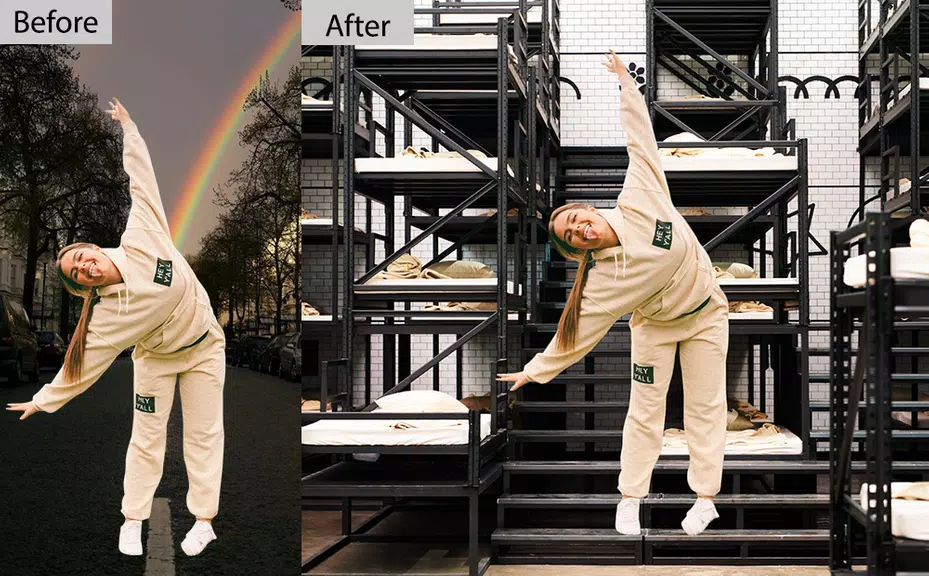
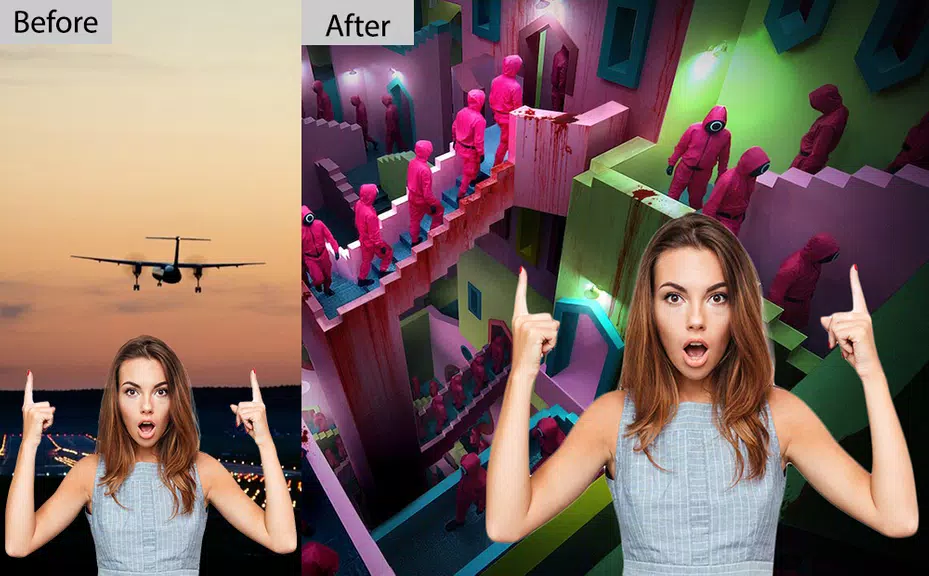
Photo Editor Background Change puts a focused set of tools in your hands to replace, blur, or enhance photo backgrounds quickly and with natural results. Photo Editor Background Change begins with automatic subject detection and combines manual brushes, simple gesture controls, and clear progression so both casual users and professionals can finish a single portrait or a batch of product shots with consistent quality. The app ships with presets and templates to accelerate routine tasks while still offering the controls needed for careful composites.
Automatic detection and fine masking
The core editing mechanic uses an automatic background remover tuned to separate foreground subjects from backgrounds while preserving fine details like hair and fur. The initial mask is proposed instantly and can be refined with add/erase brushes, feathering, and edge smoothing. Practical detection choices are optimized for people, pets, and common objects so you spend less time correcting edges; precision controls let you paint in or remove regions for tricky outlines and layered subjects.
Controls and interaction
Touch-based controls are designed for accuracy on small screens: pinch-to-zoom and two-finger pan let you position the canvas precisely, while pressure-sensitive brush sizes or an adjustable brush slider speed up fine work. Contextual gestures and on-screen tips reduce the learning curve, and an undo history means you can try different masks or backgrounds without losing earlier versions. The interface groups related actions—selection, background, lighting—so the workflow feels logical whether you follow every step or jump to advanced adjustments.
Background options and visual style
Choose from solid colors, gradients, curated scenic stock backgrounds, or your own photos to change the mood and visual style of a shot. Presets offer fast starting points for studio-style product images, lifestyle scenes, or soft depth-of-field effects that blur backgrounds subtly. Color matching tools, temperature and exposure adjustments, and local contrast controls help the subject sit naturally in its new context. You can layer text, stickers, and simple overlays, then tune blend modes and opacity for creative composites without complex software.
Progression, presets, and productivity
Built-in templates and reusable presets create a clear progression from beginner tasks to advanced workflows. Starter templates walk new users through common scenarios such as profile photos, white-background product listings, or ID-style crops. Save custom presets for crop ratios, shadow settings, export sizes, and mask refinements to speed up batch processing and maintain visual consistency across a catalog or social media feed. These progression tools reduce repetitive work and help teams or sellers apply the same look across dozens of images.
Export, formats, and metadata
The app supports common image formats and high-resolution exports suitable for both social platforms and print. Export options include adjustable compression, file size management, and basic metadata preservation so images remain searchable and properly credited. For marketplace sellers, presets help maintain consistent dimensions and compression levels; for creators, lossless export options protect image quality when further editing is planned.
Performance, offline use, and reliability
Designed to balance speed and quality, Photo Editor Background Change performs effectively on a wide range of Android devices without excessive battery drain. Many core features work offline so you can edit photos while traveling or working in remote locations. The app prioritizes responsive previewing and fast mask generation so edits render quickly even on mid-range hardware, while background processing helps keep the interface responsive during longer exports.
Accessibility and learning resources
The interface emphasizes clarity with labeled controls, larger touch targets, and contrast options for different lighting conditions. Built-in tutorials, sample projects, and contextual help pop-ups explain each tool step-by-step and demonstrate practical techniques. Accessibility features, such as scalable UI elements and clear iconography, make the app easier to use for people with limited dexterity or vision differences, while undo history and straightforward workflows minimize the risk of accidental changes.
Use cases, tips, and challenge handling
Photo Editor Background Change is suited to creators, online sellers, influencers, and hobbyists who need polished images fast. For best results, start with well-lit source images, use the manual refine brushes on complex edges, and match color temperature so foreground and background read as a single scene. Subtle drop shadows and edge feathering prevent a pasted look, and batch presets keep output consistent across multiple listings or posts. Regular updates add new backgrounds and refine detection to help with challenging subjects and maintain steady improvement over time.
- No virus
- No advertising
- User protection
Information
- File size: 41.00 M
- Language: English
- Latest Version: 1.0.0
- Requirements: Android
- Votes: 97
- Package ID: com.sweet.camera.selfie.squid.game.photo.editor.au
- Developer: SWEET CAMERA SELFIE
Screenshots

















Explore More
Make travel planning effortless with our all-in-one trip companion app! Get insider tips from locals on top attractions, hidden gems, restaurants, and accommodations at your destination. Book flights, rental cars, and hotels at the lowest prices. Access maps offline; track bookings, itineraries, and reservations; create shared group trips; and auto-translate menus, signs, and conversations abroad. Our clever algorithms surface personalized recommendations everywhere you go.

ADO Boletos de Autobús

Guide Lego Ninjago Tournament

Clock

اخبار العرب

Fake Live Location | GPS

Temptation: True Romance Story

Spottly

SHAREit Lite - Fast File Share





























