
Introduction
EmuBox - All in one emulator delivers a polished multi-system experience on Android, combining broad format support with an approachable interface and practical tools for revisiting classic console titles. EmuBox - All in one emulator is designed to feel familiar to users of stand‑alone emulators while consolidating ROM management, save states, and performance settings into one responsive app that works well on phones and tablets alike.
Core capabilities
The emulator supports a wide range of retro systems and common ROM formats and includes a scanning file browser that detects game files and displays cover art and metadata where available. Built with accurate timing and reliable audio in mind, the app emphasizes faithful playback and compatibility. Features such as archive browsing (for ZIPs and similar containers), optional BIOS support where legally required, and regular compatibility updates help maintain stable playback across an evolving catalog of titles.
Gameplay mechanics and progression
Games run much like they did on original hardware: platformers keep level structure and pacing, arcade sessions preserve high-score loops, and RPGs retain save points and progression systems. EmuBox mirrors those mechanics while adding emulator-specific conveniences: independent save states capture exact emulator moments for quick retries, and native in-game saves remain intact when supported by a cartridge or system save file. This combination makes it straightforward to practice particular sections, test alternate routes, or continue long sessions without losing legitimate progress.
Controls and accessibility
Input options are extensive to suit different play styles and accessibility needs. Resizable on-screen controls allow you to change layout and button size, and the app includes button remapping, dead zone adjustments, and analog sensitivity tuning for precise control with physical controllers. Bluetooth and USB gamepad support are fully implemented, and multiple controller profiles let you switch settings for different games or players. Accessibility-focused features like scalable UI elements and configurable button spacing help users with varied dexterity and screen sizes find a usable configuration quickly.
Visual style and rendering
Visual customization is flexible so you can choose a presentation that fits your device and taste. Options range from pixel-perfect scaling to preserve the authentic look of retro sprites, to scaled rendering with smoothing filters for cleaner visuals on high-density screens. A selection of shaders and effects — including scanlines and curvature emulation — recreate classic display characteristics. Additional controls for aspect ratio, frame scaling, and integer scaling allow you to balance aesthetics and accuracy while avoiding distortion on wide or tall displays.
Performance and challenge systems
Performance tuning settings let you manage frame limiting, audio latency, and frame skip to reduce stutter and maintain audio-video sync. These same controls can shape the challenge: disabling fast-forward and keeping frame skip low preserves original pacing for an authentic experience, while temporary speed adjustments can be used to practice difficult segments or learn complex patterns. The emulator itself does not change game logic or difficulty; it only provides playback tools to help you train, analyze, or enjoy titles at your preferred pace.
Save systems and continuity
The app supports both emulator save states and native in-game saves, providing flexible continuity options. Save states are ideal for capturing exact moments that can be restored instantly, while compatibility with native save files preserves long-term progression and allows straightforward backups. EmuBox’s file structure is transparent and access-friendly, so users can manage, copy, or transfer save files between devices without special accounts or cloud services.
Customization and workflow
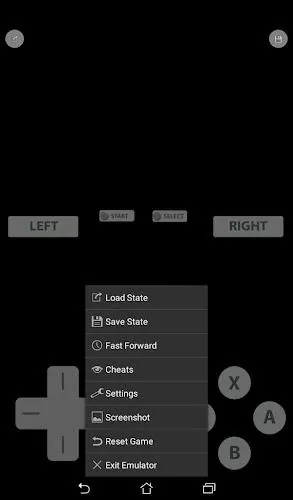
Beyond input and visuals, you can personalize the interface with themes, quick-access shortcuts, and multiple controller profiles. In-play menus provide rapid access to save/load functions, performance presets, and visual overlays so you rarely need to exit a game to tweak settings. These workflow touches are aimed at minimizing interruptions and keeping you in the action, whether you are doing a short practice run or an extended play session.
Compatibility, offline use, and getting started
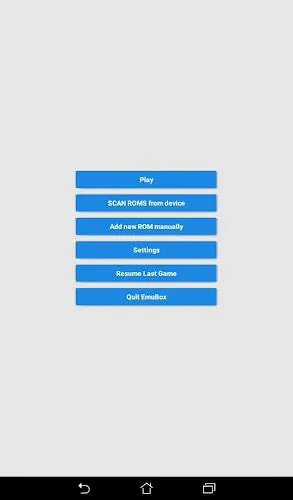
EmuBox runs offline and requires no account to play locally stored ROMs and saves. To begin, install the app, place legally obtained ROMs and any required BIOS files into accessible folders, and allow the scanner to locate content. Map your preferred controls, select a performance preset that suits your device, and start with a short session to verify audio/video behavior. The app also supports local multiplayer on a single device through multiple attached controllers, making it convenient for couch play without any network features.
Replay value and user experience
Replay value comes from the combination of supported systems, flexible save strategies, and a range of visual and control customizations that let you revisit favorites in new ways. Regular updates focus on refining compatibility and improving stability, while the consistent UI and responsiveness across hardware make the overall user experience dependable. Whether you are casually revisiting classic titles, practicing to master specific segments, or curating an organized local collection, EmuBox - All in one emulator provides the tools to tailor playback and preserve progress on Android devices.
- No virus
- No advertising
- User protection
Information
- File size: 36.50 M
- Language: English
- Latest Version: 3.40
- Requirements: Android
- Votes: 327
- Package ID: com.emulator.box.aio
Screenshots
















Explore More
Looking for some quick gaming fun? Our new super-casual game is perfect for entertaining bursts in your busy day. With simple, intuitive gameplay crossed with challenges that engage your brain, you'll keep coming back again and again. No complex controls or tutorials - just open and play anywhere, anytime. Vibrant art style and upbeat music create a lighthearted experience.

Boogie Games

Mia's Halloween

Genshin ImpClick 18+

Fairy Quest

OKJKT v2.0

My Girlfriend Meets My Friend

Brawl Gallery

Ero Bird