Introduction
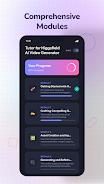
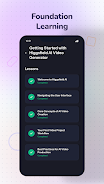
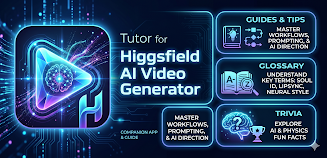
Tutor for Higgsfield AI Video is an educational app that walks users through the features and workflows of the Higgsfield AI Video Generator, offering structured lessons, a glossary and interactive trivia to build a practical foundation. Users who want a clear, step‑by‑step explanation of how AI video generation works will appreciate the modular layout and lesson-based approach. Tutor for Higgsfield AI Video organizes content into focused modules and detailed lessons with step‑by‑step explanations and review sections to help learners retain key concepts. The app is an independent, unofficial tutorial created to support foundational learning in AI video generation.
Key Features
⭐ Structured learning modules that break the Higgsfield AI Video Generator into focused topics.
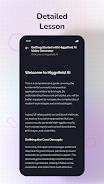
⭐ Detailed lessons offering step-by-step explanations of features and the video generation process.
⭐ Built-in glossary that defines key terms and technical vocabulary related to AI video generation.
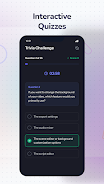
⭐ Trivia and quiz sections to test knowledge and reinforce concepts from the lessons.
⭐ Clear organization and guided walkthroughs provided by Tutor for Higgsfield AI Video to help learners progress through each topic.
Advantages
✅ Provides a clear, stepwise approach for beginners to understand AI video concepts and workflows.
✅ Consolidates lessons, glossary entries and quizzes in one convenient learning package.
✅ Designed to support self-paced study with modular content and review opportunities to reinforce learning.
✅ Tutor for Higgsfield AI Video is an unofficial educational resource that clarifies specialized vocabulary and core procedures related to the platform.
Disadvantages
❎ This app is an independent, unofficial tutorial and is not affiliated with or endorsed by the creators of the Higgsfield AI Video Generator.
❎ The content focuses on foundational understanding and structured lessons, so it may not cover advanced, platform-specific workflows or in-depth technical implementations.
- No virus
- No advertising
- User protection
Information
- File size: 8.23 M
- Language: English
- Latest Version: 1.10.0
- Requirements: Android
- Votes: 471
- Package ID: com.aether.higgsfield
- Developer: Aethersoft Studio
Screenshots


















Explore More
Unlock your greatest potential with our innovative education apps. From early learning to college prep, we offer tools for students of all ages. Young learners can build skills through interactive games and stories. Older students can strengthen expertise in math, science, writing, and more with our targeted training. Test prep students can access thousands of practice questions and simulations. Manage assignments, take notes, and stay organized with our productivity tools.
View more