

Introduction
GhostWriter Pro is an AI-driven content assistant built for WordPress bloggers and site owners who want to produce polished, SEO-aware posts faster. It generates long-form articles, headlines, and original visuals in seconds so you can overcome writer’s block and focus on strategy and distribution. Whether you run a niche hobby blog or a busy tech publication, GhostWriter Pro streamlines drafting, formats output for WordPress editors, and suggests keywords to help content rank while keeping API keys stored locally for privacy and control.
Key Features
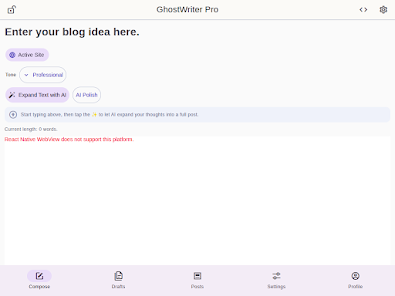
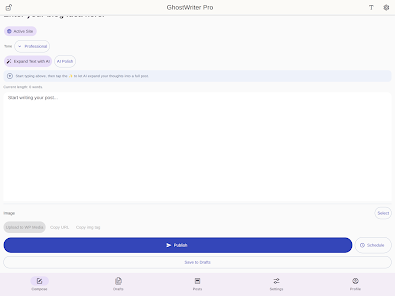
⭐ AI Blog Creator — GhostWriter Pro generates detailed, long-form articles tailored for WordPress editors.
⭐ SEO Optimization — Built-in keyword suggestions help craft content that performs better in search results.
⭐ AI Image Generation — Produce unique, copyright-free visuals to accompany your posts.
⭐ WordPress Ready — Output comes formatted and ready to paste or import into WordPress editors.
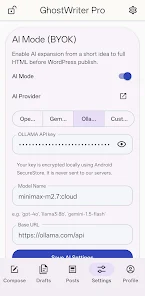
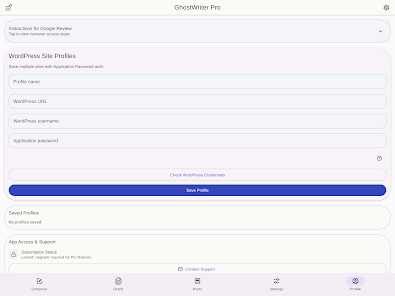
⭐ Bring Your Own Key — Use your preferred third-party AI provider while keeping API keys stored locally for privacy.
Advantages
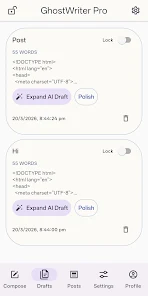
✅ GhostWriter Pro can turn a single keyword into a full draft quickly, cutting research and drafting time.
✅ Flexible controls let you adjust tone, style, and length so content matches your brand voice.
✅ Generates images and copy in one workflow, reducing the need to switch between tools when publishing.
✅ Local storage of API keys keeps your credentials on-device for greater privacy and control.
Disadvantages
❎ Requires an API key or account with a third-party AI provider, which may involve separate costs.
❎ AI-generated drafts still benefit from human editing for accuracy, nuance, and fact checking.
- No virus
- No advertising
- User protection
Information
- File size: 67.00 M
- Language: English
- Latest Version: 1.0.2
- Requirements: Android
- Votes: 133
- Package ID: com.vikgo.ghostwriterpro
- Developer: VikGo
Screenshots

















Explore More
Equip yourself with our all-in-one toolbox app for everyday tasks and projects. Instantly convert between units, calculate tips, scan documents, manage files, and more with handy productivity tools. Includes a level, compass, QR code reader, ruler, speedometer, decibel meter, and flashlight. Save frequently used tools to your customizable dashboard for one-tap access. Track billable hours, wages, budgets, and invoices. Annotate screenshots, magnify labels, and sign PDFs on the go.

MEXC Global: BTC, ETH, Gamefi

Text Art - Write Text On Photo

MERA PROXY PRO

Domino's Pizza Sri Lanka

Halloween Photo Editor -Makeup

Connecting - Friends Near Me

Cartola

HFonts - font & emoji manager













