
Introduction
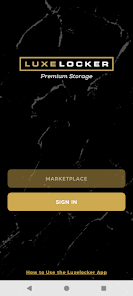
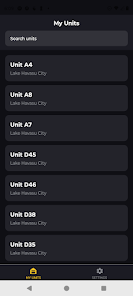
Luxelocker is a mobile app for managing unit access and facility tasks, combining secure sign-in, remote door and gate controls, and account tools into a single, easy-to-use interface. It is designed for renters and facility staff who want faster access, stronger on-device protection, and a simpler way to handle payments and notifications without visiting an office. The app focuses on reliability and a cleaner user experience so routine actions like opening a unit, reviewing charges, or contacting support feel quicker and more predictable.
Key Features
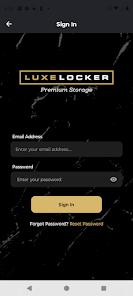
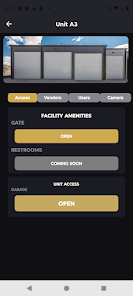
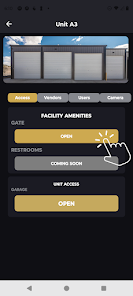
Luxelocker supports biometric sign-in using fingerprint sensors for quick, secure access and stores credentials and session data with encrypted on-device storage. Users can open and close unit doors and facility gates directly from the app with responsive controls, and the interface has been redesigned with cleaner layouts, smoother animations, and haptic feedback on key actions. The app also includes dedicated admin and staff tools for facility management and user oversight.
Advantages
Users will notice faster load times and improved stability that make common tasks snappier, while stronger on-device encryption helps reduce exposure of credentials and session data. Luxelocker centralizes payments, notifications, and support into a simpler workflow, and accessibility improvements such as larger-text support help more users interact comfortably.
Disadvantages
Biometric sign-in requires a device with fingerprint hardware to use, and some admin and staff tools are intended for facility personnel and may be unavailable to regular users. Certain features depend on facility support and network availability.
Version Information
Luxelocker v11 is a ground-up rebuild focused on performance and reliability. This update adds biometric sign-in and moves credentials and session data into encrypted on-device storage for enhanced security, improves unit access controls so users can open and close unit doors and facility gates with more responsive controls, and refreshes the interface with cleaner layouts, smoother animations, and haptic feedback. Under the hood the app uses a modern framework for faster load times and improved stability, while additional improvements include streamlined payment management, better notification settings, enhanced accessibility support, and direct FAQ and support access from Settings using the Submit a Message option.
- No virus
- No advertising
- User protection
Information
- File size: 79.00 M
- Language: English
- Latest Version: 11.0.0
- Requirements: Android
- Votes: 109
- Package ID: com.luxelocker.mobile
- Developer: LuxeLocker LLC
Screenshots
















Explore More
Equip yourself with our all-in-one toolbox app for everyday tasks and projects. Instantly convert between units, calculate tips, scan documents, manage files, and more with handy productivity tools. Includes a level, compass, QR code reader, ruler, speedometer, decibel meter, and flashlight. Save frequently used tools to your customizable dashboard for one-tap access. Track billable hours, wages, budgets, and invoices. Annotate screenshots, magnify labels, and sign PDFs on the go.

Nghe Nhạc Vàng - Nhạc Trữ Tình

Beat Jam - Music Maker Pad

وهشام سماتي- عشقنا راه في خطر

Mazetools Soniface Pro

Oldies But Goldies Radio App

Enrique Iglesias - El Perdón

Stream on Screen for Price Tag

荐片播放器