Introduction
TrueSquare is a compact client and project management app built for tradespeople who want to replace paper, receipts and bulky admin with a single mobile tool. It organizes unlimited clients and projects, lets you create custom lists for materials and tasks, and stores photos and receipts attached to each job so records are available where you work. If you need a phone-first solution to cut paperwork, speed up billing and keep every job's information in one place, TrueSquare helps you spend less time on admin and more time on the work that pays.
Key Features
⭐ Unlimited clients and projects: add and track every customer and job without limits.
⭐ Custom project lists for materials, tasks and on-site checklists tailored to each job.
⭐ Photos & receipts: attach images to projects to document progress and expenses.
⭐ Exportable client data so you keep ownership of your records and can back them up anytime.
⭐ Professional PDF invoice generator available in TrueSquare Pro to create branded invoices and email them directly to clients.
Advantages
✅ Simple, phone-first interface designed to be used on site from the van or job site.
✅ Helps reduce paperwork and keeps job records, photos and receipts in one organized place.
✅ Unlimited clients and projects let small businesses scale without extra cost.
✅ Data export ensures you retain control of customer information and can move it when needed.
Disadvantages
❎ PDF invoicing and some advanced billing functions require a TrueSquare Pro upgrade.
❎ Focused primarily on mobile workflows, so users who prefer a full desktop accounting suite may find it limiting.
Development Team
TrueSquare was created by a carpenter who built the app to solve the real, everyday frustrations of running a trades business from the cab of a truck; the emphasis is on practical, uncluttered tools that work on the job.
- No virus
- No advertising
- User protection
Information
- File size: 65.61 M
- Language: English
- Latest Version: 1.2.0
- Requirements: Android
- Votes: 210
- Package ID: com.worxpace.app.free
- Developer: dwatchorn
Screenshots

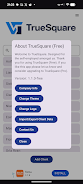

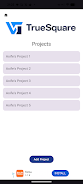




















Explore More
Equip yourself with our all-in-one toolbox app for everyday tasks and projects. Instantly convert between units, calculate tips, scan documents, manage files, and more with handy productivity tools. Includes a level, compass, QR code reader, ruler, speedometer, decibel meter, and flashlight. Save frequently used tools to your customizable dashboard for one-tap access. Track billable hours, wages, budgets, and invoices. Annotate screenshots, magnify labels, and sign PDFs on the go.

MEXC Global: BTC, ETH, Gamefi

Text Art - Write Text On Photo

MERA PROXY PRO

Domino's Pizza Sri Lanka

Halloween Photo Editor -Makeup

Connecting - Friends Near Me

Cartola

HFonts - font & emoji manager