


Introduction
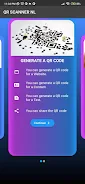
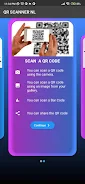
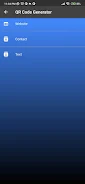
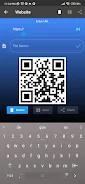
QR Code Scanner NL offers a straightforward way to scan QR codes and barcodes using your device camera and shows the decoded content for review.
Features
- Quick scanning — QR Code Scanner NL detects QR codes and common barcode formats with a single tap.
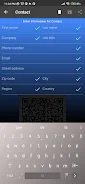
- Clear results — Displays URLs, contact data, plain text, and Wi‑Fi details so you can choose how to use the information.
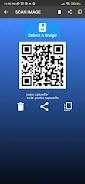
- Scan history — Keeps a local list of recent scans for easy reference and reuse.
- Simple interface — Designed for straightforward operation with minimal settings.
How to use
To use QR Code Scanner NL, open the app, point your camera at the code, and wait for the scan result to appear; tap any link or data item to copy, open, or save it.
Privacy and permissions
The app requests camera access to perform scans and stores history on your device. No account is required and no unnecessary data is shared externally.
- No virus
- No advertising
- User protection
Information
- File size: 21.00 M
- Language: English
- Latest Version: 1.0.2
- Requirements: Android
- Votes: 223
- Package ID: com.nl.qrscan
- Developer: NL2405
Screenshots
















Explore More
Empower learning and research with our innovative reference apps. Access dictionaries, thesauruses, encyclopedias, and more with our comprehensive databases. Get homework help, study tips, and writing guides from our academic resources. Learn new skills by browsing how-to videos and manuals. Stay up-to-date with latest news, data, and facts curated by our editors.

Bloomberg Connects

Metro Micro

TVSMILES

ClassPass: Fitness, Spa, Salon

OnDjoss

Kyrgyz Russian Translation

Domino's Pizza Sri Lanka

Bollinger 1829













