


Introduction
trinitySALES MobileCRM is a mobile CRM designed to streamline everyday sales activities for field teams and remote reps, helping them capture leads, plan visits and monitor pipeline progress from a compact phone-first interface. The app focuses on quick lead capture methods such as one-tap Quick Leads, business-card scanning and phone-contact imports so that opportunities are recorded at the moment they occur, and it pairs those capture options with calendar-based visit planning and simple on-the-go rescheduling to keep appointments accurate and actionable.
How it works: workflows and controls
At the core of trinitySALES MobileCRM are lightweight workflow mechanics that reflect common sales routines: capture, qualify, visit, follow up and update the pipeline. Controls are intentionally mobile-centric—tappable cards, swipe gestures for fast stage changes and in-line edit fields—so reps can update lead stages or probabilities with minimal taps while at a customer site. The interface groups tasks, visits and notes by lead to reduce context switching and to make essential actions available from a single lead view.
Lead capture and visit planning
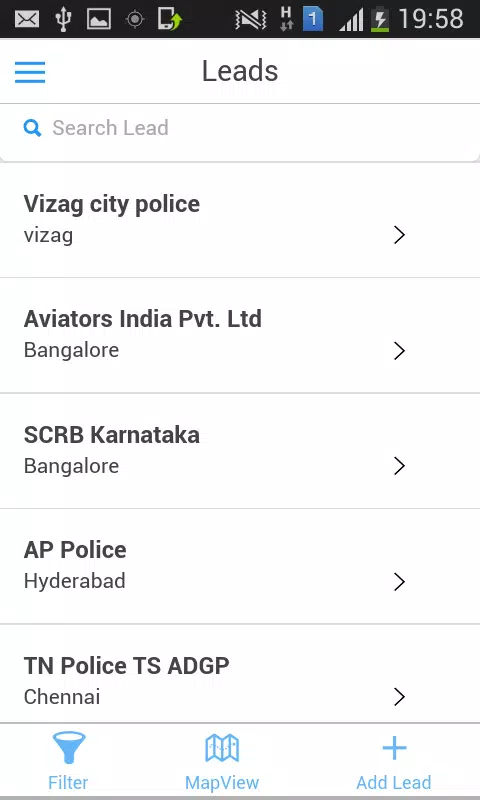
Lead capture options are built to reduce friction. Quick Leads lets users create a prospect with minimal required fields; business-card scanning converts photographed cards into structured contact records; and phone-contact import pulls caller details into the system. Once captured, leads can be attached to calendar slots with visit summaries and pre-visit checklists that help reps prepare. Rescheduling is handled through the same calendar view so updates to appointment times and locations remain synchronized with tasks and reminders.
Tasks, notes and personalization
trinitySALES MobileCRM includes task and personal note management to support follow-up discipline. Tasks can be assigned to leads, marked with priority or due date, and linked to visit records so follow-ups are traceable. Freeform notes let reps capture conversation details and customer preferences that feed into personalization during subsequent outreach. The app also surfaces social insights where available, helping reps match messaging to publicly visible profiles and recent activity without requiring manual research.
Pipeline progression and challenge systems
Pipeline management is designed around staged progression and probability estimates: change stages and sub-stages from the field, adjust expected close probabilities and see how individual updates affect aggregate KPI figures. The progression system supports typical sales cycles so organizations can model their stages and track momentum. The app warns about common challenges such as long-stalled opportunities or conflicting updates and provides simple conflict-resolution prompts when two edits collide during synchronization.
Dashboards, eforms and customization
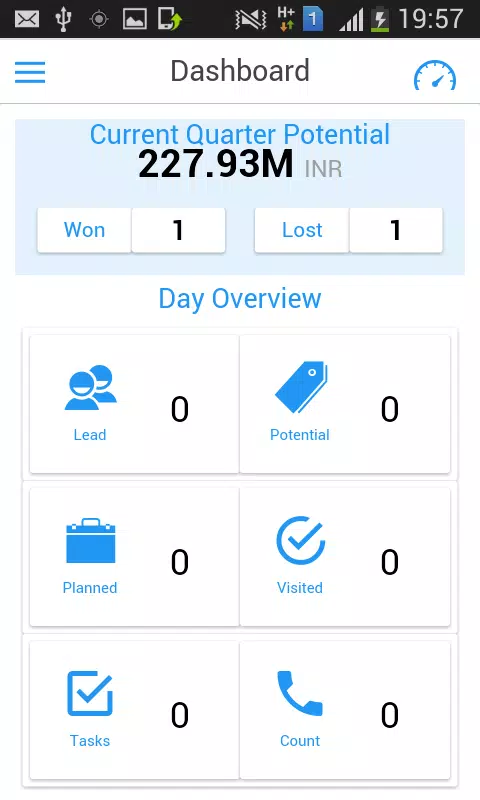
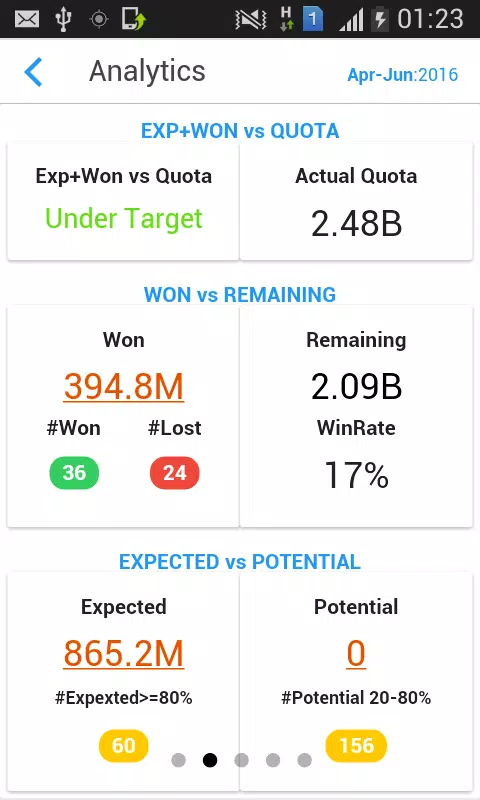
Customizable eforms let administrators capture organization-specific data at lead or visit level, while mobile dashboards provide KPIs like quarterly progress and expected QTD in a compact format. Dashboard widgets are configurable so reps and managers can surface the metrics that matter to them, and form templates can be reused across territories to maintain reporting consistency. This combination supports data-driven decisions without requiring heavy interaction with a desktop console.
Visual style and accessibility
The visual style favors clarity: high-contrast text, clear iconography and a compact layout optimized for one-handed use. Fonts and element spacing are chosen for legibility on a variety of screen sizes. Accessibility considerations include screen-reader compatibility and large-tap targets for users who need them. Color and layout choices are intentionally conservative to keep attention focused on actions and data, rather than on decorative elements.
Offline behavior and data synchronization
Because many sales teams work in areas with intermittent connectivity, trinitySALES MobileCRM is built to tolerate short offline periods: recent records, tasks and dashboards remain viewable when the device is offline and new leads or notes can be entered. Changes synchronize automatically when a connection is re-established, and the app surfaces synchronization status so users know whether updates have been uploaded to the server.
Onboarding, administration and typical users
Getting started focuses on role-based configuration and lightweight training. Administrators set up eforms and pipelines, then roll them out with short in-app guidance for reps. The app is best suited to small to mid-sized field teams that need a compact, phone-first CRM to capture opportunities quickly and keep day-to-day selling activities coordinated without a large desktop dependency.
Limitations and considerations
Some initial setup is required to tailor eforms and workflows to an organization, and users unfamiliar with mobile CRMs may need a short adjustment period to use visits, tasks and dashboards efficiently. Social insights are limited to publicly available information and may be incomplete for some leads. Overall, trinitySALES MobileCRM aims to centralize sales activity so reps can spend more time selling and less time managing fragmented notes and calendars.
- No virus
- No advertising
- User protection
Information
- File size: 9.40 M
- Language: English
- Latest Version: 0.2.6
- Requirements: Android
- Votes: 105
- Package ID: com.ionicframework.workforcemobilecrm707329
Screenshots
















Explore More
Streamline operations and maximize productivity with our innovative business apps. Manage contacts, schedule meetings, and route calls seamlessly. Collaborate on documents and projects in real-time. Track inventory, finances, and analytics to inform smart decisions. Build customized proposals, invoices, and contracts to win clients. Stay on top of emails, tasks, and passwords for efficient work.

ScanPro

Kyrgyz Russian Translation

Park4Me

69ers

Airble

MaaS360 MDM for Android

Hong Kong Flight Info

Samsung Checkout





























