Introduction
Fake Live Location | GPS is a compact utility that lets you simulate your device's GPS coordinates for testing, privacy, and location-based customization. It creates a controlled virtual position so apps read a different location, useful for development, map previews, or protecting real whereabouts without modifying system firmware.
Overview
This app targets users who need a flexible way to set and broadcast a custom position from an Android device. Whether you're a developer checking how an app responds across regions, a reviewer capturing screenshots from different cities, or someone who prefers not to share an exact location publicly, Fake Live Location | GPS offers a straightforward approach to changing your reported coordinates.
Key features at a glance
- Live coordinate simulation — set a point on the map and maintain it as your device's active location.
- Route and movement mode — simulate motion between waypoints for apps that track travel or speed.
- Precision controls — fine-tune latitude, longitude, and altitude to match specific testing scenarios.
- Profiles and presets — save favorite locations and recall them quickly for repeat tests.
- Minimal battery impact — designed to keep background location spoofing efficient.
How it works
Fake Live Location | GPS relies on Android's mock location capability. After granting the app permission to act as a mock provider, it feeds chosen coordinates to the system location services. Apps that request location data receive the spoofed values instead of your real GPS fix. The app includes a user-friendly map and fields for direct coordinate input so both visual and manual setup are possible.
Interface and performance
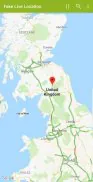
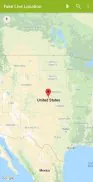
The interface is built for clarity: a large map view, quick-access buttons for saving spots, and a toggle to start or stop broadcasting a fake position. Performance is generally smooth on modern devices, and the app avoids heavy background processing to reduce battery draw. Visual feedback indicates when the mock location is active so you can quickly confirm status before opening the target app.
Installation and initial setup
After installing Fake Live Location | GPS, you'll need to enable developer options and select the app as the mock location provider. The app walks through these steps on first launch. Grant location permissions and choose whether you want the app to run in the foreground for persistent operation or only while testing specific apps. Some Android versions require additional steps — the on-screen guidance keeps the process simple.
Practical tips for reliable use
- Test with target apps — open the app you intend to use with spoofed coordinates to verify behavior immediately.
- Save common places — store frequently used locations to cut setup time for recurring tasks.
- Simulate motion carefully — when emulating travel, set realistic speeds to avoid triggering anti-fraud checks in services that monitor movement patterns.
- Monitor battery — running background location services can increase consumption; close the app when finished.
- Respect terms of service — use the tool for testing, privacy, or permissible customization and avoid actions that violate app policies or local laws.
Who should consider this app?
Developers, QA testers, content creators, and privacy-conscious users will find value in Fake Live Location | GPS. It streamlines location-based testing workflows and simplifies creating screenshots or reproducing issues that depend on specific places. For everyday privacy uses, it offers an added layer of control over what location data apps receive.
User experience and customization
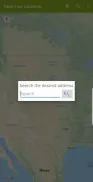
Customization options include adjusting update intervals, changing the simulated altitude, and toggling GPS accuracy. The app supports both point-and-click map selection and manual coordinate entry, accommodating precise engineering needs as well as quick visual setups. Feedback from users often highlights the utility of saved presets and the reliability of the mock provider implementation.
Final notes before you start
Fake Live Location | GPS is a practical tool for controlling reported location on Android devices. It is best used responsibly: for debugging, privacy, and content creation. Review platform rules for any service you interact with while using a mocked location to ensure compliant use and a smooth experience.
- No virus
- No advertising
- User protection
Information
- File size: 7.40 M
- Language: English
- Latest Version: 1.2.5
- Requirements: Android
- Votes: 346
- Package ID: com.technoviral.fakelivelocation
- Developer: TechnoViral Technologies
Screenshots

















Explore More
Make travel planning effortless with our all-in-one trip companion app! Get insider tips from locals on top attractions, hidden gems, restaurants, and accommodations at your destination. Book flights, rental cars, and hotels at the lowest prices. Access maps offline; track bookings, itineraries, and reservations; create shared group trips; and auto-translate menus, signs, and conversations abroad. Our clever algorithms surface personalized recommendations everywhere you go.

Photo Editor Background Change

ADO Boletos de Autobús

Guide Lego Ninjago Tournament

Clock

اخبار العرب

Temptation: True Romance Story

Spottly

SHAREit Lite - Fast File Share