Introduction
Share with Luminar Neo lets you send photos from your Android device to the Luminar Neo desktop application for editing and retrieve edited images. Share with Luminar Neo integrates with the Android share menu, supports common image formats, and simplifies transferring selected files to a paired desktop.
How Share with Luminar Neo works
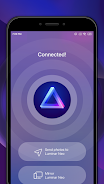
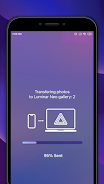
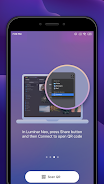
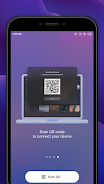
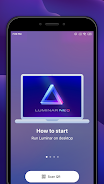
Use the system share option from your gallery or file manager to select images and choose Share with Luminar Neo. The app queues files, uploads them to the connected desktop app, and notifies you when edits are available to download.
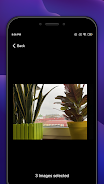
- Select one or multiple images from any app that supports Android sharing.
- Choose Share with Luminar Neo from the share menu.
- Confirm the destination desktop and start transfer; progress and notifications are shown within the app.
Details and requirements
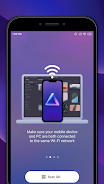
Share with Luminar Neo requires a compatible Luminar Neo desktop app on the same network or with an approved connection method. The app handles only image transfer and basic status reporting; editing is performed in Luminar Neo on desktop. Review network permissions and storage access when prompted to ensure reliable transfers.
- No virus
- No advertising
- User protection
Information
- File size: 10.92 M
- Language: English
- Latest Version: 1.1.10.336
- Requirements: Android
- Votes: 424
- Package ID: com.skylum.luminarshare
- Developer: Skylum Software
Screenshots
















Explore More
Unleash your inner artist with our immersive art apps. Learn techniques and mediums through step-by-step video lessons. Get inspired browsing galleries of classics and contemporary pieces. Experiment with brushes, filters, and effects using our digital studio. Capture reference photos to use within your work. Share creations and get feedback from a supportive community.

MEXC Global: BTC, ETH, Gamefi

Photo Editor Background Change

Talking Cat Vs. Mouse

TVSMILES

All Recovery - Photos & Videos

Text Art - Write Text On Photo

New Friday Night Funkin FNF Tips 2021

MERA PROXY PRO