Introduction
Beach Photo Editor is a lightweight photo editing tool that helps you place pictures into high-resolution beach-themed frames, add effects, stickers and custom text, then save or share your creations. If you want to give vacation snaps or family portraits a sunny, seaside look, this app offers a range of templates and shape options — from circles and hearts to stars and polygons — and basic controls to crop, rotate and scale images so they fit perfectly in each frame.
Key Features
⭐ Beach Photo Editor includes dozens of HD beach frames and a variety of shapes (square, circle, heart, star, polygon) to frame your memories.
⭐ Select images from the gallery or capture photos with your camera and adjust position by rotating, scaling, zooming or dragging.
⭐ Apply filters and magical effects, add colorful backgrounds and choose from many stickers to decorate photos.
⭐ Create collages and multi-photo frames by stitching several pictures into a single composition.
⭐ Add custom text with different fonts, colors and resize options to personalize each image.
⭐ Save edited images to storage and share your final creations directly from the app.
Advantages
✅ Beach Photo Editor makes it quick and simple to turn ordinary photos into themed keepsakes with minimal effort.
✅ A wide selection of frames and templates gives you plenty of creative choices for holiday and beach memories.
✅ Intuitive tools — crop, rotate, scale, text and stickers — let non‑experts produce attractive results fast.
✅ Ability to save images and share creations keeps the workflow convenient for social sharing or personal albums.
Disadvantages
❎ The app focuses on beach-style frames and templates, so it may not suit users seeking non‑themed or professional design options.
❎ Editing capabilities are primarily frame- and effect-based and do not include advanced retouching features found in professional editors.
- No virus
- No advertising
- User protection
Information
- File size: 24.00 M
- Language: English
- Latest Version: 1.23
- Requirements: Android
- Votes: 399
- Package ID: run.photo.editor.beach
- Developer: Run Photo Editor
Screenshots
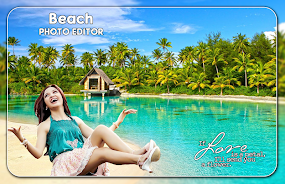
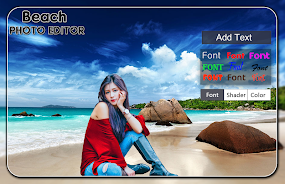
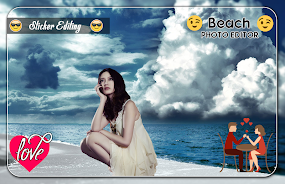
















Explore More
Equip yourself with our all-in-one toolbox app for everyday tasks and projects. Instantly convert between units, calculate tips, scan documents, manage files, and more with handy productivity tools. Includes a level, compass, QR code reader, ruler, speedometer, decibel meter, and flashlight. Save frequently used tools to your customizable dashboard for one-tap access. Track billable hours, wages, budgets, and invoices. Annotate screenshots, magnify labels, and sign PDFs on the go.

AnkoConnect

Nghe Nhạc Vàng - Nhạc Trữ Tình

Beat Jam - Music Maker Pad

وهشام سماتي- عشقنا راه في خطر

Mazetools Soniface Pro

Oldies But Goldies Radio App

Enrique Iglesias - El Perdón
Stream on Screen for Price Tag