Introduction
HFonts - font & emoji manager helps you personalize an Android device by replacing system fonts, applying typefaces inside creative apps, and installing emoji packs with a few taps. HFonts - font & emoji manager is designed for users who want a simple workflow: browse and preview fonts, create or import a custom font, and install without root when the device and firmware allow it. The interface focuses on quick visual comparisons, so designers and casual users can test typography across messages, menus, and mockups before committing to changes.
Key features and what they do
The app bundles a large, curated collection of ready-made fonts and emoji sets that can be previewed on-device before installation. One-tap installation handles the steps needed for supported vendors and EMUI/ColorOS/Realme UI versions, while built-in tools let you generate or edit fonts locally and export them for design apps. Previews include sample text, size adjustments, and system UI mockups so you can assess legibility and style at different scales. HFonts - font & emoji manager also supports multiple languages, making it straightforward to check diacritics and non-Latin scripts.
How the app works (controls and flow)
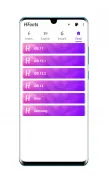
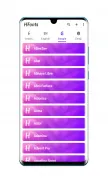
Navigation uses a simple tab structure: Browse, My Fonts, Create, and Settings. Controls are tap-driven: select an item to open the preview, adjust weight or size with sliders, then choose Install or Export. Creating a font uses an editor that accepts imported glyph images or lets you edit metadata and spacing; exports are saved as standard font files compatible with common design tools. Installation steps are shown as a checklist with clear prompts, and the app guides you through device-specific steps when manual confirmation is required.
Progression, organization, and customization
Rather than traditional game levels, progression in this utility is based on collection and refinement: you can favorite fonts, group them into project collections, and maintain versioned exports as you iterate on a custom typeface. Categories, tags, and filters help you narrow choices by style (serif, sans, display), intended use (UI, headlines, body), or language support. Customization also covers emoji packs where you can swap sets globally or for specific apps that support custom emoji rendering.
Visual style and preview experience
The app emphasizes visual feedback: live previews simulate common screen contexts such as home screen labels, settings pages, and chat bubbles. You can preview variable font axes like weight and width when a typeface supports them, and test kerning and line-height for paragraph samples. These tools make it easier to judge readability and tone before installation, reducing trial-and-error on the device itself.
Usability, accessibility, and offline use
Accessibility features include adjustable interface text size, contrast-aware previews, and clear labeling for actions to help users who rely on screen readers or need larger controls. Many features work offline: fonts that are already downloaded and local exports can be created, edited, and installed without an internet connection. This offline capability is useful for secure environments or when working with proprietary type assets.
Compatibility, limitations, and expected behavior
Compatibility is focused on specific OEM firmware where one-tap installations are possible; the description lists supported EMUI, ColorOS, and Realme UI versions. On other devices or firmware levels, some installation steps may require manual confirmation or alternative methods, and behavior can vary by manufacturer. The app does not require root for the supported flows, but full functionality depends on vendor APIs and system permissions.
Tips for designers and everyday users
Use project collections to keep sets for different clients or moods, export iterative versions when refining a typeface, and preview across multiple language samples to catch missing glyphs. For everyday personalization, start with small adjustments to weight and size to preserve legibility. If an install prompt requires additional steps, follow the in-app checklist—this helps avoid partial installs and makes rollbacks easier. HFonts - font & emoji manager is useful both for quick stylistic changes and for integrating custom fonts into a designer's mobile workflow.
- No virus
- No advertising
- User protection
Information
- File size: 5.00 M
- Language: English
- Latest Version: 4.1
- Requirements: Android
- Votes: 339
- Package ID: net.amjadroid.hfonts
- Developer: Amjad Al-zakwani
Screenshots




















Explore More
Equip yourself with our all-in-one toolbox app for everyday tasks and projects. Instantly convert between units, calculate tips, scan documents, manage files, and more with handy productivity tools. Includes a level, compass, QR code reader, ruler, speedometer, decibel meter, and flashlight. Save frequently used tools to your customizable dashboard for one-tap access. Track billable hours, wages, budgets, and invoices. Annotate screenshots, magnify labels, and sign PDFs on the go.

Board Game Stats

MEXC Global: BTC, ETH, Gamefi

MERA PROXY PRO

Domino's Pizza Sri Lanka

Hatekhori Shongkha

Connecting - Friends Near Me

Cartola

Virink