
Introduction
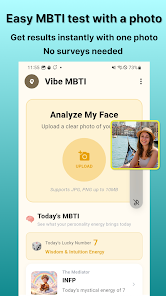
Vibe MBTI: AI Face Test uses AI to estimate your MBTI personality type from a single selfie, combining physiognomy-inspired analysis with machine learning to highlight dimensions such as Extraversion/Introversion and Thinking/Feeling while providing a quick, no-signup way to explore how facial cues like eyes, jawline, posture and overall vibe may relate to personality.
Key Features
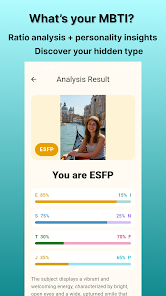
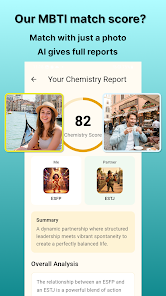
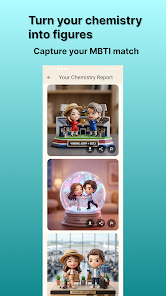
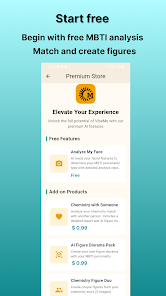
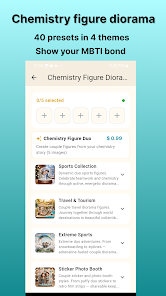
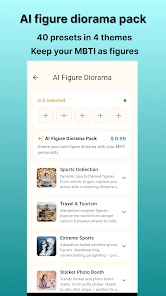
Vibe MBTI: AI Face Test applies face analysis to predict MBTI dimensions (E/I, S/N, T/F, J/P) and returns a detailed report with percent-based trait indicators and personality insights based on visible facial cues. The app includes in-depth breakdowns that explain which facial areas influenced each trait. Compatibility matching is available as a premium feature to compare types with friends, family or partners, and an AI figure diorama (premium) can create stylized figure-style scenes for compatibility matches.
Advantages
Vibe MBTI: AI Face Test requires just one selfie and no account to get started, keeping the process fast and private. The readable MBTI report with percent-based indicators makes comparisons straightforward, and the visual analysis helps users understand what the model considered when assigning traits. Built-in sharing and compatibility tools make it easy to compare results with others for casual self-discovery.
Disadvantages
Some features, such as compatibility matching and AI dioramas, require a premium upgrade. Accuracy depends on photo quality and the app's physiognomy-based interpretation, so results should be taken as entertaining insights rather than definitive assessments.
- No virus
- No advertising
- User protection
Information
- File size: 41.00 M
- Language: English
- Latest Version: 1.0.0
- Requirements: Android
- Votes: 364
- Package ID: com.vibeme.app
- Developer: dottreesoft
Screenshots
















Explore More
Equip yourself with our all-in-one toolbox app for everyday tasks and projects. Instantly convert between units, calculate tips, scan documents, manage files, and more with handy productivity tools. Includes a level, compass, QR code reader, ruler, speedometer, decibel meter, and flashlight. Save frequently used tools to your customizable dashboard for one-tap access. Track billable hours, wages, budgets, and invoices. Annotate screenshots, magnify labels, and sign PDFs on the go.

myJersey

Training Feel

7 Bussid Private Bus Mod

1win

Iwan fals Paling Lengkap

CZUR

The Doylo

Radio You FM 106.9