Introduction
Autenticador is a compact authentication tool that generates time-based one-time passwords (TOTP) to protect online accounts. Autenticador produces a short numeric code that refreshes regularly and is entered as the second factor during two-step login to websites and apps. Designed for users who want a stronger, low-friction layer of account protection, Autenticador focuses on reliability, clarity, and minimal permissions while narrowing the window that attackers have to reuse credentials.
Key features and how the app works
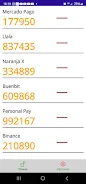
Autenticador implements the TOTP standard to generate numeric tokens on your device without needing an active network connection. Each code is derived from a shared secret and the current time, so codes change predictably every period and can be verified by any service that supports standard TOTP. The app displays a clear countdown for each token so you always know how long a code remains valid, and it supports multiple account entries so you can protect email, cloud services, developer accounts, and other services that accept one-time passwords.
Adding and managing accounts
Set up in Autenticador is straightforward: add a new entry using a service-provided secret string or follow the TOTP setup instructions supplied by the service you are protecting. Once accounts are added you can label them for fast recognition, reorder entries for convenience, and remove or edit tokens if you change a service’s configuration. The user interface emphasizes quick access to the current code and an unambiguous timer so the frequent task of copying or reading a code is fast and error-resistant.
Controls and user experience
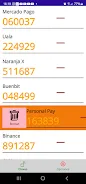
The app provides simple, touch-friendly controls for everyday use: tap a token to reveal or copy the current code, long-press to rename or delete an account entry, and use search to jump directly to a specific account when you hold many tokens. Visual timers and bold numerals make it easy to read codes at a glance, reducing input mistakes during sign-in. Navigation is intentionally minimal so common workflows—opening the app and locating the right code—take only a second or two.
Visual style, customization and accessibility
Autenticador favors a clean, uncluttered visual style with high-contrast digits and clear spacing to improve readability. You can customize account labels and choose how entries are sorted to match your personal workflow. Large, legible numbers and explicit countdown indicators help users with visual impairments or those who need to enter codes quickly from another device. The interface avoids unnecessary animations and keeps visual cues focused on the code and its remaining lifetime.
Progression, daily use and replay value
While not a game, Autenticador offers a natural progression as you add more protected accounts: initial setup takes a few minutes, and over time the app becomes central to your login routine. Regular use rewards organization—clear labels and a tidy list make multi-account sign-ins less frustrating—so the app’s value grows as you secure more services. Because codes are generated locally and require no server interaction, Autenticador is useful every time you sign in, providing persistent day-to-day utility and peace of mind.
Offline operation and privacy
Autenticador generates codes on-device and does not need an internet connection to function; this makes it suitable for travel or when network access is limited. The app is designed so secrets remain on your device rather than being transmitted to external servers. Because TOTP relies on the device clock, Autenticador includes guidance for keeping your device clock accurate; correct timekeeping is important to avoid mismatched codes during verification.
Limitations and practical tips
Autenticador relies on services that support two-step or TOTP-based authentication, so it cannot protect accounts that lack that option. Short code validity means you should enter codes promptly; if you experience repeated failures check the device clock and the service configuration. Keep a copy of account setup details (service backup codes or recovery options) in a secure place so you can regain access if you change devices. These simple precautions make Autenticador a dependable component of a layered security approach.
- No virus
- No advertising
- User protection
Information
- File size: 33.37 M
- Language: English
- Latest Version: 2.1
- Requirements: Android
- Votes: 182
- Package ID: com.cuar.rpn.autenticador
- Developer: Rigoberto Perez Nieves
Screenshots

















Explore More
Make travel planning effortless with our all-in-one trip companion app! Get insider tips from locals on top attractions, hidden gems, restaurants, and accommodations at your destination. Book flights, rental cars, and hotels at the lowest prices. Access maps offline; track bookings, itineraries, and reservations; create shared group trips; and auto-translate menus, signs, and conversations abroad. Our clever algorithms surface personalized recommendations everywhere you go.

ADO Boletos de Autobús

Guide Lego Ninjago Tournament

Clock

اخبار العرب

Fake Live Location | GPS

Temptation: True Romance Story

Spottly

SHAREit Lite - Fast File Share