Introduction
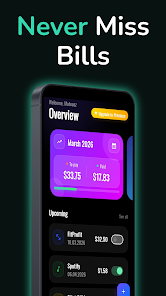
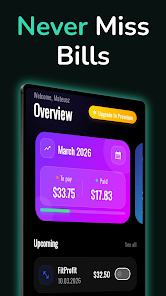
Subscription Alert is a lightweight utility that helps you track bills and recurring subscriptions so you never miss a payment. Built for users who prefer a simple, reliable approach to monthly expense management, Subscription Alert gathers upcoming, due-today, and overdue items into a single, easy-to-scan timeline and sends reminders on a schedule you control. The app focuses on visibility and predictability: quick entry for each bill, a compact payment history for trend spotting, and clear urgency cues so you can prioritize at a glance.
Key features and workflow
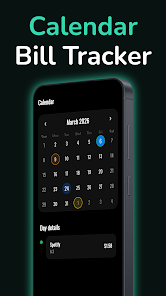
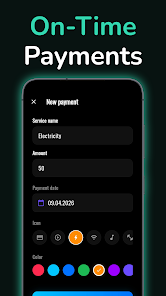
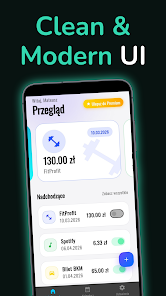
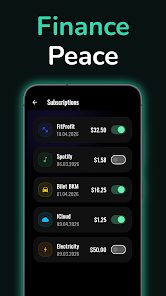
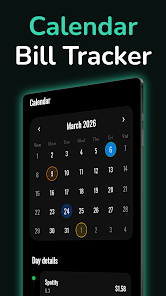
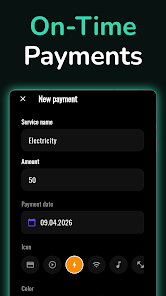
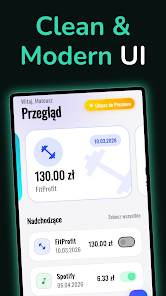
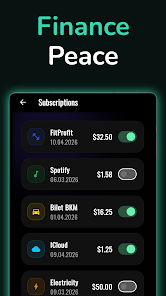
The core experience centers on a single list view that groups items by date and urgency. Within that view you can add a subscription or bill with just a few taps: name, amount, due date, and recurrence interval. Subscription Alert supports common recurrence intervals such as monthly, quarterly, and annual cycles and allows manual adjustments when a cycle changes. Quick-edit gestures let you mark items as paid, snooze reminders, or change due dates without navigating deep menus. Payment history for each entry keeps a record of past payments so you can review frequency and totals over time.
Controls and user interaction
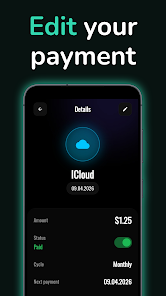
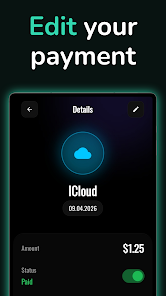
Interaction is intentionally minimal: tap to open details, long-press to edit or delete, and swipe actions for fast status changes. Notifications are scheduled locally on your device, so reminders arrive even if you don’t open the app daily. The interface is designed to be learnable in minutes: prominent buttons for adding and paying, inline fields for amounts and notes, and contextual help during initial setup. For users who prefer hands-off management, Subscription Alert offers template entries for common services to speed up the initial data entry process.
Progression, customization, and personalization
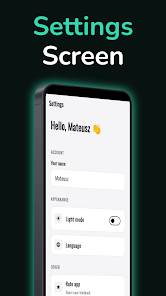
Progression in Subscription Alert is measured by the completeness and organization of your records rather than levels or achievements. As you add more subscriptions and consistently log payments, the app’s payment history becomes more useful: you’ll see which services are recurring, how amounts change over time, and where you might consolidate or cancel a service. Customization options include reminder lead times, snooze intervals, color coding for categories, and custom labels so you can group entries by household, personal accounts, or business expenses. These small adjustments let the app adapt to different routines and billing rhythms.
Visual style, accessibility, and readability
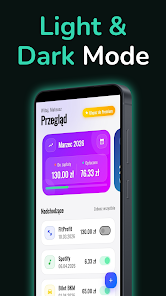
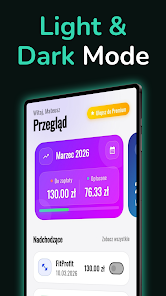
The visual design favors clarity and compactness: a minimal layout with clear typography and simple color accents to indicate urgency. Red highlights call attention to overdue items, amber signals upcoming deadlines, and neutral tones mark items that are not immediately due. For accessibility, Subscription Alert provides scalable text sizes and an alternative high-contrast mode; color-coded cues are paired with textual labels so information remains clear for users with color vision differences. The compact payment history presents dates and amounts in a readable format to help quick review without overwhelming detail.
Level structure, challenge systems, and replay value
Rather than game-like levels, the app’s structure is organizational: categories, due-date groupings, and recurring schedules create a predictable framework you interact with each billing cycle. The mild challenge comes from maintaining completeness and avoiding overdue items; configurable reminder escalation and repeat alerts help address missed payments. Replay value stems from regular use—monthly check-ins and periodic audits of your payment history reveal trends and can motivate changes to subscriptions or budgeting habits.
Offline use, privacy, and limitations
Subscription Alert operates entirely on-device by default and does not require a persistent internet connection to function, so reminders and local histories remain available offline. This design maintains privacy for users who prefer to keep financial tracking local and manual. Important limitations: the app is a tracking and reminder tool but not a payment processor or bank replacement. It does not automatically pay bills or connect to financial accounts, and initial setup requires entering your subscriptions and bills manually. Users seeking a full budgeting suite or automatic transaction import may find the feature set intentionally focused and limited.
Who this app is for
Subscription Alert is well suited for households, renters, freelancers, and anyone managing multiple digital services who wants a no-frills helper to avoid late fees and billing surprises. It’s particularly useful if you value a compact overview, reliable local reminders, and a simple workflow for marking payments and inspecting past activity. With straightforward controls, customizable reminders, and accessible visuals, Subscription Alert aims to make routine bill tracking predictable and less time-consuming.
- No virus
- No advertising
- User protection
Information
- File size: 32.00 M
- Language: English
- Latest Version: 1.0.118
- Requirements: Android
- Votes: 114
- Package ID: com.mateuszszarkowski.subscriptionalert
- Developer: Mateusz Szarkowski
Screenshots
















Explore More
Make your house a home with our selection of innovative apps. Discover programs to simplify cleaning, organize closets, and manage home maintenance. Take the hassle out of chores and keep your space running smoothly. Design, visualize, and renovate like a pro using our augmented reality and 3D modeling tools. Enhance security and monitor your property 24/7 with our connected home tech.

Kidow

Stim Check

عالحارك

Dhobee

PetVax AI - Dog & Cat Health

biim

Sweet Home: Games for kids

My Solar D