Introduction
Van Meter is a lightweight Android app designed to help van drivers and fleet managers monitor trip data, mileage, fuel use, and service intervals. It consolidates odometer readings, expense logs, and GPS-tracked routes into clear reports, making operational tracking and simple bookkeeping faster and more accurate.
Core capabilities
Van Meter focuses on the day-to-day needs of van operators: automatic trip detection, manual trip entry, and an organized history of journeys. The app records start and end odometer values, calculates distance traveled, and links each trip to fuel purchases, tolls, or client jobs. Built-in filters and tags let you separate personal miles from business trips for tax or reimbursement purposes.
How data collection works
Data capture in Van Meter is flexible. GPS-assisted tracking can record routes in the background with minimal battery impact, while a manual mode lets drivers add trips after the fact. The app can be configured to trigger a trip record when a vehicle starts moving and to pause when idle, reducing unnecessary entries. Odometer inputs can be adjusted manually if you prefer a physical meter reading.
Expense and maintenance tracking
Beyond mileage, Van Meter keeps an itemized list of expenses tied to each trip or vehicle: fuel receipts, maintenance costs, parts, and insurance fees. A maintenance scheduler notifies users of upcoming oil changes, inspections, and repairs based on mileage or calendar intervals. Expense categories and reminders are fully editable, so fleet managers can adapt the app to company policies.
Reporting and export
Reporting is a strong suit for Van Meter. Generate monthly or custom-period statements that summarize miles, fuel consumption, expenses, and route maps. Export options include CSV or PDF, enabling easy import into accounting software or sharing with payroll and tax professionals. Reports can display per-vehicle and per-driver breakdowns for multi-van operations.
Customization and user roles
Van Meter supports multiple users and vehicles, making it suitable for individual drivers and small fleets. Assign vehicle profiles with custom fuel types, service intervals, and license plate identifiers. Customize trip tags such as client names, project codes, or job types to produce tailored reports for client billing or internal audits.
Interface and usability
The interface emphasizes clarity. A simple dashboard shows today’s trip summary, recent expenses, and upcoming service milestones. Adding a trip or expense requires minimal taps, and common actions are available from a persistent toolbar. Tooltips and a short tutorial guide new users through initial setup without overwhelming them with complex settings.
Performance and compatibility
Van Meter is optimized to run smoothly on a wide range of Android devices. Background GPS tracking is designed to minimize battery drain while maintaining accurate route logs. The app works offline and syncs automatically when a connection is available, so data collection remains uninterrupted in areas with poor reception.
Security and backup
Data privacy is handled through optional account sign-in and encrypted backups. You can choose local-only storage or enable cloud synchronization to safeguard records and simplify device switching. Backup and restore tools make it easy to move histories between phones without losing trip details or receipts.
Ideal use cases
- Independent contractors who need straightforward mileage logs for tax deductions.
- Small fleet managers who require per-vehicle reporting and maintenance alerts.
- Delivery drivers who want automatic route capture and expense reconciliation.
Getting started
Download Van Meter, create a vehicle profile, and configure tracking preferences in the setup wizard. Add a few test trips to see how reports look, then link expense receipts as you go. For teams, invite drivers to join a shared account and assign permissions so records stay organized across devices.
Van Meter helps reduce manual paperwork and brings clarity to mileage and cost tracking with minimal overhead. Its combination of automated tracking, flexible reporting, and straightforward controls makes record-keeping less time-consuming and more reliable for anyone managing a van or a small fleet.
- No virus
- No advertising
- User protection
Information
- File size: 31.24 M
- Language: English
- Latest Version: 4.3.0
- Requirements: Android
- Votes: 441
- Package ID: com.vanmeterinc.commerce
- Developer: Van Meter Inc
Screenshots
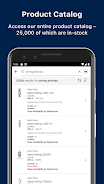
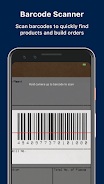
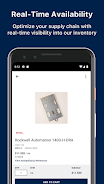
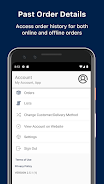
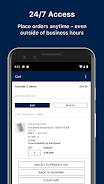
















Explore More
Streamline operations and maximize productivity with our innovative business apps. Manage contacts, schedule meetings, and route calls seamlessly. Collaborate on documents and projects in real-time. Track inventory, finances, and analytics to inform smart decisions. Build customized proposals, invoices, and contracts to win clients. Stay on top of emails, tasks, and passwords for efficient work.

Tax Calculator India 2024-2025

ScanPro

Kyrgyz Russian Translation

Park4Me

7punches: Simple Time Clocking

69ers

Airble

MaaS360 MDM for Android