Introduction
KwikPrint is a lightweight printing utility that turns Android devices into a fast mobile print hub, streamlining document, photo, and label printing across Wi‑Fi and Bluetooth printers. Designed for speed and simplicity, KwikPrint helps users queue jobs, adjust layouts, and manage print settings from a single interface.
What KwikPrint Offers
KwikPrint focuses on practical printing features for everyday use. It supports common file types, offers simple page setup controls, and provides a clear preview so you can avoid wasted paper and ink. Whether sending a one‑page invoice or a batch of photos, the app prioritizes reliable output and predictable results.
Key Features and Tools
- Multi‑format support: Print PDFs, images (JPEG, PNG), text files, and basic office documents without needing extra converters.
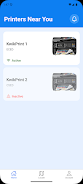
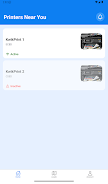
- Network and local printing: Discover and connect to printers over Wi‑Fi, Wi‑Fi Direct, and Bluetooth. The app can remember preferred devices for quick reconnection.
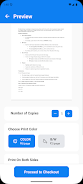
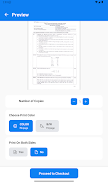
- Print preview and layout: See a real‑time preview, choose single or double‑sided layouts, set margins, and scale content to fit paper sizes.
- Batch and queue management: Add multiple jobs to a queue, reorder or cancel tasks, and track progress from a compact job list.
- Label and photo modes: Special presets let you print address labels and borderless photos with minimal setup.
Interface and Workflow
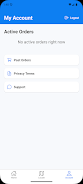
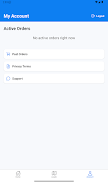
The interface keeps essential controls within easy reach. A central print button, a thumbnail preview, and quick access to margin and orientation settings reduce the need to jump through menus. Templates for common print sizes speed up repetitive tasks, and an organized history list helps you reprint frequently used documents.
How It Connects to Your Devices
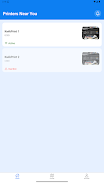
KwikPrint uses standard discovery protocols and a small helper library to find supported printers on the same network. Bluetooth pairing presents a simplified device list with signal strength indicators, while Wi‑Fi setups include optional manual IP entry for networked printers. The app attempts automatic driver selection when possible, and provides clear guidance when a manual configuration is required.
Customization and Advanced Options
For users who need more control, KwikPrint exposes advanced settings without overwhelming casual users. You can fine‑tune print density, choose color or grayscale output, and set duplex preferences. Saved profiles let you switch between high‑quality photo prints and draft text modes with one tap, streamlining different tasks across work and personal use.
Performance and Compatibility
Designed to be resource‑efficient, KwikPrint minimizes background activity and only engages the network when a print job is active. Memory usage is optimized for older phones, and the app falls back gracefully on devices with limited capabilities. Compatibility covers a wide range of printers that support standard mobile printing protocols; unusual or proprietary models may require manufacturer drivers or a direct USB connection using an OTG adapter.
Security and Privacy
KwikPrint limits data transmission to essentials needed for printing and device discovery. Print jobs are sent directly to the selected printer and are not stored on remote servers. Local job history is stored on the device and can be cleared at any time. The app requests only the permissions necessary for printing and network access.
Practical Use Cases
- Small offices printing invoices and receipts without a desktop PC.
- Field workers sending reports and labels from tablets or phones.
- Home users printing photos and tickets quickly for events.
- Retail settings producing price tags and barcode labels on demand.
Getting Started
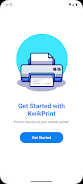
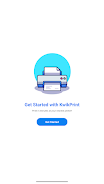
Setup takes minutes: install KwikPrint, grant the required permissions, and run the discovery tool to locate nearby printers. Use the built‑in preview to confirm layout and paper size, then send a test page. Saved profiles and a favorites list reduce repeated setup steps for commonly used printers.
Why Choose This Printing App
KwikPrint combines straightforward controls with enough flexibility for power users. It fits users who want fast results without sacrificing configuration options, making mobile printing accessible whether you handle occasional tasks or run a small business on the move.
- No virus
- No advertising
- User protection
Information
- File size: 66.83 M
- Language: English
- Latest Version: 1.0.0
- Requirements: Android
- Votes: 213
- Package ID: com.neegupta20.KwikPrint
- Developer: PUNYA MUTREJA
Screenshots
















Explore More
Make your house a home with our suite of helpful home apps. Discover clever tools to organize closets, streamline chores, and simplify cooking. Take the stress out of cleaning and maintenance with handy checklists and schedules. Enhance security and control appliances and lighting with our smart home integrations. Design, visualize, and renovate like a pro using our 3D planning software.

Metro Micro

All Recovery - Photos & Videos

ClassPass: Fitness, Spa, Salon

OnDjoss

Park4Me

Scary sound effects

Home Workouts - Lose Weight

Juice Recipes