


Introduction
NetDIALER is a versatile Android app that streamlines voice and data calling management for mobile users and small businesses. It centralizes dialing rules, call routing, and contact management into one interface, saving time while offering advanced control over network selection and dialing preferences.
Key Features and Tools
NetDIALER combines practical utilities to simplify everyday telephony tasks. Core features include programmable dialing rules, route preference settings, and automated number formatting to meet regional dialing standards. The app supports contact grouping and quick-access widgets so frequently used numbers are available with a single tap. Built-in logging and analytics give a clear picture of call volume and usage patterns.
How the System Operates
The application translates your dialing intentions into optimized call flows. When a call starts, NetDIALER evaluates configured rules—such as preferred SIM, network type (VoLTE/Wi‑Fi), or time-based routing—and applies the correct route. Number normalization ensures international and domestic formats are handled consistently. This logic removes manual effort for users who often switch carriers or travel across regions.
Interface and Workflow
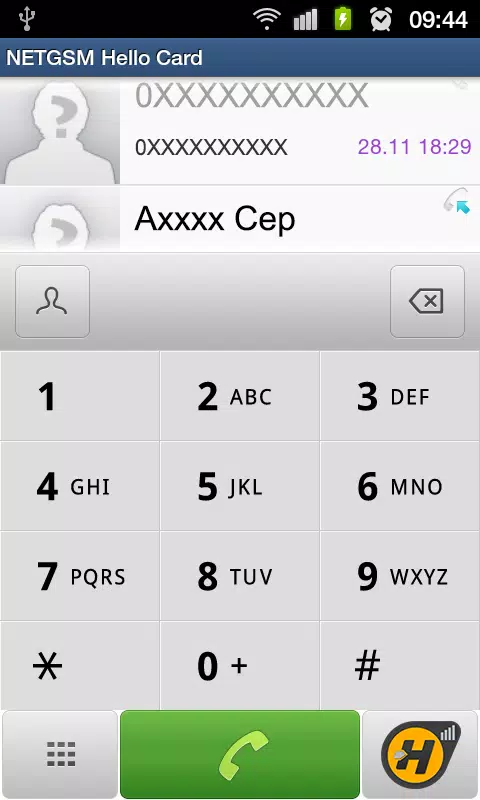
Design focuses on usability. The main screen highlights recent contacts, active rules, and quick toggles for routing preferences. Creating a rule is a guided process: choose the target contact or number pattern, select conditions (time, network, SIM), and pick the action. The workflow reduces configuration errors through previews and an undo option. Accessibility features and a clear iconography make navigation straightforward on phones of all sizes.
Customization and Control
One of NetDIALER’s strengths is granular customization. Users can tailor dialing chains for specific contacts, enforce carrier-specific prefixes, or prioritize Wi‑Fi calling when available. Profiles allow switching between sets of rules for work, travel, or personal use without rebuilding each setting. Administrators can lock certain rules on managed devices to ensure policy compliance.
Security and Privacy Considerations
Privacy is built into routine functions. Call logs and rule history are stored locally by default, with optional encrypted backups for transfer between devices. NetDIALER requests only the permissions needed to operate, and each permission is documented in-app so users understand why it’s required. For enterprise deployments, support for remote configuration and centralized policy enforcement minimizes manual setup while keeping sensitive data under administrative control.
Performance and Compatibility
The app is optimized for battery efficiency and low-latency decision making. Lightweight background processes ensure that routing checks do not noticeably impact device performance. NetDIALER is compatible with a wide range of Android versions and works with single- and multi-SIM devices. It integrates with the native dialer so outgoing calls keep familiar UI elements and call controls.
Getting Started
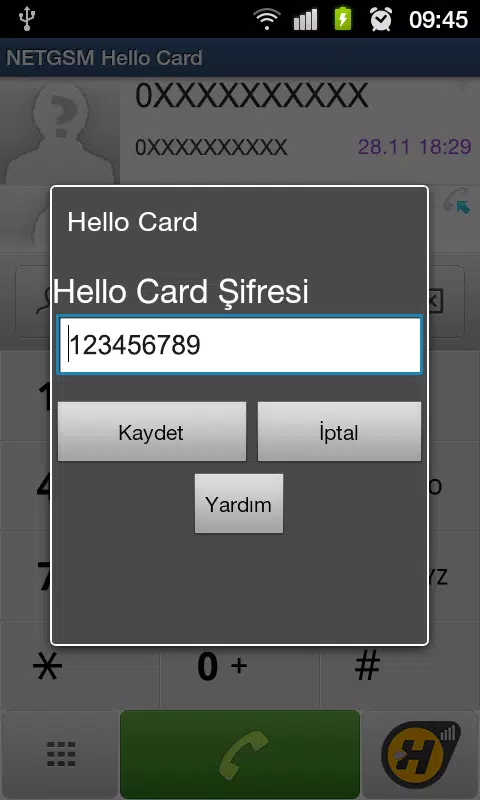
Begin by granting the minimal permissions requested and importing your contacts. The initial setup wizard walks through creating basic dialing rules and choosing a default profile. For users migrating from another dialer, an import tool maps existing call rules into NetDIALER’s format. Helpful in-app tips and a searchable help center shorten the learning curve.
Practical Use Cases
- Frequent travelers can automatically switch to local dialing formats and prefer Wi‑Fi calling where cellular coverage is weak.
- Small businesses can route client calls to different numbers based on time of day or staff availability.
- Power users benefit from profile switching to separate personal and work identities on the same device.
Tips for Power Users
For advanced control, combine time-based conditions with SIM selection to craft smart call flows. Use the analytics dashboard to spot frequently misdialed numbers and add normalization rules. Back up your configuration after a stable setup so it’s easy to restore on a new device. Regularly review permission requests and audit logs to maintain security hygiene.
Why Choose NetDIALER
NetDIALER appeals to users who need more than a basic dialer: its combination of automation, customization, and policy controls turns dialing into a manageable process rather than a repetitive chore. Whether adjusting rules for travel, business hours, or carrier quirks, the app offers practical tools that make everyday calling more predictable and efficient.
- No virus
- No advertising
- User protection
Information
- File size: 0.60 M
- Language: English
- Latest Version: 1.0
- Requirements: Android
- Votes: 141
- Package ID: com.netgsm.netdialer
- Developer: NETGSM İLETİŞİM ve BİLGİ TEKNOLOJİLERİ A.Ş.
Screenshots
















Explore More
Streamline operations and maximize productivity with our innovative business apps. Manage contacts, schedule meetings, and route calls seamlessly. Collaborate on documents and projects in real-time. Track inventory, finances, and analytics to inform smart decisions. Build customized proposals, invoices, and contracts to win clients. Stay on top of emails, tasks, and passwords for efficient work.

Tax Calculator India 2024-2025

ScanPro

Kyrgyz Russian Translation

Park4Me

7punches: Simple Time Clocking

69ers

Airble

MaaS360 MDM for Android





























