
Introduction
Appokart is a lightweight Android utility for discovering, downloading, and managing APKs from a curated catalog, combining fast search, version history, and built-in safety checks to streamline sideloading and updates without sacrificing clarity or control, making app maintenance straightforward for casual and advanced users alike.
Quick overview
Designed for people who prefer direct control over app installations, Appokart focuses on simplicity and transparency. The app aggregates APK packages in clearly labeled versions, shows changelogs, and highlights verified builds. It isn’t a novelty store; it’s a practical assistant for users who install apps outside mainstream app stores and want structured tools to manage that process.
Core features at a glance
- Curated Catalog: Categorized listings with editorial tags make it faster to find popular utilities, games, and productivity tools.
- Version History: Access older releases and view changelogs to decide whether to upgrade or roll back.
- Security Scan: Built-in signature checks and malware scanning reduce risk when installing unknown packages.
- Batch Downloads: Queue multiple APKs and add-ons to download in sequence, useful for setting up devices or testing apps.
- Delta Updates: Smaller patches when available minimize bandwidth usage.
How the workflow operates
Appokart streamlines the usual sideloading steps into an approachable workflow. Start with a focused search or browse a curated list. Each app entry offers a brief description, file size, available signatures, and a direct download button. After downloading, the installation screen guides you through the Android permission prompts and verifies package integrity before offering a one-tap install. For power users, the app logs installations and keeps backups of APKs so you can restore a specific version later.
Interface and performance notes
The interface balances minimalism with functionality. Menus are uncluttered, and filters sit where you expect them: category, popularity, version, and architecture. Navigation remains responsive even on older devices, thanks to lightweight layouts and lazy-loaded images. Appokart doesn’t try to be a full-featured marketplace; it targets speed and clarity, keeping resource usage low while showing essential metadata at a glance.
Security, verification, and trust
Safety is a central selling point. Appokart integrates multiple verification steps: signature matching against known developer keys, automatic scanning for common malware patterns, and community flags from user reports. Every APK listing shows a verification badge when checks pass, and a detailed safety report is available for each package. These mechanisms aren’t foolproof, but they help users make informed choices and reduce the chance of installing tampered files.
Customization and control
Power users will appreciate how Appokart exposes advanced options without overwhelming new users. Choose between automatic updates or manual approval, select preferred CPU architecture, and toggle whether installation logs are retained. A download manager lets you restrict updates to Wi-Fi only, throttle bandwidth, or set quiet hours. For developers, the app can host private APK feeds with optional access controls—handy for beta distribution within teams.
Practical tips for new users
- Review signatures: Compare package signatures with developer references before installing.
- Use backups: Keep a local copy of working APKs so you can revert after problematic updates.
- Prefer verified builds: Look for the safety badge and recent scan date.
- Use filters: Search by version or architecture to avoid incompatible downloads.
Appokart is useful for anyone who needs a lightweight, reliable way to manage APK files without sifting through clutter. It balances straightforward controls for casual users with deeper options for experienced installers. While sideloading always carries some risk, the app’s structure and verification tools reduce uncertainty and streamline the whole process.
Getting started
Installation is quick: enable sideloading in your device settings, download the Appokart APK from a trusted source, and follow the built-in prompts. After the initial setup, run a quick search for an app you already know and try downloading an older version to explore the version history feature. Regular use will reveal conveniences like batch downloads, delta updates, and the tidy installation logs that make troubleshooting much easier.
- No virus
- No advertising
- User protection
Information
- File size: 57.00 M
- Language: English
- Latest Version: 1.0
- Requirements: Android
- Votes: 198
- Package ID: com.appokart.ecommerce
- Developer: Appokart Private Limited
Screenshots
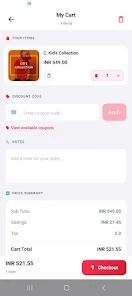






















Explore More
Empower learning and research with our innovative reference apps. Access dictionaries, thesauruses, encyclopedias, and more with our comprehensive databases. Get homework help, study tips, and writing guides from our academic resources. Learn new skills by browsing how-to videos and manuals. Stay up-to-date with latest news, data, and facts curated by our editors.

Bloomberg Connects

Metro Micro

TVSMILES

ClassPass: Fitness, Spa, Salon

OnDjoss

Kyrgyz Russian Translation

Domino's Pizza Sri Lanka

Bollinger 1829