
Introduction
QR Genius is a versatile QR code utility that combines a fast scanner with a flexible generator and management tools. Designed for everyday and professional use, QR Genius lets you create, scan, edit, store and share codes securely, while offering batch operations and offline functionality for reliable workflow.
Core capabilities
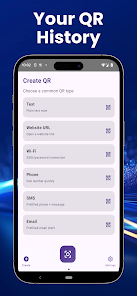
At its core, QR Genius provides a high-accuracy scanner that reads codes from screens, printed material and low-light environments. Alongside scanning, the app includes a robust generator for URLs, contact cards, Wi-Fi credentials, calendar events and plain text. A searchable history, exportable logs and sharing shortcuts make it simple to reuse or distribute codes across platforms.
How the system operates
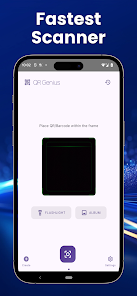
The scanning engine prioritizes speed and error tolerance, detecting codes automatically when the camera is pointed at a target. Generated codes are rendered in high-resolution SVG or PNG formats so they scale cleanly for print and digital use. Local storage options mean your generated codes and scan history remain on-device unless you choose to sync or export, supporting privacy-conscious workflows.
Customization and templates
QR Genius includes a variety of customizable templates for business and personal needs. You can apply colors, logos, frames and error-correction settings to match branding or improve readability. Templates can be saved and applied in bulk, which is useful for marketing campaigns, event badges or product labeling where visual consistency matters.
Batch processing and automation
One of the standout areas is batch creation and scanning. QR Genius can import spreadsheet data to produce hundreds of codes in one operation, naming and exporting files according to a pattern you define. For scanning, batch mode captures multiple codes in sequence and compiles results into a CSV, simplifying inventory checks, asset tagging and attendance tracking.
User interface and workflow
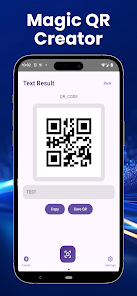
The interface is organized around fast access to the most common tasks: scan, create, history and templates. A clean toolbar and contextual actions minimize navigation time, while in-app previews let you verify QR output before saving or sharing. Sharing actions integrate with Android intents, so codes can be sent via messaging apps, email or cloud storage services without leaving the app.
Security and privacy controls
QR Genius offers privacy-focused toggles such as local-only history, encrypted backups and optional password protection for exported archives. Scanned URLs can be previewed in-app and checked against a safe-browsing lookup to reduce the risk of malicious links. The app requests only required permissions and explains their use, helping users manage camera and storage access responsibly.
Performance and compatibility
Designed for modern Android devices, the app is optimized to run smoothly on both high-end phones and budget models. The scanning algorithm works with variable camera resolutions and supports portrait and landscape orientations. Exported files are compatible across common desktop and mobile platforms, and generated SVGs preserve vector quality when imported into design tools.
Practical uses
- Small business owners can produce branded QR menus, coupons and product labels quickly.
- Event organizers benefit from batch badge generation and fast on-site attendee check-in.
- IT teams can encode Wi-Fi credentials or asset IDs and deploy them to devices or provide printed labels.
- Educators create interactive handouts linking to multimedia resources or quizzes.
Getting started
To begin, open QR Genius and grant camera access for scanning. Use the Create tab to choose a content type, customize appearance and save a template. Import a CSV under Batch Create for mass generation, or switch to Batch Scan to collect multiple results in a single session. Built-in help screens guide advanced tasks like SVG export and encrypted backups.
Why professionals choose it
Professionals select QR Genius for its balance of speed, customization and control. The ability to produce print-ready assets, manage large sets of codes and keep sensitive data local makes the app suitable for marketing teams, operations staff and service providers who need reliable QR workflows. With straightforward controls and sensible defaults, QR Genius reduces setup time while offering depth for power users.
Try QR Genius to replace scattered QR tools with a unified app that covers creation, scanning and management in one place. Regular updates refine detection and compatibility, keeping the app dependable for daily tasks and larger projects alike.
- No virus
- No advertising
- User protection
Information
- File size: 57.00 M
- Language: English
- Latest Version: 1.0.0
- Requirements: Android
- Votes: 151
- Package ID: com.scanforge.qrgenius.app
- Developer: Jilin Hongkun Energy Technology Co., Ltd
Screenshots
















Explore More
Discover and share the hottest events around with our intuitive apps. Find local concerts, festivals, shows, and more based on your unique interests. Create customizable calendars of upcoming events to coordinate schedules with friends. Purchase tickets seamlessly from our integrated platforms. Check real-time transit schedules to plan your trip. Access maps, directions, and parking information for any venue.

Board Game Stats

Bloomberg Connects

Metro Micro

TVSMILES

Tax Calculator India 2024-2025

OnDjoss

Park4Me

Scary sound effects