Introduction
Android Auto turns your phone into a driving companion that prioritizes safety and simplicity by bringing navigation, communication and media controls into a clear in-car interface within the first moments you connect. Designed to minimize distraction, Android Auto presents large, easy-to-read buttons and strong voice controls so you can route to destinations, answer or place calls, and manage music or podcasts while keeping your eyes on the road. Drivers who regularly commute, run errands or take long trips will find Android Auto useful for maintaining focus without losing access to essential phone apps.
Key features
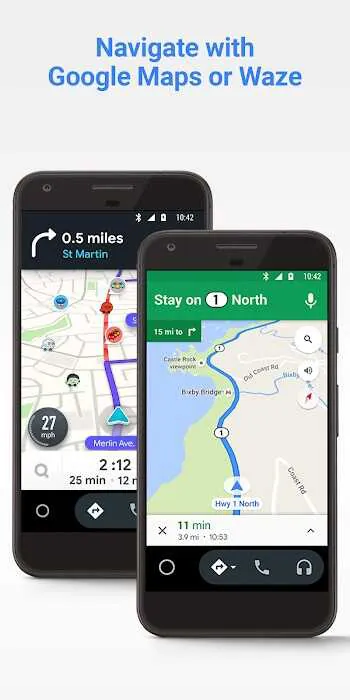
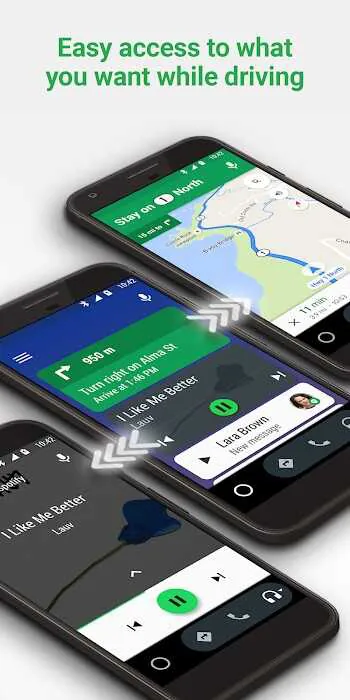
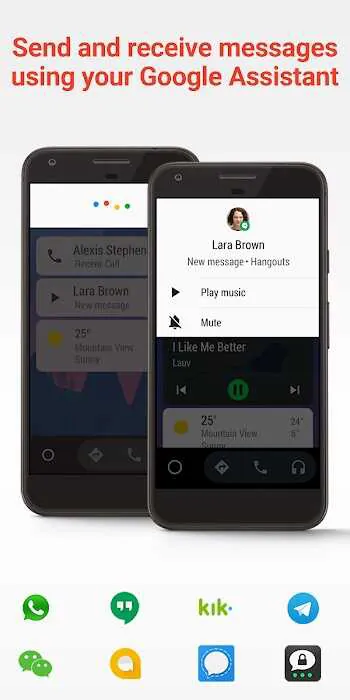
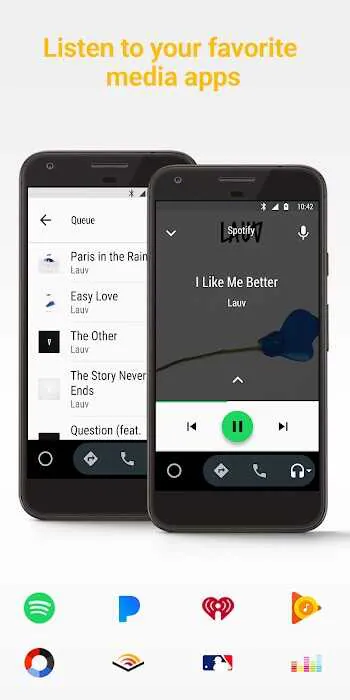
Android Auto provides straightforward, driver-focused features: touch-friendly menus and a minimal visual design keep the most-used controls prominent, while voice actions enable hands-free navigation, messaging and media control. Real-time GPS guidance with traffic alerts helps you select efficient routes and avoid congestion. Media playback supports a wide range of apps so you can switch between music, radio, audiobooks or podcasts with consistent playback controls. Messaging integration allows you to listen to incoming messages and reply via voice with compatible apps. The app also adapts its layout for day and night driving to reduce glare and enhance legibility.
How controls work
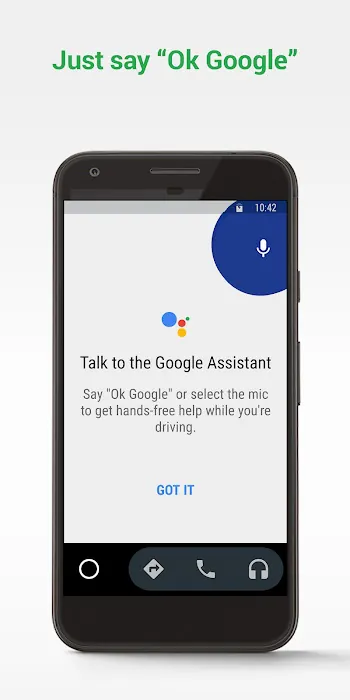
Controls in Android Auto are intentionally streamlined. You can tap large on-screen buttons when the car is stopped or when it is safe to do so, but the primary interaction model is voice: say a command to navigate to an address, call a contact or play a playlist. Steering-wheel media and voice buttons typically work with Android Auto so you can keep both hands near the wheel. If your vehicle supports touch on the in-car display, Android Auto mirrors a simplified phone interface there; otherwise you can rely on the phone screen for touch input. The combined options—voice, steering-wheel keys and touch—let drivers choose the safest method for their situation.
Setup and progression
Getting started with Android Auto follows a clear progression: install the app on a phone running a compatible Android version, grant the requested permissions for location, microphone and notifications, and connect to your car via USB or a supported wireless setup. The initial pairing process may ask you to confirm which apps are available on the car display and which notifications are allowed while driving. Once enabled, the app streamlines frequent tasks by offering saved destinations, favorite media apps and recent contacts so common actions require fewer steps. If a feature seems unavailable, a short checklist of phone OS version, cable quality and car model support usually resolves most issues.
Customization and visual style
The visual style emphasizes clarity: large typography and high-contrast elements reduce the need to look closely while driving. You can customize which apps appear in the launcher and arrange shortcuts for frequent destinations or playlists. Some in-car systems also respect the phone’s display settings, offering a cohesive look between the handset and the vehicle screen. While Android Auto keeps the interface simple, you can tailor the app experience by selecting preferred navigation and media applications so the content you use most is always one tap or one voice command away.
Offline use and data considerations
Android Auto relies on an active data connection for live traffic updates, streaming media and cloud-based features. However, basic playback of downloaded music or podcasts will continue without cellular data, and previously cached navigation data can provide guidance in areas with limited connectivity. For the smoothest experience, keep your phone’s navigation and media apps updated, and consider pre-downloading maps or playlists when you expect to be offline for extended drives.
Accessibility and safety
Accessibility is a core consideration: voice input removes the need to type, larger text and simplified menus assist users with limited vision, and audio prompts reduce visual demand. The design aims to reduce driver distraction by surfacing only essential controls and by offering consistent voice interactions for the most common tasks. If you rely on accessibility services, Android Auto is compatible with standard Android accessibility features to improve usability behind the wheel.
Compatibility and limitations
Android Auto works with phones running Android 5.0 or higher and integrates with many modern car head units, but not every vehicle or display is supported out of the box. Some cars require manual activation in their infotainment settings, and certain features depend on the car manufacturer’s implementation. A high-quality USB cable is often necessary when using a wired connection to prevent intermittent disconnects. Keep in mind that certain advanced functions require an active data connection and that available apps and features may vary by region and phone model.
- No virus
- No advertising
- User protection
Information
- File size: 57.40 M
- Language: English
- Latest Version: 12.7.643414-release
- Requirements: Android
- Votes: 373
- Package ID: com.google.android.projection.gearhead
- Developer: Google LLC
Screenshots
















Explore More
Connect deeper through meaningful conversations with our communication apps. Enjoy crystal-clear calls, video chats, messaging, and file sharing. Find the perfect emojis, GIFs, and stickers to express yourself. Keep the non-stop group banter organized in one place. Block unwanted interactions at the source. Meet new people worldwide through our global community features.

IZI: play, listen, watch, call

OnDjoss

Connecting - Friends Near Me

TryController

DATING SITES

TownSq Community

69ers

LR Store