Introduction
LiveView for Torque (OBD/Car) transforms your Android device into a real-time vehicle dashboard, displaying OBD-II data, customizable gauges, and alerts. Designed to pair with Torque Pro or compatible OBD adapters, it delivers live telemetry and flexible display layouts for drivers, mechanics, and enthusiasts who want insight into engine performance and vehicle health.
Key Features and Tools
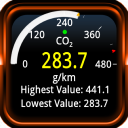
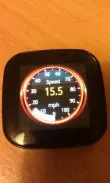
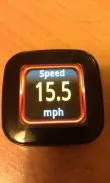
LiveView for Torque (OBD/Car) offers a compact set of tools built for clarity and speed. View live parameters such as RPM, vehicle speed, coolant temperature, fuel trims, and O2 sensor readings. Multiple gauge types, digital readouts, and simple warning indicators make it easy to spot abnormal values while on the move. The app supports custom dashboards, letting you save different layouts for daily commuting, diagnostics, or track use.
User Interface and Workflow
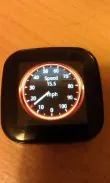
The interface focuses on quick readability and minimal distraction. A clean main screen presents selected gauges in bold, high-contrast colors. Menus are organized to access presets, data logging, and connection settings with just a few taps. Switching dashboards or adding a new metric is handled through an intuitive editor that previews changes in real time, so setup remains fast even for first-time users.
How Live Data Works
Data is retrieved from your vehicle’s OBD-II port via a Bluetooth or Wi-Fi adapter. Once paired, the app queries the engine control unit for predefined PIDs and updates the display at user-configurable intervals. Logging options allow you to record sessions for later analysis, exporting CSV logs to examine trends, compare runs, or share information with a technician. The result is continuous feedback rather than static snapshots.
Customization and Layout Options
Customization is a major strength. Choose gauge styles, colors, and units (metric or imperial). Arrange multiple widgets on a single screen, resize elements to emphasize the most important metrics, and assign audible or visual alerts when values exceed safe thresholds. The layout editor supports saving named dashboard profiles so you can quickly swap configurations for different vehicles or driving conditions.
Practical Uses and Scenarios
- Daily driving: Monitor fuel economy and engine temperature to drive more efficiently and avoid small problems becoming larger.
- Diagnostics: Capture erratic sensor values and record data while replicating a fault for accurate troubleshooting.
- Performance tuning: Track boost, AFR, and throttle response during controlled tests to fine-tune engine settings.
- Track and motorsport: Use lap-oriented dashboards to prioritize RPM, speed, and lap timing metrics during sessions.
Performance and Compatibility
The app is optimized for low latency display and stable connections with common ELM327-style adapters and many modern OBD-II Wi-Fi dongles. Performance depends on adapter speed and vehicle ECU response times; users can adjust polling rates to balance responsiveness and battery usage. The app is designed to run smoothly on a broad range of Android devices, from compact phones mounted in the cabin to larger tablets used as dash displays.
Installation and Setup Guide
Getting started is straightforward: install the app, connect your OBD-II adapter to the vehicle, and pair it through Android settings or the in-app connection menu. Select a dashboard template or create one from scratch, then add the PIDs you need. For advanced setups, map non-standard PIDs or use the logging export to analyze sensor behavior in third-party tools. LiveView for Torque (OBD/Car) keeps the process approachable while providing depth for power users.
Tips for Best Results
- Use a reliable adapter and place it where it won’t obstruct driving controls.
- Start with a few essential gauges and expand as you become comfortable.
- Export logs after tests to track improvements or identify recurring faults.
- Enable alerts for critical parameters to prevent overheating or engine damage.
Whether you need quick in-car feedback, thorough diagnostic logs, or a customized instrument cluster for performance driving, LiveView for Torque (OBD/Car) delivers a balance of usability and technical capability. Its combination of real-time telemetry, flexible layouts, and exportable data makes it a practical companion for anyone who wants clearer insight into a vehicle’s operating condition.
- No virus
- No advertising
- User protection
Information
- File size: 0.50 M
- Language: English
- Latest Version: 1.0.2
- Requirements: Android
- Votes: 276
- Package ID: org.prowl.liveview.plugins.sandbox
- Developer: Ian Hawkins
Screenshots
















Explore More
Take charge of your wellbeing with our innovative health and fitness apps. Monitor your activity, sleep, nutrition and more using our advanced tracking tools. Access personalized insights to develop healthy habits. Check symptoms, manage medications, and connect with doctors through our telehealth services. Follow customized workout plans for any fitness level with our virtual coaching.

Tap vpn - fast and safe

Half Marathon Trainer 13.1 21K

DWP Fitness - Diet & Workout

MaaS360 MDM for Android

AD Program

Health Connect (Beta)

Kidcare – Parental Control App

Ultimate IPTV Playlist Loader