Introduction
with different commands and scenarios to enhance their proficiency in command line operations. Whether users are beginners seeking to learn the basics or experienced individuals looking to sharpen their skills, Command Prompt offers a comprehensive and interactive platform for mastering command line commands. With its user-friendly interface, practical examples, and continuous updates, this app is a valuable tool for anyone interested in improving their understanding of command prompt functionalities. Command Prompt is more than just an educational resource; it is a practical guide that empowers users to navigate the complexities of command line operations confidently and effectively.
Features of Command Prompt:
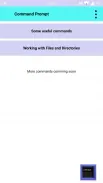
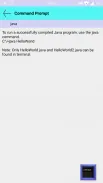
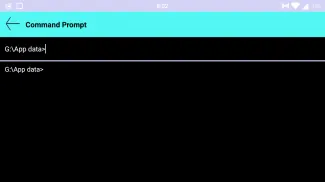
- Interactive Terminal Window: The app features a Terminal window that allows users to input commands and observe real-time outputs, providing a practical learning experience.
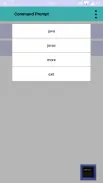
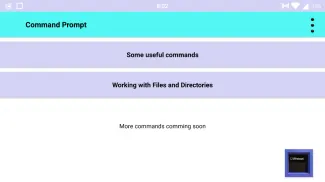
- Range of Commands: Command Prompt offers a variety of fundamental commands commonly used in command line interfaces, helping users build a strong foundation in command line operations.
- Clear Explanations and Examples: The app provides explanations and examples to clarify the use of different commands, making it easier for users to grasp concepts and improve their understanding.
- Immediate Feedback: Users can interact with the Terminal window by entering commands and receiving instant outputs, reinforcing learning and information retention.
- Continuous Updates: The app is regularly updated to include compatibility with more commands, ensuring users have access to a wide range of command line options.
- Educational Tool: Command Prompt serves as a valuable resource for individuals pursuing careers in technology, programming, or IT, helping them enhance their technical skills and navigate computer systems more proficiently.
FAQs:
- Is Command Prompt easy to use for beginners?
Yes, the app features a user-friendly interface and provides clear explanations and examples to help beginners understand and navigate command line operations.
- Can users interact with the commands in real-time?
Yes, users can input commands into the Terminal window and receive immediate outputs, allowing for a hands-on learning experience.
- How often is Command Prompt updated?
The app is continuously being updated to include compatibility with more commands, demonstrating a commitment to providing users with an expansive range of command line options.
Conclusion:
Command Prompt is a valuable educational tool for individuals looking to enhance their command line skills. With its interactive interface, range of commands, clear explanations, and continuous updates, the app offers users a unique and dynamic learning experience. Whether you are a beginner looking to learn the basics or a seasoned professional wanting to expand your knowledge, Command Prompt is a versatile resource that can help you master command line operations effectively. Download the app now to start your journey towards becoming proficient in command line commands.
- No virus
- No advertising
- User protection
Information
- File size: 19.10 M
- Language: English
- Latest Version: 9.22.5.2
- Requirements: Android
- Votes: 439
- Package ID: cm.aptoide.pt
- Developer: coolbase
Screenshots

















Explore More
Explore an immersive world of entertainment with our media software. Watch, listen, and engage with your favorite shows, music, movies, and more. Access exclusive content, personalized recommendations, and innovative formats. Enhance your experience with our suite of cutting-edge applications. Discover hidden gems tailored to your unique tastes. Create, share, and connect over personalized playlists, reviews, and forums.

MEXC Global: BTC, ETH, Gamefi

Talking Cat Vs. Mouse

OLX Portugal

ScratchJr

Background Remove & Replace

AppLock Theme Tulip

Physics Lab

Netflix Premium