Introduction
Introducing the Photo/Vector Graphics Editor app, a unique fusion of photo editing and vector graphics tools in one convenient platform. With a wide range of features such as image drawing tools, text editing, object-based editing, and region-specific image processing, this app is perfect for creating stunning images and designs. From reshaping and beautifying photos to creating banners and posts, the possibilities are endless with this versatile editor. Plus, with user-friendly functions like easy gallery browsing, zooming, and printing support, editing and sharing your masterpieces has never been easier. Download now and unleash your creativity!
Features of Photo/Vector Graphics Editor:
Image drawing/illustration tools: The app combines photo editing and vector graphics editing tools for a versatile editing experience. You can crop, draw text, add lines, mosaic masks, add EXIF date stamps, and more. The object-based tools allow you to easily move, resize, and remove elements from your images.
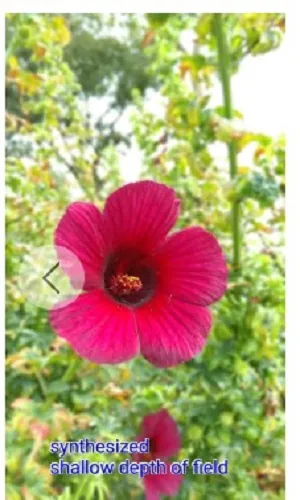
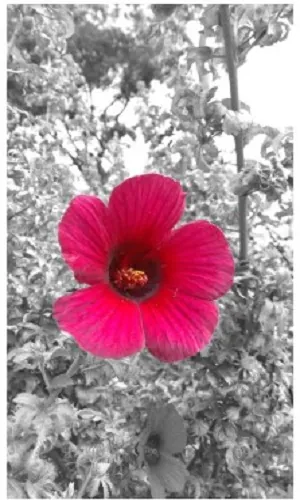
Region-specific image processing: The app supports non-rectangular region editing, allowing you to sharpen, adjust colors, apply filters, and more to specific areas of your photos. This feature is great for targeted image enhancements like skin smoothing or background removal.
Text and shape customization: Create multi-line text with shadows, add text backgrounds with oval or round rectangle shapes, and use polygons for complex image adjustments. The app also supports gradients for added design flexibility.
Easy-to-use gallery: The app offers a user-friendly gallery for browsing and managing your photos. Features like previous/next buttons for quick navigation and double-tap zoom for detailed viewing make the experience seamless.
Playing Tips:
Try using the polygon selection tool for precise editing. You can easily select and edit specific regions of your images for targeted enhancements or adjustments.
Experiment with the text and shape customization options to add creative elements to your photos. Use gradients, shadows, and different shapes to create unique designs.
Take advantage of the region-specific processing tools for advanced editing. Whether you're enhancing portraits or adjusting backgrounds, these tools offer precise control over your edits.
Conclusion:
With a seamless fusion of photo editing and vector graphics tools, the Photo/Vector Graphics Editor app offers a comprehensive editing experience for users of all levels. From basic adjustments to advanced region-specific processing, this app provides a wide range of features to enhance and customize your photos. The easy-to-use gallery and intuitive tools make it a great choice for both casual and professional users looking to elevate their editing capabilities. Download the app now to unleash your creativity and enhance your photos with ease.
- No virus
- No advertising
- User protection
Information
- File size: 5.90 M
- Language: English
- Latest Version: 496
- Requirements: Android
- Votes: 327
- Package ID: com.hyperrate.andcamera
Screenshots
















Explore More
Equip yourself with our all-in-one toolbox app for everyday tasks and projects. Instantly convert between units, calculate tips, scan documents, manage files, and more with handy productivity tools. Includes a level, compass, QR code reader, ruler, speedometer, decibel meter, and flashlight. Save frequently used tools to your customizable dashboard for one-tap access. Track billable hours, wages, budgets, and invoices. Annotate screenshots, magnify labels, and sign PDFs on the go.

MEXC Global: BTC, ETH, Gamefi

MERA PROXY PRO

Domino's Pizza Sri Lanka

Hatekhori Shongkha

Connecting - Friends Near Me

Cartola

Virink
RegenRadar