Introduction
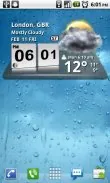
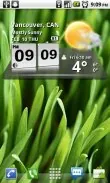
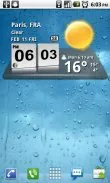
Looking for a stylish and informative addition to your Android home screen? Look no further than the 3D Digital Weather Clock widget! This widget is not your average clock - it features a 12/24 hour clock, system stats information, battery icon, and even week numbers and sunrise/sunset times for scheduling outdoor activities. With a detailed 4-day weather forecast screen and customizable hotspots, this widget is both functional and visually appealing. To add this widget to your home screen, simply tap on any blank area, select "Widgets," and choose the "3D Digital Weather Clock" widget. Stay informed and organized with this convenient and eye-catching widget!
Features of 3D Digital Weather Clock:
* Customization Options:
Users can choose from a variety of color options for the information displayed on the widget, allowing them to personalize their device to their liking.
* System Stats Information:
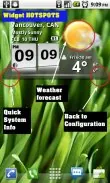
The widget includes a pop-up feature that displays system stats information, giving users quick access to important data about their device.
* Weather Forecast:
With detailed weather information and a 4-day forecast screen, users can stay informed about the current conditions and plan ahead for outdoor activities.
* Easy Access Hotspots:
The widget includes hotspots that allow users to quickly access different features by tapping on specific areas, making navigation simple and intuitive.
FAQs
* How do I add the widget to my home screen?
To add the widget, tap on any blank area of your Android home screen, select "Widgets" from the pop-up window, and choose the "3D Digital Weather Clock" from the list.
* Why is the time frozen/not updating?
If the clock is not updating, it may have been killed by a taskiller. Make sure to exclude it from taskillers to ensure proper functionality.
* Can I move the widget to the SD card?
Widgets should not be placed on the SD card. If you are experiencing issues, move the widget back to the phone storage for optimal performance.
Conclusion
The 3D Digital Weather Clock widget offers users a customizable and informative tool for staying up-to-date on weather conditions and system stats. With easy access hotspots and a variety of customization options, this widget is a practical and user-friendly addition to any Android device. Download the widget today to enhance your device's functionality and stay prepared for any weather forecast!
- No virus
- No advertising
- User protection
Information
- File size: 2.80 M
- Language: English
- Latest Version: 4.2.4
- Requirements: Android
- Votes: 264
- Package ID: factory.widgets.ThreeDDigitalWeatherClock
- Developer: Factory Widgets
Screenshots
















Explore More
Be prepared and plan your days better with our new weather app. Get real-time hyperlocal forecasts, customizable alerts and widgets, and detailed hourly projections. Beautiful photo backgrounds change dynamically based on conditions. Intuitive radar and satellite imagery help you visualize storms and patterns. Get humidity, precipitation probability, pollen count, and other useful data at a glance. Save favorite locations like home, work, or travel destinations for quick access.

skydive

Indian Bike Driving Cheats Codes

soccer time

Rosemary

The Pursuit of God
SC Emergency Manager
Bhadawal

Grau games Motos(Acesso Antecipado)