


Introduction
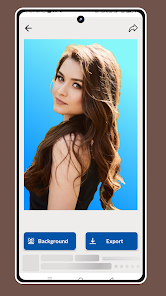
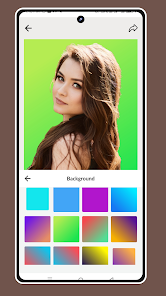
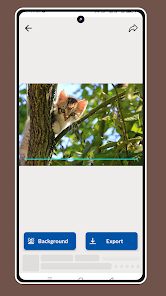
Background Remover - BG Eraser is a simple photo editing utility that quickly removes and replaces image backgrounds, ideal for creating transparent PNGs, profile pictures, or product photos. The app automatically detects subjects and separates them from backgrounds, then lets you swap scenes with solid colors, blur effects, or basic backdrops. Background Remover - BG Eraser keeps editing straightforward with basic brightness, contrast and color adjustments, a clean interface and fast, lightweight performance so you can pick an image from the gallery or camera and finish edits in just a few steps.
Key Features
⭐ Background Remover - BG Eraser automatically detects and separates subjects from their backgrounds for fast, one-tap removal.
⭐ Create transparent images for sharing, profile use, or simple design tasks.
⭐ Replace backgrounds with solid colors, blur effects, or simple scene backdrops to suit your style.
⭐ Simple tools to adjust brightness, contrast and color to refine results after removal.
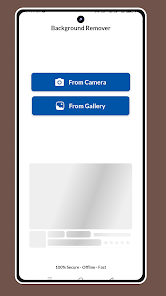
⭐ Select photos from your gallery or take a new picture with the camera and edit in a few quick steps.
Advantages
✅ Fast, lightweight performance designed to run well on most Android devices.
✅ Clean, easy-to-use interface that removes the learning curve for basic edits.
✅ Works well for portraits, selfies and product images—handy for social posts and profile pictures.
✅ Background Remover - BG Eraser streamlines common background tasks so you can produce transparent files or swapped backgrounds quickly.
Disadvantages
❎ May require manual touch-ups for fine edges or subjects with complex hair or intricate outlines.
❎ Limited to basic editing features and not intended for advanced compositing or professional retouching.
❎ Final results can vary depending on original photo quality and subject/background contrast.
- No virus
- No advertising
- User protection
Information
- File size: 30.00 M
- Language: English
- Latest Version: 1.0
- Requirements: Android
- Votes: 471
- Package ID: com.softlaskani.backgroundremover
- Developer: AIFuturmedia
Screenshots
















Explore More
Equip yourself with our all-in-one toolbox app for everyday tasks and projects. Instantly convert between units, calculate tips, scan documents, manage files, and more with handy productivity tools. Includes a level, compass, QR code reader, ruler, speedometer, decibel meter, and flashlight. Save frequently used tools to your customizable dashboard for one-tap access. Track billable hours, wages, budgets, and invoices. Annotate screenshots, magnify labels, and sign PDFs on the go.

MEXC Global: BTC, ETH, Gamefi

Text Art - Write Text On Photo

Domino's Pizza Sri Lanka

Hatekhori Shongkha

Halloween Photo Editor -Makeup

Connecting - Friends Near Me

Cartola

HFonts - font & emoji manager





















