
Introduction
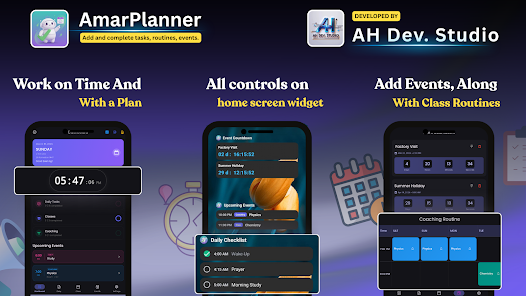
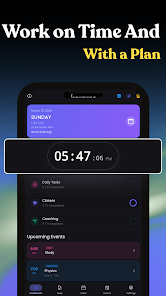
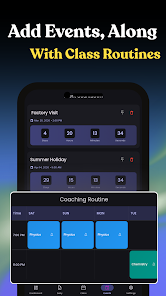
Amar Planner: Study & Routine helps students and professionals combine academic timetables and daily routines into one clear, compact planner. It provides a visual day layout split into Morning, Afternoon, Evening and Night, interactive checklists, dual Hijri and Gregorian calendars, and home-screen widgets so you can preview tasks and events without opening the app. Features such as biometric protection, a Keep Screen On option for focused sessions, and smart alarms aim to reduce interruptions and support consistent study blocks.
Key Features
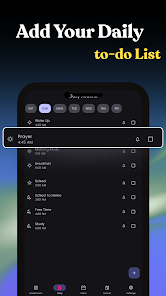
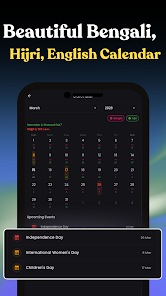
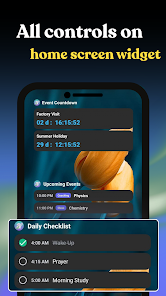
Amar Planner: Study & Routine divides the day into distinct sections for a quick visual routine overview and includes an interactive checklist builder for creating dynamic to-do lists and marking tasks complete. The app supports both Hijri and Gregorian calendars to accommodate academic and religious planning, offers productivity widgets for quick access to upcoming items, and includes on-device biometric security. A Study Focus Mode with Keep Screen On and smart alarms helps maintain longer, uninterrupted study sessions.
Advantages
Amar Planner: Study & Routine centralizes study schedules, checklists and reminders so you spend less time switching between apps. Native Hijri and Gregorian calendar support is useful for users balancing academic and spiritual planning, and biometric authentication together with on-device focus tools helps reduce distraction and keep sensitive data secure. Home-screen widgets and precise reminders make it easier to follow routines and avoid missed classes or deadlines.
Disadvantages
The app is focused on personal study and routine management rather than full-scale project management, so advanced project features and complex task dependencies may be limited. Team collaboration tools are not described and may not meet all group planning needs.
- No virus
- No advertising
- User protection
Information
- File size: 56.00 M
- Language: English
- Latest Version: 1.0.2
- Requirements: Android
- Votes: 107
- Package ID: com.ahds.amarplanner
- Developer: AH Dev. Studio
Screenshots

















Explore More
Equip yourself with our all-in-one toolbox app for everyday tasks and projects. Instantly convert between units, calculate tips, scan documents, manage files, and more with handy productivity tools. Includes a level, compass, QR code reader, ruler, speedometer, decibel meter, and flashlight. Save frequently used tools to your customizable dashboard for one-tap access. Track billable hours, wages, budgets, and invoices. Annotate screenshots, magnify labels, and sign PDFs on the go.

MEXC Global: BTC, ETH, Gamefi

Text Art - Write Text On Photo

MERA PROXY PRO

Domino's Pizza Sri Lanka

Halloween Photo Editor -Makeup

Connecting - Friends Near Me

Cartola

HFonts - font & emoji manager