Introduction
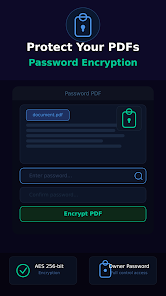
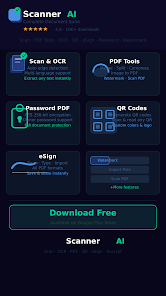
AI document scanner turns your phone into a portable scanning tool that captures receipts, notes, IDs and pages with high accuracy and converts them into PDFs or editable text. The app combines AI-powered edge detection and image enhancement to produce clean, high-clarity scans while OCR extracts text you can copy or edit. If you need a compact way to archive invoices, study notes or official documents, AI document scanner streamlines scanning, conversion and sharing so paperwork fits in your pocket and is ready to email, store or print instantly.
Key Features
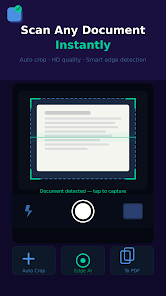
⭐ AI-powered edge detection and auto-cropping for precise scans.
⭐ HD-quality scans for receipts, invoices, notes, IDs and books.
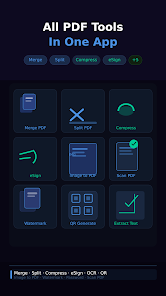
⭐ Convert images to PDF, merge multiple pages and compress files for easier sharing.
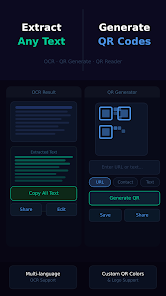
⭐ OCR extracts editable text from images and supports multiple languages.
⭐ AI enhancement adjusts brightness and contrast, removes shadows and reduces noise for professional results.
⭐ Save scans as PDF or image, print directly or export to email, messaging and cloud storage.
Advantages
✅ Turns your smartphone into a portable PDF scanner ideal for students, professionals and freelancers.
✅ Produces clean, professional-looking scans thanks to AI enhancements and HD capture.
✅ OCR lets you copy, edit and reuse text from paper documents, saving retyping time.
✅ Built-in PDF conversion, page merging and compression simplify document management and sharing.
✅ Quick export and print options make filing and distribution straightforward with AI document scanner.
Disadvantages
❎ OCR accuracy can drop on messy handwriting or unusually formatted pages.
❎ Very dark or blurred photos may still produce imperfect scans despite enhancement tools.
❎ Very large multi-page PDFs might require additional compression before sharing or sending.
- No virus
- No advertising
- User protection
Information
- File size: 44.00 M
- Language: English
- Latest Version: 1.2.0
- Requirements: Android
- Votes: 228
- Package ID: com.ahtechno.scanner_ai
- Developer: AH Techno
Screenshots
















Explore More
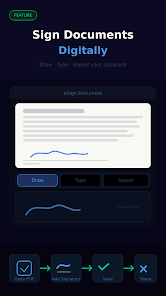
Equip yourself with our all-in-one toolbox app for everyday tasks and projects. Instantly convert between units, calculate tips, scan documents, manage files, and more with handy productivity tools. Includes a level, compass, QR code reader, ruler, speedometer, decibel meter, and flashlight. Save frequently used tools to your customizable dashboard for one-tap access. Track billable hours, wages, budgets, and invoices. Annotate screenshots, magnify labels, and sign PDFs on the go.

MEXC Global: BTC, ETH, Gamefi

Text Art - Write Text On Photo

Domino's Pizza Sri Lanka

Hatekhori Shongkha

Halloween Photo Editor -Makeup

Connecting - Friends Near Me

Cartola

HFonts - font & emoji manager