Introduction
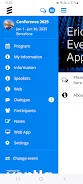
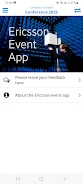
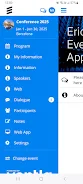
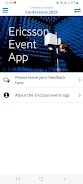
Ericsson makes attending conferences and corporate gatherings easier with a dedicated event app that centralizes agenda, speaker information and practical on-site details. With Ericsson you can browse the full schedule, read speaker bios and receive timely push notifications before and during an event so you won't miss updates. The app also lets attendees participate in live polls and submit questions directly to the stage, making sessions more interactive. Whether you're planning your day or engaging with presenters, Ericsson provides the core tools needed to stay informed and connected throughout an event.
Key Features
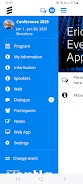
⭐ Full agenda and schedule view so you can browse sessions and plan your day.
⭐ Speaker profiles and session details to learn who is presenting and when.
⭐ Practical event information including venue details and logistical notes.
⭐ Live polling to respond to questions and see audience feedback in real time.
⭐ Direct Q&A: submit questions to the stage for moderators and speakers.
⭐ Push notifications before and during the event to keep you updated on changes.
Advantages
✅ Centralized event info makes it easy to find agendas, speakers and logistics.
✅ Ericsson provides tools for real-time interaction and session engagement.
✅ Push notifications ensure attendees receive timely updates and changes.
✅ Simple interface designed for quick access to the event’s practical details.
Disadvantages
❎ Content depends on event organizers to populate schedules and speaker information.
❎ Notifications must be enabled to receive real-time updates and alerts.
❎ Certain features are only active before and during the event, limiting off-event use.
- No virus
- No advertising
- User protection
Information
- File size: 13.20 M
- Language: English
- Latest Version: 5.2.6
- Requirements: Android
- Votes: 105
- Package ID: com.meetappevent.ericsson_events
- Developer: Ventla
Screenshots
















Explore More
Equip yourself with our all-in-one toolbox app for everyday tasks and projects. Instantly convert between units, calculate tips, scan documents, manage files, and more with handy productivity tools. Includes a level, compass, QR code reader, ruler, speedometer, decibel meter, and flashlight. Save frequently used tools to your customizable dashboard for one-tap access. Track billable hours, wages, budgets, and invoices. Annotate screenshots, magnify labels, and sign PDFs on the go.

7 Bussid Private Bus Mod

1win

Iwan fals Paling Lengkap

CZUR

The Doylo

Radio You FM 106.9
Best Phone Ringtones

Sanadin Selfie