Introduction
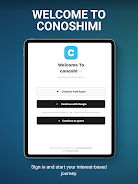
Conoshimi is a niche-focused social app that helps people connect, create, and belong by centering on user-made communities and long-form content. It lets you join thousands of interest-based groups or launch your own public or private community in seconds, so you can find people who share your passions instead of defaulting to broad social feeds. Conoshimi includes an intuitive blogging editor for publishing readable, long-form posts and an interactive feed to follow discussions across the communities you join, making it a useful platform for creators, hobbyists, and anyone seeking deeper conversations online.
Key Features
⭐ Create and manage public or private communities with Conoshimi in seconds and invite others to join conversations.
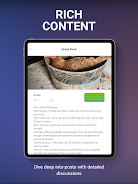
⭐ Rich blogging tools with a clean, readable editor for publishing long-form content inside your communities.
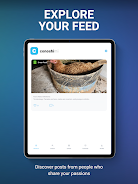
⭐ An interactive feed that surfaces the latest posts from all the communities you follow.
⭐ Nested commenting and like features that encourage meaningful, threaded discussions.
⭐ Smooth, responsive performance built with modern Flutter-based design for a fluid user experience.
Advantages
✅ Conoshimi focuses on niche communities, making it easier to find people who truly share your interests.
✅ The built-in blogging platform helps creators publish full-length articles without relying on external tools.
✅ Options for public or private groups give you control over privacy and membership.
✅ A streamlined interface and fast performance make browsing, posting, and engaging feel effortless.
Disadvantages
❎ Smaller, niche communities can sometimes be quieter than large mainstream social networks.
❎ The emphasis on long-form content may not suit users who prefer short, quick updates.
❎ New communities may require time and active participation to build momentum and visibility.
- No virus
- No advertising
- User protection
Information
- File size: 67.68 M
- Language: English
- Latest Version: 1.0.5
- Requirements: Android
- Votes: 251
- Package ID: com.conoshimi.app
- Developer: Meraky Development s.a.r.l
Screenshots























Explore More
Equip yourself with our all-in-one toolbox app for everyday tasks and projects. Instantly convert between units, calculate tips, scan documents, manage files, and more with handy productivity tools. Includes a level, compass, QR code reader, ruler, speedometer, decibel meter, and flashlight. Save frequently used tools to your customizable dashboard for one-tap access. Track billable hours, wages, budgets, and invoices. Annotate screenshots, magnify labels, and sign PDFs on the go.

CIS app

Gold Damon Ps2

Anime Music Girls Wallpapers And GIFs

Directplay-(HD) Turkish Series

Rakuten Manga Beta (Unreleased)

Dhaka Share Bazar

NCNP Fall 2016

BD Jésus, Le Messie (Français)