Introduction
Kiarasari is a village management and community engagement app designed to connect residents, village officials and local stakeholders to services, news and development programs from a single interface. Kiarasari brings together announcements, service requests, issue reporting and event agendas so users can follow local planning, submit administrative letters, and join discussions without multiple phone calls or office visits. The app focuses on practical civic tools rather than entertainment, making it suitable for everyday use by residents, administrators and community leaders.
Key features and module layout
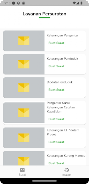
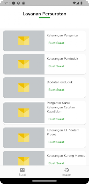
The main modules are organized for clarity: a News & Announcements feed, an Online Public Services area for submitting letters and permits, a Discussion Forum for community input, an Interactive Map that shows public facilities and transport routes, an Activity Agenda listing upcoming social and development events, and a Complaint Center for reporting problems and tracking responses. Each module is accessible from the home screen and uses consistent controls so users can move between reading notices, filing a request and viewing map pins without relearning navigation patterns.
User experience and progression
Kiarasari guides new users through a short setup flow that explains how to follow a village, customize notifications and prepare common administrative forms. Progression is practical: after registering and verifying basic contact details, residents can submit requests, check status updates and participate in forum discussions. Over time the app becomes a personal civic dashboard where past requests, attended events and recent community discussions are stored for quick reference, helping users follow their own participation history and the village’s development timeline.
Controls and interaction
The app uses standard touch controls familiar to Android users: tap-to-open cards, swipe to refresh feeds, long-press for map details and simple multi-field forms with inline validation for submitting permits or complaints. Forms are broken into clear steps with helpful labels and examples so users can complete administrative letters with confidence. The interactive map supports pinch-to-zoom and pin selection to view facility details and contact information.
Visual style and accessibility
Kiarasari adopts a clean, readable visual style that emphasizes legible typography and high-contrast elements to aid visibility in outdoor conditions. Color choices are restrained to avoid confusion between interactive controls and informational text. Accessibility options include scalable fonts, clear iconography and simple language for instructions so the interface remains usable by people with varying levels of digital literacy.
Customization, notifications and offline behavior
Users can customize notification frequency, the types of announcements they receive and the specific public services they follow. Kiarasari caches recently viewed notices and drafts of service requests so residents can prepare messages and reports while offline and submit them automatically when a connection is available. This offline-friendly behavior helps areas with intermittent coverage and reduces the need for repeated data entry.
Community engagement and moderation
The discussion forum and complaint center are designed to facilitate constructive exchanges between citizens and village officials. Posts and reports include clear status markers so contributors can see whether an issue is acknowledged or being processed. Moderation tools for village administrators help keep conversations on topic and allow officials to post official responses, event updates and action plans in the same thread where questions are asked.
Replay value and ongoing usefulness
Rather than being a one-time experience, Kiarasari is intended for repeated daily or weekly use: new announcements, event schedules, and development updates provide reasons to return, while the ability to track outstanding requests and view responses keeps residents engaged in local governance. The app’s modular layout allows villagers to focus on the features they use most, whether that is following community training programs or reporting infrastructure needs.
Limitations and technical requirements
Kiarasari requires internet access for real-time updates and submissions and works best when village officials actively contribute information. The app assumes a basic level of digital literacy; smaller villages may need an initial orientation to introduce residents to its functions. Data privacy is managed through account controls and local administrative oversight, and users should keep contact details up to date to receive accurate responses.
How to get started
Install Kiarasari, complete the brief profile setup, choose the village or administrative area you want to follow, and explore the News feed and Public Services module. Try submitting a simple request or saving an event to your agenda to become familiar with the controls. With regular use, Kiarasari becomes a practical tool for staying informed, participating in planning and improving communication between residents and local government.
- No virus
- No advertising
- User protection
Information
- File size: 44.50 M
- Language: English
- Latest Version: 1.0.0
- Requirements: Android
- Votes: 407
- Package ID: pkkm.kiarasari
- Developer: FINTECH UPPER
Screenshots






















Explore More
Make your house a home with our suite of helpful home apps. Discover clever tools to organize closets, streamline chores, and simplify cooking. Take the stress out of cleaning and maintenance with handy checklists and schedules. Enhance security and control appliances and lighting with our smart home integrations. Design, visualize, and renovate like a pro using our 3D planning software.

Metro Micro

All Recovery - Photos & Videos

Tax Calculator India 2024-2025

ClassPass: Fitness, Spa, Salon

OnDjoss

Park4Me

Scary sound effects

Home Workouts - Lose Weight