
Introduction
Pregnancy Test Scanner Prank is a lighthearted novelty app that simulates interpreting pregnancy tests for entertainment purposes only. It lets users scan images and receive humorous results, with customizable messages and shareable screenshots, making it useful for harmless jokes among friends while clearly not a medical diagnostic tool.
Overview of the experience
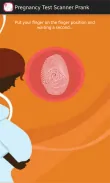
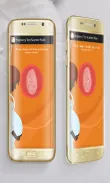
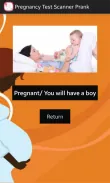
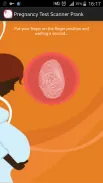
The core idea behind Pregnancy Test Scanner Prank is simple: create a believable scanner interaction that outputs playful outcomes. The interface mimics a camera scanner and offers a series of preset responses, from surprised to celebratory, which can be customized by the user. It focuses on quick interactions and social sharing rather than accurate health information.
Key functions and tools
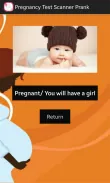
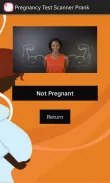
The app places several practical controls at the user’s fingertips. You can import a photo or use the live camera, apply a simulated scan overlay, and choose an outcome category. Options include changing the text of the result, adding a time stamp, and selecting an emoji or sticker to appear on the final image. These lightweight editing tools help craft a convincing prank without complex menus.
User interface and performance
Navigation is straightforward: large buttons guide the flow from capture to reveal. Visual feedback accompanies each step so users know what to expect. The app runs smoothly on most mid-range devices, with minimal lag while processing images. Animations are modest and focus on realism—an animated line passes over the image as if analyzing it, improving the immersive feel.
How it works
Pregnancy Test Scanner Prank does not analyze medical data. Instead, it overlays graphics and text as if a result were detected. The app manages a simple state machine: capture, choose result, preview, and export. Because operations are local, privacy is maintained; captured images stay on the device until the user chooses to share them.
Customization options
Users can personalize nearly every output element. Change phrasing, font size, and color of the displayed result. Add or remove decorative elements and adjust the position of stickers. These settings are remembered for future sessions, allowing quick repeats of favorite pranks. Advanced options even allow toggling between subtle and obvious results to suit different audiences.
Practical tips for first-time users
- Start with a friendly message: choose wording that keeps the joke light and avoids causing distress.
- Test the output privately before sharing widely to ensure spacing and stickers look natural.
- Use high-contrast photos for a clearer simulated scan effect.
- Respect other people’s boundaries—avoid using the app in situations where the prank could cause serious worry.
Why people download it
Many users appreciate Pregnancy Test Scanner Prank as a creative tool for pranks, social media posts, or short-form video content. Its strengths are simplicity and speed. People who enjoy harmless practical jokes find the app easier to use than full-featured image editors, and the built-in templates speed up mock reveals for group chats or timelines.
Safety and ethical notes
It is important to emphasize that this app is purely for entertainment. Results are fictional and should never substitute medical advice or a real pregnancy test. The developers provide clear disclaimers within the app and ask users to avoid creating distressing or manipulative content.
Installation and getting started
Installation is straightforward: download the package from your preferred app store, grant camera and storage permissions when prompted, and walk through a brief tutorial that showcases the capture-to-share sequence. The onboarding highlights where to edit messages, how to save presets, and how to export images for messaging apps.
Final thoughts on usability
Pregnancy Test Scanner Prank delivers a focused, well-designed prank experience. It balances playful presentation with accessible controls, making it a go-to choice for users seeking a lightweight social tool. With responsible use and clear communication, it becomes a fun addition to casual social interactions and short-form content creation.
- No virus
- No advertising
- User protection
Information
- File size: 2.60 M
- Language: English
- Latest Version: 1.0
- Requirements: Android
- Votes: 458
- Package ID: com.dev.pregnancy.test.scanner.fingerprint
- Developer: paul
Screenshots
















Explore More
Take charge of your wellbeing with our innovative health and fitness apps. Monitor your activity, sleep, nutrition and more using our advanced tracking tools. Access personalized insights to develop healthy habits. Check symptoms, manage medications, and connect with doctors through our telehealth services. Follow customized workout plans for any fitness level with our virtual coaching.

Tap vpn - fast and safe

Half Marathon Trainer 13.1 21K

DWP Fitness - Diet & Workout

MaaS360 MDM for Android

AD Program

Health Connect (Beta)

Kidcare – Parental Control App

Ultimate IPTV Playlist Loader